


Wydawcy
Katalog tematyczny
- Archeologia (109)
- Ekonomia, finanse, business (13704)
- Filozofia (1445)
- Historia (3040)
- Języki i językoznawstwo (2356)
- Lifestyle, hobby i rozrywka (475)
- Medycyna (9704)
- Nauki humanistyczne (4)
- Nauki o Ziemi i środowisku (2638)
- Nauki ścisłe (20412)
- Nauki społeczne (8486)
- Nauki techniczne (13450)
- Prawo (1696)
- Publikacje informacyjne i interdyscyplinarne (1288)
- Religia i wierzenia (917)
- Technika komputerowa (4067)
- Bazy danych (75)
- Bezpieczeństwo komputerowe (454)
- Certyfikacja komputerowa (1)
- Grafika i media cyfrowe (32)
- Informatyka (779)
- Komputery, ogólnie (74)
- Programowanie (351)
- Programy komercyjne (49)
- Sieci komputerowe (350)
- Sprzęt komputerowy (4)
- Systemy operacyjne (32)
- Technika cyfrowa na co dzień (7)
- Zdrowie, relacje międzyludzkie i rozwój osobisty (657)





Informacje szczegółowe o książce
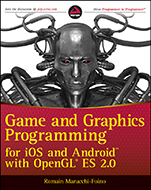
Game and Graphics Programming for iOS and Android with OpenGL ES 2.0
ISBN 9781119975915
Autor: Romain Marucchi–Foino
Wydawca: Wiley
Dostępność: 3-6 tygodni
Cena: 205,80 zł
Przed złożeniem zamówienia prosimy o kontakt mailowy celem potwierdzenia ceny.
ISBN13: |
9781119975915 |
ISBN10: |
1119975913 |
Autor: |
Romain Marucchi–Foino |
Oprawa: |
Paperback |
Rok Wydania: |
2012-02-20 |
Ilość stron: |
308 |
Wymiary: |
233x190 |
Tematy: |
UP |
Learn how to build games with stunning graphics
Striking the ideal balance between aesthetics and functionality to create a state–of–the–art game is no small feat. That′s where this book comes in. If you have a decent C/C++ programming background and a basic understanding of computer graphics, you′ll find that this invaluable resource includes everything you need to know in order to make quick work of creating a full–fledged game. Successful game engine developer Romain Marucchi–Foino covers all aspects of creating a game, such as loading complex geometries and textures; handling GLSL materials, sounds, cameras, and clippings; physics; pathfinding and AI; post–processing effects; real–time lighting and shadowing; working with skeletal animations; and much more. Before you know it, you′ll be able to apply the knowledge you′ve gained from this book to create your own sophisticated game.
Game and Graphics Programming for iOS and Android with OpenGL ES 2.0:
Brings awareness to the powerful potential of OpenGL ES 2.0 in game programming
Includes helpful tutorials and real–world mobile apps to give you a deeper understanding of what works in programming
Demonstrates how to work with OpenGL features, including geometry, shaders, lighting, special effects, character animation, and more
Addresses real–time physics, pathfinding, and optimization
Zeroes in on audio and other cool and unique game programming possibilities
Wrox guides are crafted to make learning programming languages and technologies easier than you think. Written by programmers for programmers, they provide a structured, tutorial format that guides you through all the techniques involved.
wrox.com Programmer Forums
Join our Programmer to Programmer forums to ask and answer programming questions about this book, join discussions on the hottest topics in the industry, and connect with fellow programmers from around the world.
Code Downloads
Take advantage of free code samples from this book, as well as code samples from hundreds of other books, all ready to use.
Read More
Find articles, ebooks, sample chapters, and tables of contents for hundreds of books, and more reference resources on programming topics that matter to you.
INTRODUCTION xvii
CHAPTER 1: GETTING STARTED 1
Software Requirements 2
For iOS Developers 2
For Android Developers 2
Downloading the Book’s SDK 4
Importing Projects 5
For iOS Developers 5
For Android Developers 5
The Template 7
Summary 8
CHAPTER 2: SETTING UP YOUR GRAPHIC PROJECTIONS 9
The Three Basic Types of Projections 10
Orthographic 2D Projection 11
Program and Project Initialization 12
Vertex and Fragment Shader 14
Linking a Shader Program 17
The Drawing Code 19
Orthographic Projection 23
Getting Orthographic 23
Perspective Projection 26
Summary 27
CHAPTER 3: DEALING WITH COMPLEX GEOMETRY 29
The Wavefront File Format 29
Cube.obj 30
Cube.mtl 31
Preparing the OBJ Viewer Code 31
Loading an OBJ 32
Building the Shaders 35
The Vertex Shader 35
The Fragment Shader 36
Vertex Buff er Object 36
Storing the Vertex Data 37
Building the Vertex Data Array VBO 38
Building the Element Array VBO 39
Building the VAO 40
Rendering Momo 42
Handling Touche 44
Per–Vertex Lighting 46
Vertex Shader Light Calculation 46
Modifying the Fragment Shader 47
More Uniforms 48
Making Momo Furrier 50
Loading the Texture 50
Adjusting the Vertex Data 51
Adding UV Support to the Vertex Shader 52
Adding Texture Support to Your Fragment Shader 53
Binding the Texture 53
Summary 54
CHAPTER 4: BUILDING A SCENE 57
Handling Multiple Objects 58
The Code Structure 58
Loading and Drawing the Scene 59
The Shaders Code 63
The Diff erent Object Types 64
The Drawing Sequence 64
Fixing the Scene 65
Uber Shader 65
Using Your Uber Shader 66
Render Loop Objects Categorization 69
Double–Sided 71
Per–Pixel Lighting 73
Making the Vertex Shader Even Fatter 73
Getting the Fragment Shader More Uber 74
Wrapping Up the Implementation 76
Summary 79
CHAPTER 5: OPTIMIZATION 81
The Base App 82
Triangles to Triangle Strips 82
Building Triangle Strips 83
Texture Optimization 84
Adding 16–Bit Texture Conversion 85
PVR Texture Compression 86
Faking Details 87
Bump Mapping Implementation 87
Precision Qualifi ers Optimization 88
The Normal Map Lighting Calculation 90
Adding Specularity 91
Geometry and Shaders LOD 92
Texture Atlas 93
Managing States in Software 94
Automatic Shader Optimization 94
Summary 95
CHAPTER 6: REAL–TIME PHYSICS 97
Types of Physical Objects 98
Physics Shapes 98
Using Bullet 100
Hello Physics 100
Collision Callbacks, Triggers, and Contacts 105
Contact–Added Callback 105
Near Callback 107
Contact Points 108
2D Physics 110
More Shapes! 110
Building the Physical Objects 113
Camera Tracking 114
User Interactions 116
The Game Logic 117
3D Physics 120
The Bullet File Format 120
3D Pinball Game 122
Summary 127
CHAPTER 7: CAMERA 129
Touch and Go! 130
The Camera Frustum 132
How to Build the Frustum 133
Frustum Clipping Implementation 134
More Clipping Functions 135
Camera Fly Mode 136
First–Person Camera with Collision Detection 140
3D Camera Tracking 143
Third–Person Camera with Collision 145
Summary 149
CHAPTER 8: PATHFINDING 151
Recast and Detour 151
Navigation 152
Creating the Navigation Mesh 153
3D Physics Picking 155
Player’s Auto Drive 159
Visualizing the Way Points 161
Catch Me If You Can! 163
Know Your Enemy 165
Game State Logic 167
Summary 170
CHAPTER 9: AUDIO AND OTHER COOL GAME PROGRAMMING STUFF 171
OpenAL 172
OGG Vorbis 173
Hello World OpenAL Style 174
Initializing OpenAL 174
Static In–Memory Sound Playback 175
Positional Sound Source 176
Piano Game 178
Loading a Static and Streamed Sound 178
Color Picking 182
Piano Game Logic 185
Final Adjustments 188
Rolling Ball Game 190
GFX Shaders 190
Linking the Positional Sound Sources 191
Accelerometer–Driven Camera 195
Cheap FX 198
Game Logic and Tweaks 200
Summary 205
CHAPTER 10: ADVANCED LIGHTING 207
Types of Lamps 208
Let There Be Light 208
Directional Lamp Shader 211
Struct as Uniforms 214
Point Light 217
Point Light Shader Code 218
Light Attenuation 221
Point Light with Attenuation Code 222
The Attenuation Uniforms 223
Spherical Point Light 224
Tweaking the Point Light Code 225
Spot Light 227
Spot Light Shader Code 229
Multiple Lights 231
Making the Shader Program Dynamic 233
Summary 234
CHAPTER 11: ADVANCED FX 237
Render to Texture 238
Post–Processing Eff ects 238
First Rendering Pass 241
Second Pass 242
Fullscreen Pass and Blur Shader 243
Projected Texture 246
Projector Shader 249
Projected Real–Time Shadows 250
Casting Shadows Using the Depth Texture 253
A Few More Words about the Frame Buffer Object 254
Particles 255
Summary 257
CHAPTER 12: SKELETAL ANIMATION 259
Traditional vs. Modern Animation Systems 260
The MD5 File Format 261
Loading an MD5 Mesh 261
Animating the Mesh 264
LERP 266
SLERP 267
Blending Animation 267
Additive Blending 269
Summary 271
INDEX 273
Romain Marucchi–Foino is the original author and founder of the popular mobile game engine SIO2. Formerly a desktop game engine developer, Romain is currently the lead 3D engine programmer for sio2interactive.com, the official developer of the SIO2 Engine, which powers thousands of games and 3D applications throughout the App Store and the Android market.
Koszyk
Książek w koszyku: 0 szt.
Wartość zakupów: 0,00 zł
Informacje


Kontakt
Gambit
Centrum Oprogramowania
i Szkoleń Sp. z o.o.
Al. Pokoju 29b/22-24
31-564 Kraków
Siedziba Księgarni
ul. Kordylewskiego 1
31-542 Kraków
+48 12 410 5991
+48 12 410 5987
+48 12 410 5989
Subskrypcje
Administratorem danych osobowych jest firma Gambit COiS Sp. z o.o. Na podany adres będzie wysyłany wyłącznie biuletyn informacyjny.
Autoryzacja płatności

Informacje na temat autoryzacji płatności poprzez PayU.

© Copyright 2012: GAMBIT COiS Sp. z o.o. Wszelkie prawa zastrzeżone.
Projekt i wykonanie: Alchemia Studio Reklamy