


Wydawcy
Katalog tematyczny
- Archeologia (109)
- Ekonomia, finanse, business (13704)
- Filozofia (1445)
- Historia (3040)
- Języki i językoznawstwo (2356)
- Lifestyle, hobby i rozrywka (475)
- Medycyna (9704)
- Nauki humanistyczne (4)
- Nauki o Ziemi i środowisku (2638)
- Nauki ścisłe (20412)
- Nauki społeczne (8486)
- Nauki techniczne (13450)
- Prawo (1696)
- Publikacje informacyjne i interdyscyplinarne (1288)
- Religia i wierzenia (917)
- Technika komputerowa (4067)
- Bazy danych (75)
- Bezpieczeństwo komputerowe (454)
- Certyfikacja komputerowa (1)
- Grafika i media cyfrowe (32)
- Informatyka (779)
- Komputery, ogólnie (74)
- Programowanie (351)
- Programy komercyjne (49)
- Sieci komputerowe (350)
- Sprzęt komputerowy (4)
- Systemy operacyjne (32)
- Technika cyfrowa na co dzień (7)
- Zdrowie, relacje międzyludzkie i rozwój osobisty (657)





Informacje szczegółowe o książce
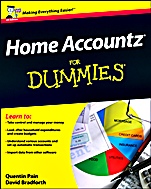
Home Accountz For Dummies
ISBN 9781119968924
Autor: Quentin Pain, David Bradforth, John Taylor
Wydawca: Wiley
Dostępność: 3-6 tygodni
Cena: 142,80 zł
Przed złożeniem zamówienia prosimy o kontakt mailowy celem potwierdzenia ceny.
ISBN13: |
9781119968924 |
ISBN10: |
1119968925 |
Autor: |
Quentin Pain, David Bradforth, John Taylor |
Oprawa: |
Paperback |
Rok Wydania: |
2012-10-30 |
Ilość stron: |
312 |
Wymiary: |
234x187 |
Tematy: |
US |
Manage your accounts with the confidence and skill of a certified bookkeeper in no time!
Is trying to keep track of your household accounts with pen and paper leaving you flummoxed? Then Home Accountz and this one–of–a–kind guide are just what you need! Home Accountz For Dummies walks you through everything from installation and setup to creating accounts, connecting to your bank, and much more. Taking control of your personal finances has never been easier.
Start here install Home Accountz, find your way around the program, and configure it for your specific needs Bring it all together import your financial information from your bank, credit cards, loans, and even other personal finance programs like Microsoft Money and Quicken Add it up record your transactions, monitor your household income, deal with foreign currency exchange, and see how much money you′re really spending and where Balancing act prepare a realistic budget and let Home Accountz help you stick to it Mind your money keep tabs on all your bank accounts, credit cards, and loans in real time, and get up–to–the–minute balance information Tidy things up organize and present data with striking and easy–to–interpret tables, views, graphs, charts, and moreOpen the book and find:
How to manage your finances with Home Accountz Tips for creating a budget you can live with Easy ways to access all of your accounts in one place Advice on setting up automatic payments and transactions How to import data from other spreadsheet programs Hints for dealing with transactions in foreign currencies Help watching where your money is going Steps for creating custom financial reports and statementsLearn to:
Take control of your finances and manage your money Look after household expenditures and create budgets Understand various accounts and set up automatic transactions Import your financial data from other software and accountsIntroduction 1
Part I: The Big Picture 5
Chapter 1: Accounting for Your Finances 7
Chapter 2: Getting Started with Home Accountz 13
Chapter 3: Simplifying Your Accounts with the eaZy Button 27
Chapter 4: Backing Up and Filing 49
Chapter 5: Using Tools to Keep Track of Your Finances 61
Chapter 6: Confi guring Home Accountz 73
Part II: Setting Up Your Accounts 91
Chapter 7: Coming to Grips with Home Accountz 93
Chapter 8: Changing Your Accounts Structure 103
Chapter 9: Importing from Other Programs 113
Part III: Exploring Transactions 123
Chapter 10: Recording Transactions with Templates 125
Chapter 11: Going International with Foreign Currencies 135
Chapter 12: Working with Your Data143
Chapter 13: Working with Automated Transactions 155
Part IV: Managing Your Money 167
Chapter 14: Using Views and Tables 169
Chapter 15: Visualizing Your Information with Graphs and Charts 177
Chapter 16: Exporting and Printing Reports and Charts 187
Chapter 17: Creating Report Designs with the Documents Component 195
Chapter 18: Keeping Track of Your Finances 211
Part V: The Part of Tens 219
Chapter 19: Ten Most Confusing Home Accounting Terms 221
Chapter 20: Ten Solutions to Home Accountz Problems227
Chapter 21: Ten (or So) Ways to Use Rapid Data Entry Effectively 237
Chapter 22: Ten Tips for Setting Up Your Budgets and Sticking to Them 243
Appendix: Glossary of Accounting Terms 251
Index 273
Quentin Pain is the creator of the UK′s best–selling home accounting software, Home Accountz, and founder of Accountz.com. Quentin is a member of the British Computer Society, the Institute of Analysts and Programmers, and the Institute of Certified Bookkeepers. David Bradforth has been published in numerous magazines and has edited magazines such as eBay Advisor and Essential Web Site Creator. John Taylor has edited the magazines Windows Made Easy and PC Home, among others.
Koszyk
Książek w koszyku: 0 szt.
Wartość zakupów: 0,00 zł
Informacje


Kontakt
Gambit
Centrum Oprogramowania
i Szkoleń Sp. z o.o.
Al. Pokoju 29b/22-24
31-564 Kraków
Siedziba Księgarni
ul. Kordylewskiego 1
31-542 Kraków
+48 12 410 5991
+48 12 410 5987
+48 12 410 5989
Subskrypcje
Administratorem danych osobowych jest firma Gambit COiS Sp. z o.o. Na podany adres będzie wysyłany wyłącznie biuletyn informacyjny.
Autoryzacja płatności

Informacje na temat autoryzacji płatności poprzez PayU.

© Copyright 2012: GAMBIT COiS Sp. z o.o. Wszelkie prawa zastrzeżone.
Projekt i wykonanie: Alchemia Studio Reklamy