


Wydawcy
Katalog tematyczny
- Archeologia (109)
- Ekonomia, finanse, business (13704)
- Filozofia (1445)
- Historia (3040)
- Języki i językoznawstwo (2356)
- Lifestyle, hobby i rozrywka (475)
- Medycyna (9704)
- Nauki humanistyczne (4)
- Nauki o Ziemi i środowisku (2638)
- Nauki ścisłe (20412)
- Nauki społeczne (8486)
- Nauki techniczne (13450)
- Prawo (1696)
- Publikacje informacyjne i interdyscyplinarne (1288)
- Religia i wierzenia (917)
- Technika komputerowa (4067)
- Bazy danych (75)
- Bezpieczeństwo komputerowe (454)
- Certyfikacja komputerowa (1)
- Grafika i media cyfrowe (32)
- Informatyka (779)
- Komputery, ogólnie (74)
- Programowanie (351)
- Programy komercyjne (49)
- Sieci komputerowe (350)
- Sprzęt komputerowy (4)
- Systemy operacyjne (32)
- Technika cyfrowa na co dzień (7)
- Zdrowie, relacje międzyludzkie i rozwój osobisty (657)





Informacje szczegółowe o książce
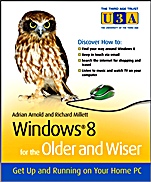
Windows 8 for the Older and Wiser: Get Up and Running on Your Computer
ISBN 9781119941552
Autor: Adrian Arnold, Richard Millett
Wydawca: Wiley
Dostępność: 3-6 tygodni
Cena: 114,45 zł
Przed złożeniem zamówienia prosimy o kontakt mailowy celem potwierdzenia ceny.
ISBN13: |
9781119941552 |
ISBN10: |
1119941555 |
Autor: |
Adrian Arnold, Richard Millett |
Oprawa: |
Paperback |
Rok Wydania: |
2012-09-28 |
Ilość stron: |
332 |
Wymiary: |
210x173 |
Tematy: |
UA |
Get the most out of your computer with Windows 8 for the Older and Wiser. You don’t need to know how electricity is generated to use a toaster. Likewise, you don’t need to know how a computer works to use and enjoy your PC. Taking this as their guiding principle, authors Adrian Arnold and Richard Millett explain what you need to know to get up and running with the latest version of the Windows operating system. In Plain, jargon–free English they walk you through everything – from turning on your PC and becoming familiar with screen layouts and icons, to creating files, emailing and shopping online. In no time you’ll learn how to: Confidently use a mouse, touchpad, and keyboard Create, save, organize, and find files Customise your Windows desktop to suit your needs and personal style Get connected to the Internet Set up and use email Get the news, shop, arrange travel and much more online Use programs, navigate menus, set the screen for best visibility, and much more Make use of desktop background options, font sizes, widgets, colours, and more
Introduction 1 Age considerations 2 Stretching the mind 3 Guardian angels 3 Uses of a home computer 3 Using the Internet 4 Beginners’ fears 6 Equipment needed 8 How to use this book 12 Part I – Learning the Basics 15 Chapter 1 – Getting started 17 About Windows 8 17 Turning the computer on 18 The Start screen and Desktop screen 19 Apps and applications 21 Controlling the computer 22 Turning the computer off 33 Chapter 2 – Using the Start screen 37 The Lock screen 37 The Start menu 38 Tiles 39 Opening and closing apps 41 Charms 43 Searching the computer 47 Chapter 3 – Using the Desktop interface 51 Icons 53 Taskbar 54 Organising the Desktop 56 Multitasking 59 Chapter 4 – Using windows 63 The structure of a window 64 Title bar 64 Ribbon tabs 66 Toolbar ribbon 67 Breadcrumb bar 67 Side bar 68 Opening a window 69 The main window 70 Part II – Digging Deeper 73 Chapter 5 – Navigating the system 75 Disks, drives and memory 75 Memory 76 Libraries 77 Folders 78 Files 80 Chapter 6 – Customising the computer 89 The Settings menu 89 Control Panel 95 Power settings 96 Searching the computer for apps, settings and files 96 Changing the pointer settings 98 Chapter 7 – Opening your first app 101 The Solitaire app 102 The Paint app 104 The Maps app 108 Searching Maps 111 Menus 112 Moving between apps 112 Chapter 8 – Opening your first Desktop application 115 Opening an application 115 Selecting text 117 Formatting text 118 Dropdown menus 120 Further selection tips 121 Deleting text 122 Inserting text 122 The Quick Access bar 122 The Undo and Redo icons 124 The Backspace and Delete keys 124 Saving your work 125 Finding files 128 Chapter 9 – Getting help 131 Help menus 132 Windows Help facility 133 Getting help from the Internet 135 Hung programs 135 Task Manager 135 Keyboard shortcuts 137 Last resort 138 Part III – Connecting and Protecting 141 Chapter 10 – Connecting to the Internet 143 How the Internet works 143 Internet Service Providers (ISPs) 145 Choosing an ISP 146 Broadband 147 Internet costs 148 Setting up your Internet connection 149 Payment 151 Chapter 11 – Protecting yourself online 155 What is security? 155 Malware 156 Financial transactions 159 Personal records 162 Backing up 162 Wi–Fi security 165 Chapter 12 – Using email 171 The concept of email 171 Windows 8 email 172 Desktop mail 182 Chapter 13 – Using the Internet 189 Desktop Internet Explorer 190 Setting your own Home Page 195 Internet Explorer 196 Part IV – Having Fun 203 Chapter 14 – Exploring Windows apps 205 About the Windows Store 205 Downloading an app 209 Removing/unpinning an app 212 Using apps 213 Viewing contacts 215 Moving between apps 217 PCWisdom 219 Chapter 15 – Installing software 223 Installing a program from a disc 223 Chapter 16 – Search engines 237 Google 238 Alternative search engines 247 Chapter 17 – Shopping online 251 Economics of the web 251 Financial security 252 A practice purchase 253 Registering with a website 257 Completing your purchase 257 Chapter 18 – Booking travel online 261 Ticketless booking 262 Booking a flight with EasyJet 262 Low–fare advertisements 266 Booking train and coach travel 266 Chapter 19 – Entertainment 273 Playing CDs and DVDs 274 Ripping music 275 Playing DVDs 276 Windows 8 Music app 276 Spotify 278 Listening to the radio on the computer 280 TV players 280 Movies on the computer 281 Slide shows 282 Chapter 20 – Introducing social networking 287 Using Facebook 288 Glossary 293 Index 297
Koszyk
Książek w koszyku: 0 szt.
Wartość zakupów: 0,00 zł
Informacje


Kontakt
Gambit
Centrum Oprogramowania
i Szkoleń Sp. z o.o.
Al. Pokoju 29b/22-24
31-564 Kraków
Siedziba Księgarni
ul. Kordylewskiego 1
31-542 Kraków
+48 12 410 5991
+48 12 410 5987
+48 12 410 5989
Subskrypcje
Administratorem danych osobowych jest firma Gambit COiS Sp. z o.o. Na podany adres będzie wysyłany wyłącznie biuletyn informacyjny.
Autoryzacja płatności

Informacje na temat autoryzacji płatności poprzez PayU.

© Copyright 2012: GAMBIT COiS Sp. z o.o. Wszelkie prawa zastrzeżone.
Projekt i wykonanie: Alchemia Studio Reklamy