


Wydawcy
Katalog tematyczny
- Archeologia (109)
- Ekonomia, finanse, business (13704)
- Filozofia (1445)
- Historia (3040)
- Języki i językoznawstwo (2356)
- Lifestyle, hobby i rozrywka (475)
- Medycyna (9704)
- Nauki humanistyczne (4)
- Nauki o Ziemi i środowisku (2638)
- Nauki ścisłe (20412)
- Nauki społeczne (8486)
- Nauki techniczne (13450)
- Prawo (1696)
- Publikacje informacyjne i interdyscyplinarne (1288)
- Religia i wierzenia (917)
- Technika komputerowa (4067)
- Bazy danych (75)
- Bezpieczeństwo komputerowe (454)
- Certyfikacja komputerowa (1)
- Grafika i media cyfrowe (32)
- Informatyka (779)
- Komputery, ogólnie (74)
- Programowanie (351)
- Programy komercyjne (49)
- Sieci komputerowe (350)
- Sprzęt komputerowy (4)
- Systemy operacyjne (32)
- Technika cyfrowa na co dzień (7)
- Zdrowie, relacje międzyludzkie i rozwój osobisty (657)





Informacje szczegółowe o książce
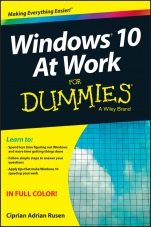
Windows 10 At Work For Dummies
ISBN 9781119051855
Autor: Ciprian Adrian Rusen
Wydawca: Wiley
Dostępność: 3-6 tygodni
Cena: 154,35 zł
Przed złożeniem zamówienia prosimy o kontakt mailowy celem potwierdzenia ceny.
ISBN13: |
9781119051855 |
ISBN10: |
1119051851 |
Autor: |
Ciprian Adrian Rusen |
Oprawa: |
Paperback |
Rok Wydania: |
2015-10-23 |
Ilość stron: |
416 |
Wymiary: |
230x154 |
Tematy: |
UH |
Learn to:
Spend less time figuring out Windows and more time getting things done Follow simple steps to answer your questions Apply tips that make Windows 10 speed up your workNo time for a complete Windows 10 course? Get just what you need to know now!
You′ve got work to do, and you don′t want to waste time trying to figure out all the new Windows 10 stuff. This fully illustrated guide is exactly what you need! Here you′ll find all the common workday Windows tasks with step–by–step instructions, from signing on to using Skype to connecting remotely to your company′s network using VPN. Find what you need and get it done!
A quick meet–and–greet learn to set up and sign into Windows 10, use the new Start menu, and work with touch settings Get connected connect to Wi–Fi, adjust the settings, browse the web, manage downloads, and disable cookies Manage your files use File Explorer, create shortcuts, archive files, and customize the Quick Access toolbar The apps you need most create shortcuts to your favorite apps and pin them to the taskbar Safety first secure data with BitLocker, share files safely, and protect your privacyOpen the book and find:
How to work with multiple app windows at the same time Advice on how to manage and find your files How to take notes at work using OneNote Tips for customizing the taskbar and the Start Menu Ways to connect remotely when you′re traveling How to be productive using tools like OneDrive and Skype Ways to create different Desktops for different tasks Tips for protecting your privacy and enhancing security Directions for fixing common Windows 10 problemsIntroduction 1
Chapter 1: Getting Started with Windows 10 5
Chapter 2: Using the New Start Menu 25
Chapter 3: Using Touch and Touchpads 35
Chapter 4: Connecting to Wi–Fi Networks and the Internet 51
Chapter 5: Using Internet Explorer 65
Chapter 6: Managing Files and Folders 81
Chapter 7: Customizing File Explorer 115
Chapter 8: Customizing Windows 10 133
Chapter 9: Using Mail and Calendar 155
Chapter 10: Using Skype 165
Chapter 11: Using OneDrive 179
Chapter 12: Using OneNote 193
Chapter 13: Using Office Online and Office Apps 205
Chapter 14: Using Cortana 211
Chapter 15: Capturing Pictures, Screenshots, and Video 225
Chapter 16: Working with Apps 233
Chapter 17: Working with Devices 245
Chapter 18: Working on the Road 261
Chapter 19: Doing Your Job in Windows 10 279
Chapter 20: Protecting Your Data 291
Chapter 21: Personalizing User Accounts 303
Chapter 22: Sharing with Others on a Network 313
Chapter 23: Improving Your Privacy and Security 333
Chapter 24: Preventing Problems with Windows 10 357
Chapter 25: Fixing Common Problems with Windows 10 365
Ciprian Adrian Rusen is a Microsoft MVP and Windows expert. His 7tutorials.com blog has more than 1.3 million monthly readers who look to him for insight into technology in general and Windows in particular.
Koszyk
Książek w koszyku: 0 szt.
Wartość zakupów: 0,00 zł
Informacje


Kontakt
Gambit
Centrum Oprogramowania
i Szkoleń Sp. z o.o.
Al. Pokoju 29b/22-24
31-564 Kraków
Siedziba Księgarni
ul. Kordylewskiego 1
31-542 Kraków
+48 12 410 5991
+48 12 410 5987
+48 12 410 5989
Subskrypcje
Administratorem danych osobowych jest firma Gambit COiS Sp. z o.o. Na podany adres będzie wysyłany wyłącznie biuletyn informacyjny.
Autoryzacja płatności

Informacje na temat autoryzacji płatności poprzez PayU.

© Copyright 2012: GAMBIT COiS Sp. z o.o. Wszelkie prawa zastrzeżone.
Projekt i wykonanie: Alchemia Studio Reklamy