


Wydawcy
Katalog tematyczny
- Archeologia (109)
- Ekonomia, finanse, business (13704)
- Filozofia (1445)
- Historia (3040)
- Języki i językoznawstwo (2356)
- Lifestyle, hobby i rozrywka (475)
- Medycyna (9704)
- Nauki humanistyczne (4)
- Nauki o Ziemi i środowisku (2638)
- Nauki ścisłe (20412)
- Nauki społeczne (8486)
- Nauki techniczne (13450)
- Prawo (1696)
- Publikacje informacyjne i interdyscyplinarne (1288)
- Religia i wierzenia (917)
- Technika komputerowa (4067)
- Bazy danych (75)
- Bezpieczeństwo komputerowe (454)
- Certyfikacja komputerowa (1)
- Grafika i media cyfrowe (32)
- Informatyka (779)
- Komputery, ogólnie (74)
- Programowanie (351)
- Programy komercyjne (49)
- Sieci komputerowe (350)
- Sprzęt komputerowy (4)
- Systemy operacyjne (32)
- Technika cyfrowa na co dzień (7)
- Zdrowie, relacje międzyludzkie i rozwój osobisty (657)





Informacje szczegółowe o książce
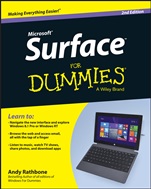
Surface For Dummies
ISBN 9781118898635
Autor: Andy Rathbone
Wydawca: Wiley
Dostępność: 3-6 tygodni
Cena: 148,05 zł
Przed złożeniem zamówienia prosimy o kontakt mailowy celem potwierdzenia ceny.
ISBN13: |
9781118898635 |
ISBN10: |
111889863X |
Autor: |
Andy Rathbone |
Oprawa: |
Paperback |
Rok Wydania: |
2014-07-11 |
Numer Wydania: |
2nd Edition |
Ilość stron: |
336 |
Wymiary: |
235x190 |
Tematy: |
UH |
Learn to: Navigate the Surface interface Choose which Surface model best fits your needs Have fun with music, photos, and movies Work with Microsoft Office on your Surface The definitive, easy–to–use guide to all four Microsoft Surface models! The Microsoft Surface is the hard–working, hard–playing device that does everything! This guide will show you the ins and outs of your great new device, from connecting to the Internet to using your tablet for entertainment and work. Find out which Surface you need, how to navigate Surface apps, how to get your settings just right, and much more! Nice to meet you get the lowdown on which Surface is right for you, how to set up your new tablet, and get acquainted with typing, touch, and drawing on your Surface Lets get connected connect to the Internet, printers, monitors, storage, and more, plus get a complete overview of Surface apps Go play start playing with Surface, from listening to music and watching movies to playing games and taking photos Get to work be productive with Surface with a complete overview of the Windows Desktop and Microsoft Office And another thing get even more information about your great tablet with tips on additional accessories, step–by–step guides to troubleshooting issues, and more Open the book and find: How to choose the Surface thats just right for you The difference between regular and pro models Details on e–mail, people, and calendar apps Tricks to using the click–on keyboard Ways to connect your Surface to peripherals How to manage appointments and contacts The skinny on setting up your e–mail accounts
Introduction 1 Part I: Introductions 5 Chapter 1: Which Microsoft Surface Do You Need? 7 Chapter 2: Getting Started with Your Surface 21 Chapter 3: Setting Up Your Surface 35 Chapter 4: Introducing Your Surface’s Start Screen and Controls 51 Chapter 5: Typing, Touching, and Drawing on the Surface 77 Part II: Connections 101 Chapter 6: Connecting to the Internet, Printers, Monitors, Storage, and More 103 Chapter 7: All About Apps 139 Chapter 8: Browsing the Web 157 Chapter 9: Reaching Out with Mail, People, Calendar, and Skype 175 Part III: Play 205 Chapter 10: Photos and Movies 207 Chapter 11: Listening to Music 219 Part IV: Work 233 Chapter 12: Visiting the Windows Desktop 235 Chapter 13: Working in Microsoft Office 2013 251 Chapter 14: Changing Settings 267 Chapter 15: Troubleshooting and Repair 279 Part V: The Part of Tens 291 Chapter 16: Ten Essential Tips ’n’ Tricks 293 Chapter 17: Ten Handy Accessories 299 Index 307
Andy Rathbone is the author of all previous editions of Windows For Dummies . Hes also written books on PC operation and repair, home theater and entertainment technologies, and tablet computing. He maintains contact with his readers and answers questions at andyrathbone.com.
Koszyk
Książek w koszyku: 0 szt.
Wartość zakupów: 0,00 zł
Informacje


Kontakt
Gambit
Centrum Oprogramowania
i Szkoleń Sp. z o.o.
Al. Pokoju 29b/22-24
31-564 Kraków
Siedziba Księgarni
ul. Kordylewskiego 1
31-542 Kraków
+48 12 410 5991
+48 12 410 5987
+48 12 410 5989
Subskrypcje
Administratorem danych osobowych jest firma Gambit COiS Sp. z o.o. Na podany adres będzie wysyłany wyłącznie biuletyn informacyjny.
Autoryzacja płatności

Informacje na temat autoryzacji płatności poprzez PayU.

© Copyright 2012: GAMBIT COiS Sp. z o.o. Wszelkie prawa zastrzeżone.
Projekt i wykonanie: Alchemia Studio Reklamy