


Wydawcy
Katalog tematyczny
- Archeologia (109)
- Ekonomia, finanse, business (13704)
- Filozofia (1445)
- Historia (3040)
- Języki i językoznawstwo (2356)
- Lifestyle, hobby i rozrywka (475)
- Medycyna (9704)
- Nauki humanistyczne (4)
- Nauki o Ziemi i środowisku (2638)
- Nauki ścisłe (20412)
- Nauki społeczne (8486)
- Nauki techniczne (13450)
- Prawo (1696)
- Publikacje informacyjne i interdyscyplinarne (1288)
- Religia i wierzenia (917)
- Technika komputerowa (4067)
- Bazy danych (75)
- Bezpieczeństwo komputerowe (454)
- Certyfikacja komputerowa (1)
- Grafika i media cyfrowe (32)
- Informatyka (779)
- Komputery, ogólnie (74)
- Programowanie (351)
- Programy komercyjne (49)
- Sieci komputerowe (350)
- Sprzęt komputerowy (4)
- Systemy operacyjne (32)
- Technika cyfrowa na co dzień (7)
- Zdrowie, relacje międzyludzkie i rozwój osobisty (657)





Informacje szczegółowe o książce
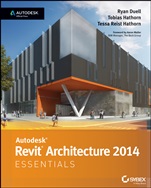
Autodesk Revit Architecture 2014 Essentials: Autodesk Official Press
ISBN 9781118575086
Autor: Ryan Duell, Tobias Hathorn, Tessa Reist Hathorn
Wydawca: Wiley
Dostępność: 3-6 tygodni
Cena: 227,85 zł
Przed złożeniem zamówienia prosimy o kontakt mailowy celem potwierdzenia ceny.
ISBN13: |
9781118575086 |
ISBN10: |
1118575083 |
Autor: |
Ryan Duell, Tobias Hathorn, Tessa Reist Hathorn |
Oprawa: |
Paperback |
Rok Wydania: |
2013-05-10 |
Ilość stron: |
416 |
Wymiary: |
229x185 |
Tematy: |
US |
Learn Revit Architecture Quickly and Easily This engaging, step-by-step guide is the perfect introduction to the world's most powerful Building Information Modeling software. The expert authoring team brings the software to life, sharing the most essential tools to enhance your design experience. You'll learn to navigate the interface, create and modify parametric Revit objects, enhance 3D visualizations with presentation-quality graphics, and much more. The detailed tutorials reinforce your understanding of Revit Architecture's core functionality, so you can quickly become productive with the software. This practical guide also helps you prepare for Revit certification exams. Learn these Revit Architecture essentialsand more: Navigating the user interface and all tools Working with Revit objects Leveraging schematic design and site modeling Modeling, massing, and "sketching" your best ideas Detailing, annotating, and creating drawing sets Tagging rooms and generating color fill plans Working with families and the Family Editor Rendering and creating compelling visualizations Work with compelling presentation documents in multi-user environments Create realistic renderings and attractive exploded views This striking Essentials book features: Chapter-opening learning objectives Step-by-step tutorials Full-color screenshots and illustrations Essentials and Beyondsummaries and additional suggested exercises Downloadable exercise files
Foreword xv Introduction xxi Chapter 1 Introducing the Autodesk Revit Architecture Interface 1 Understanding the Interface 2 Properties Palette 2 Project Browser 4 Status Bar 5 View Control Bar 5 ViewCube 5 Options Bar 6 Understanding the Interface Workflow 6 Creating a Simple Layout 7 Using Filter, Mirror, and Trim/Extend 8 Adjusting Datums 11 Changing Element Types 13 Using Common Modifying Tools 16 Using Dimensions for Modifying Designs 16 Aligning Elements 20 Rotating, Grouping, and Arraying 23 Aligned Copying and Group Editing 27 The Essentials and Beyond 30 Chapter 2 Walls and Cur tain Walls 31 Understanding Wall Types and Parameters 31 Basic Walls 32 Stacked Walls 34 Curtain Wall Types 35 Creating Numerous Wall Configurations 36 Sketching Walls 37 Picking Walls 39 Hosting Elements in Walls 40 Modifying Walls 41 Instance Parameters 43 Editing Profiles 44 Attaching and Detaching the Top and Base 45 Resetting Profi les 47 Cutting Openings 48 Splitting Walls 49 Swapping Walls 50 Creating Curtain Walls 51 Curtain Grids 52 Adding Mullions 53 Embedding Curtain Walls 55 Modifying Curtain Walls 56 Editing the Elevation Profile 56 Adding and Modifying Grids and Mullions 57 Unpinning and Toggling Mullions 58 Modifying Curtain–Grid Segments 60 Modifying Curtain Panels 61 Going Beyond the Basics 62 The Essentials and Beyond 64 Chapter 3 Floors, Roofs, and Ceilings 67 Creating Floors 67 Sketching 67 Editing the Boundary 68 Creating Sloped Arrows and Floors 70 Creating Sloped Floors via Shape Editing 72 Creating Openings by Sketching 74 Creating Openings with Shafts 76 Picking Walls 80 Laying Out Roofs 81 Picking Walls 81 Creating Slope Arrows 82 Creating Extruded Roofs 86 Adding Ceilings 89 Creating Automatic Ceilings 90 Sketching Ceilings 91 Dealing with Bulkhead Conditions 94 Adding Lights and Rotating the Grid 96 Changing the Ceiling 97 Sloping the Ceiling 97 The Essentials and Beyond 98 Chapter 4 Stairs, Ramps, and Railings 99 Creating Stair Configurations 99 Creating the Generic Railing 100 Creating Your Design Stair 103 Creating a Straight–Run Stair 104 Creating a Straight–Run Stair with Landing 107 Creating Multistory Runs 110 Setting the Host Function for Railings 112 Designing Ramps 114 Creating a Straight–Run Ramp 115 Editing Boundary Conditions 116 Building Railings for Level and Sloped Conditions 118 Using the Set Host Function 120 Editing the Top Rail 121 From Basics to Creative Art 121 The Essentials and Beyond 123 Chapter 5 Adding Families 125 Understanding the Model Hierarchy 125 Assigning Families to Categories 127 Working with System Families 130 Loading System Families 130 Placing System Families 131 Working with Component Families 132 Loading Component Families 133 Using Hosted Families 134 Using Face–Based Families 138 Using In–Place Component Families 139 Finding Content 139 The Essentials and Beyond 141 Chapter 6 Modifying Families 143 Editing View Display and Detail Level 143 View Scale and Detail Level 145 Level of Detail 148 Changing the Family Category 151 Editing the Family Category 152 Editing the Insertion Point 153 Modifying Family Geometry 158 Editing the Family 158 Editing Profiles 159 Detail Components 163 Repeating Details 167 Title Blocks 168 Hosted Components 172 Family Tips and Best Practices 177 The Essentials and Beyond 179 Chapter 7 Schematic Design 181 Working from a Sketch 181 Importing Background Images 183 Accurately Scaling Images 184 Using Reference Planes and Levels 186 Creating and Placing Groups 190 Modeling In–Place Masses 193 Modeling the Base Mass 193 Modeling the Middle Mass 195 Modeling the Upper Mass 197 Working in 3D 198 Creating Mass Floors 202 Scheduling Mass Floors 203 Updating the Massing Study 206 The Essentials and Beyond 208 Chapter 8 Rooms and Color–Fill Plans 209 Defining Rooms in Spaces 209 Room Tags 210 Room Boundaries 213 Room Separation Lines 215 Deleting Rooms 217 Generating Color–Fill Room Plans 219 Adding a Color Legend 219 Modifying Color Schemes 221 Adding Tags and Fill Colors in Section 222 The Essentials and Beyond 225 Chapter 9 Materials, Rendering, and Visualization 227 Using Materials 228 Editing Material Properties of Walls 228 Using Graphic Display Options 231 Presentation Elevation Drawing 231 Presentation 3D Isometric Drawing 235 3D Exploded View 237 Rendering Graphics 238 The Essentials and Beyond 241 Chapter 10 Worksharing 243 Enabling Worksharing 244 Preparing the Central File 244 Creating Central and Local Files 246 Creating the Central File 246 Creating the Local File 247 Adding Worksets 248 Workset Visibility 250 Assigning Elements to Worksets 250 Saving to the Central File 253 Creating New Elements 255 Opening and Closing Worksets 259 Worksharing Display Modes 260 Editing Requests 263 Worksharing Best Practices 264 The Essentials and Beyond 265 Chapter 11 Details and Annotations 267 Creating Details 267 Detail Line 268 Region 269 Component 269 Creating a Detail 270 Insulation 280 Detail Groups 280 Linework 281 Annotating Your Details 282 Dimensions 283 Tags 288 Text 291 Using Legends 292 The Essentials and Beyond 294 Chapter 12 Creating Drawing Sets 297 Creating Schedules 297 Understanding Schedules 298 Making Schedules 305 Creating a Window Schedule 305 Creating a Room Schedule 307 Creating a Sheet List 309 Placing Views on Sheets 313 Adding Floor Plans to the Sheet 313 Adding the Schedules 319 Printing Documents 321 Exploring the Print Dialog Box 321 Exploring the Print Settings 322 Exploring the Print Range 325 The Essentials and Beyond 327 Chapter 13 Workflow and Site Modeling 329 Understanding a BIM Workflow 329 Staffing a BIM Project 332 Project Roles Using Revit Architecture 332 Adding Team Members to Fight Fires 336 Modeling a Site 337 Using a Toposurface 338 Creating a Building Pad 340 Performing Quality Control on Your Model 342 Keeping an Eye on File Size 342 Dealing with Warnings 345 The Essentials and Beyond 347 Chapter 14 Repeating Objects, Best Practices, and Quick Tips 349 Repeating Objects 349 Optimizing Performance 352 Utilizing Best Practices 355 Using Quick Tips and Shortcuts 359 Finding Additional Resources 365 The Essentials and Beyond 366 Appendix: Autodesk Revit Architecture 2014 Certification 367 Index 377
Ryan Duell is a senior quality assurance analyst for Revit. He also contributes to the Revit Clinic blog (revitclinic.typepad.com), presents at Autodesk University, and is a former BIM manager. Tobias Hathorn is a licensed architect and user experience designer for Revit and also lectures at Autodesk University. He previously worked at BNIM architects on a million-square-foot IRS paper processing center using Revit. Tessa Reist Hathorn is a licensed architect at Austin Architects (Cambridge, Massachusetts) and has worked on everything from private residences to the Marina Bay Sands, Singapore. All three authors teach Revit at the Boston Architectural College.
Koszyk
Książek w koszyku: 0 szt.
Wartość zakupów: 0,00 zł
Informacje


Kontakt
Gambit
Centrum Oprogramowania
i Szkoleń Sp. z o.o.
Al. Pokoju 29b/22-24
31-564 Kraków
Siedziba Księgarni
ul. Kordylewskiego 1
31-542 Kraków
+48 12 410 5991
+48 12 410 5987
+48 12 410 5989
Subskrypcje
Administratorem danych osobowych jest firma Gambit COiS Sp. z o.o. Na podany adres będzie wysyłany wyłącznie biuletyn informacyjny.
Autoryzacja płatności

Informacje na temat autoryzacji płatności poprzez PayU.

© Copyright 2012: GAMBIT COiS Sp. z o.o. Wszelkie prawa zastrzeżone.
Projekt i wykonanie: Alchemia Studio Reklamy