


Wydawcy
Katalog tematyczny
- Archeologia (109)
- Ekonomia, finanse, business (13704)
- Filozofia (1445)
- Historia (3040)
- Języki i językoznawstwo (2356)
- Lifestyle, hobby i rozrywka (475)
- Medycyna (9704)
- Nauki humanistyczne (4)
- Nauki o Ziemi i środowisku (2638)
- Nauki ścisłe (20412)
- Nauki społeczne (8486)
- Nauki techniczne (13450)
- Prawo (1696)
- Publikacje informacyjne i interdyscyplinarne (1288)
- Religia i wierzenia (917)
- Technika komputerowa (4067)
- Bazy danych (75)
- Bezpieczeństwo komputerowe (454)
- Certyfikacja komputerowa (1)
- Grafika i media cyfrowe (32)
- Informatyka (779)
- Komputery, ogólnie (74)
- Programowanie (351)
- Programy komercyjne (49)
- Sieci komputerowe (350)
- Sprzęt komputerowy (4)
- Systemy operacyjne (32)
- Technika cyfrowa na co dzień (7)
- Zdrowie, relacje międzyludzkie i rozwój osobisty (657)





Informacje szczegółowe o książce
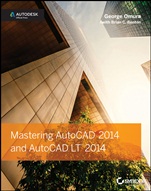
Mastering AutoCAD 2014 and AutoCAD LT 2014: Autodesk Official Press
ISBN 9781118575048
Autor: George Omura, Brian C. Benton
Wydawca: Wiley
Dostępność: 3-6 tygodni
Cena: 260,40 zł
Przed złożeniem zamówienia prosimy o kontakt mailowy celem potwierdzenia ceny.
ISBN13: |
9781118575048 |
ISBN10: |
1118575040 |
Autor: |
George Omura, Brian C. Benton |
Oprawa: |
Paperback |
Rok Wydania: |
2013-07-16 |
Ilość stron: |
1248 |
Wymiary: |
234x189 |
Tematy: |
US |
Become an AutoCAD 2014 Expert This comprehensive book is your key to mastering AutoCAD 2014 and AutoCAD LT 2014. Award-winning author and AutoCAD expert George Omura provides a complete learning experience featuring concise explanations, step-by-step instruction, and hands-on exercises with downloadable project files that allow you to produce your own designs. If you're new to AutoCAD, this superb book will quickly help you become productive with the software. If you're an AutoCAD veteran, you'll polish skills and build even greater expertise. And if you're preparing for certification, this complete resource will help you get ready for the AutoCAD 2014 certification exams. Coverage includes: Getting the most out of the AutoCAD 2014 user interface Organizing objects with blocks, groups, and symbols Effectively using hatches, external references, fields, and tables Adding spreadsheet functionality to your drawings Using AutoCAD's unique automatic dimensioning capability Making smart drawings with parametric tools Collaborating with team members using Autodesk 360 Extracting data from AutoCAD and sharing it with other programs Using your project's geographic location to insert a background map or aerial view Creating and rendering impressive and realistic 3D drawings Build the Skills You Need to Become an AutoCAD Expert Create More Complex Drawings with the Latest Features Take Advantage of Best Practices and Expert Tips See Your Ideas in a New Light with Powerful 3D Design Features Prepare for the AutoCAD Certification Exams
Introduction xxix Part 1 • The Basics 1 Chapter 1 • Exploring the Interface 3 Chapter 2 • Creating Your First Drawing 29 Chapter 3 • Setting Up and Using the Drafting Tools 79 Chapter 4 • Organizing Objects with Blocks and Groups 119 Chapter 5 • Keeping Track of Layers and Blocks 151 Part 2 • Mastering Intermediate Skills 185 Chapter 6 • Editing and Reusing Data to Work Efficiently 187 Chapter 7 • Mastering Viewing Tools, Hatches, and External References 231 Chapter 8 • Introducing Printing, Plotting, and Layouts 281 Chapter 9 • Understanding Plot Styles 311 Chapter 10 • Adding Text to Drawings 337 Chapter 11 • Using Fields and Tables 375 Chapter 12 • Using Dimensions 397 Part 3 • Mastering Advanced Skills 445 Chapter 13 • Using Attributes 447 Chapter 14 • Copying Existing Drawings from Other Sources 473 Chapter 15 • Advanced Editing and Organizing 499 Chapter 16 • Laying Out Your Printer Output 543 Chapter 17 • Making “Smart” Drawings with Parametric Tools 571 Chapter 18 • Using Dynamic Blocks 591 Chapter 19 • Drawing Curves 625 Chapter 20 • Getting and Exchanging Data from Drawings 657 Part 4 • 3D Modeling and Imaging 689 Chapter 21 • Creating 3D Drawings 691 Chapter 22 • Using Advanced 3D Features 733 Chapter 23 • Rendering 3D Drawings 789 Chapter 24 • Editing and Visualizing 3D Solids 863 Chapter 25 • Exploring 3D Mesh and Surface Modeling 911 Part 5 • Customization and Integration 961 Chapter 26 • Customizing Toolbars, Menus, Linetypes, and Hatch Patterns 963 Chapter 27 • Managing and Sharing Your Drawings 1005 Chapter 28 • Keeping a Project Organized with Sheet Sets 1061 Appendices 1105 Appendix A • The Bottom Line 1107 Appendix B • Installing and Setting Up AutoCAD 1135 Appendix C • The Autodesk® AutoCAD® 2014 Certification 1167 Index 1173
George Omura is a licensed architect and Autodesk Authorized Author who has more than 30 years of experience in architecture and has been using AutoCAD for more than 20 years. He has worked on design projects ranging from resort hotels to metropolitan transit systems to the San Francisco Library project. He is the all–time bestselling AutoCAD author and was cited as favorite CAD author by members of the Autodesk User Group International (AUGI) in AUGIWorld magazine′s "Best of Everything CAD" issue. Brian C. Benton is a senior engineering technician, CAD consultant, author, trainer, and popular blogger (cadablog.com) with 20 years of experience in several design fields. He′s the Cadalyst magazine "Tip Patroller" columnist, former AUGI HotNews production manager, and an inaugural member of the Autodesk Expert Elite program.
Koszyk
Książek w koszyku: 0 szt.
Wartość zakupów: 0,00 zł
Informacje


Kontakt
Gambit
Centrum Oprogramowania
i Szkoleń Sp. z o.o.
Al. Pokoju 29b/22-24
31-564 Kraków
Siedziba Księgarni
ul. Kordylewskiego 1
31-542 Kraków
+48 12 410 5991
+48 12 410 5987
+48 12 410 5989
Subskrypcje
Administratorem danych osobowych jest firma Gambit COiS Sp. z o.o. Na podany adres będzie wysyłany wyłącznie biuletyn informacyjny.
Autoryzacja płatności

Informacje na temat autoryzacji płatności poprzez PayU.

© Copyright 2012: GAMBIT COiS Sp. z o.o. Wszelkie prawa zastrzeżone.
Projekt i wykonanie: Alchemia Studio Reklamy