


Wydawcy
Katalog tematyczny
- Archeologia (109)
- Ekonomia, finanse, business (13704)
- Filozofia (1445)
- Historia (3040)
- Języki i językoznawstwo (2356)
- Lifestyle, hobby i rozrywka (475)
- Medycyna (9704)
- Nauki humanistyczne (4)
- Nauki o Ziemi i środowisku (2638)
- Nauki ścisłe (20412)
- Nauki społeczne (8486)
- Nauki techniczne (13450)
- Prawo (1696)
- Publikacje informacyjne i interdyscyplinarne (1288)
- Religia i wierzenia (917)
- Technika komputerowa (4067)
- Bazy danych (75)
- Bezpieczeństwo komputerowe (454)
- Certyfikacja komputerowa (1)
- Grafika i media cyfrowe (32)
- Informatyka (779)
- Komputery, ogólnie (74)
- Programowanie (351)
- Programy komercyjne (49)
- Sieci komputerowe (350)
- Sprzęt komputerowy (4)
- Systemy operacyjne (32)
- Technika cyfrowa na co dzień (7)
- Zdrowie, relacje międzyludzkie i rozwój osobisty (657)





Informacje szczegółowe o książce
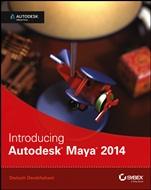
Introducing Autodesk Maya 2014: Autodesk Official Press
ISBN 9781118574904
Autor: Dariush Derakhshani
Wydawca: Wiley
Dostępność: 3-6 tygodni
Cena: 231,00 zł
Przed złożeniem zamówienia prosimy o kontakt mailowy celem potwierdzenia ceny.
ISBN13: |
9781118574904 |
ISBN10: |
1118574907 |
Autor: |
Dariush Derakhshani |
Oprawa: |
Paperback |
Rok Wydania: |
2013-05-31 |
Ilość stron: |
672 |
Wymiary: |
231x187 |
Tematy: |
US |
The Perfect Primer on Maya 2014 Autodesk Maya is a top choice for 3D professionals who create the stunning characters and visual effects you see in today's films, games, commercials, and other animation. If you want to begin developing professional-level Maya and 3D skills, the new edition of this top-selling book is the best place to start. Building from the ground up, this book combines straightforward text with practical examples, making it easy to absorb the basics and start designing and animating your own digital models and scenes. The fun and challenging step-by-step lessons, along with the downloadable project files, enable you to learn by doing and gain confidence. This book also includes a beautiful full-color insert with striking examples from talented new Maya users to inspire you. Learn CG and 3D core concepts and production workflows Get a fast, thorough lesson on Maya 2014's user interface, menus, and plug-ins Build a simple animation of the planets in the solar system, right away Explore the basics of NURBS, polygons, modeling, and new NEX tools Create a decorative box, a steam locomotive, a starfish, a child's table lamp, and more Rig for animation and use nCloth to create cloth motion, such as a flag blowing in the wind Master HDRI lighting, mental ray rendering, dynamics, simulations, and effects Use the new Modeling Toolkit to create models quickly and efficiently Using lights and an HDRI, you'll light the scene that you've built
Introduction xvii Chapter 1 Introduction to Computer Graphics and 3D 1 Art? 2 Computer Graphics 2 Th e Stages of Production 4 Th e CG Production Workflow 8 Core Concepts 10 Basic Film Concepts 21 Summary 26 Chapter 2 Jumping in Headfirst, with Both Feet 27 You Put the U in UI 28 Project Overview: Th e Solar System 33 The Preproduction Process: Planning 33 Creating a Project 34 The Production Process: Creating and Animating the Objects 36 Hierarchy and Maya Object Structure 51 The Solar System, Resumed 53 Outputting Your Work: Playblasting 61 Summary 63 Chapter 3 The Autodesk Maya 2014 Interface 65 Navigating in Maya 66 Exploring the Maya Layout 66 Building a Decorative Box 82 Mapping the Box’s Reference Planes with Hypershade 85 Organizing Workflow with the Layer Editor 90 Modeling the Decorative Box 91 Editing the Decorative Box Model Using the Shelf 96 Continuing the Decorative Box Model 102 Finishing the Decorative Box Model 105 Summary 113 Chapter 4 Beginning Polygonal Modeling 115 Planning Your Model 116 Polygon Basics 119 Poly Editing Tools 121 Putting the Tools to Use: Making a Simple Hand 130 Creating Areas of Detail on a Poly Mesh 136 Modeling a Catapult 148 Suggestions for Modeling Polygons 170 Summary 170 Chapter 5 Modeling with NURBS Surfaces and Deformers 171 NURBS! NURBS! 172 Using NURBS Surfacing to Create Polygons 184 Converting a NURBS Model to Polygons 186 Editing NURBS Surfaces 187 Patch Modeling: A Locomotive Detail 189 Using Artisan to Sculpt NURBS 201 Modeling with Simple Deformers 203 The Lattice Deformer 207 Animating Through a Lattice 211 Summary 214 Chapter 6 Practical Experience 215 Evaluating the Table Lamp 216 Modeling the Base 217 Creating the Lamp Stem 219 Modeling the Lampshade 231 Making the Toy Airplane 236 Using Maya File References 263 Finishing the Toy Airplane 265 Updating the File Reference 268 Summary 269 Chapter 7 Autodesk Maya Shading and Texturing 271 Maya Shading 272 Shader Types 272 Shader Attributes 276 Shading and Texturing the Table Lamp 280 Textures and Surfaces 286 Textures and UVs for the Red Wagon 293 Photo–Real Mapping: Th e Decorative Box 327 For Further Study 344 Summary 344 Chapter 8 Introduction to Animation 345 Keyframe Animation: Bouncing a Ball 346 Throwing an Axe 357 Replacing an Object 374 Animating Flying Text 375 Rigging the Locomotive, Part 1 380 Animating the Catapult 383 Summary 388 Chapter 9 More Animation! 391 Skeletons and Kinematics 392 Skeletons: The Hand 410 Inverse Kinematics 425 Basic Relationships: Constraints 430 Basic Relationships: Set–Driven Keys 435 Application: Rigging the Locomotive 438 Creating a Simple Character Rig 445 For Further Study 454 Summary 455 Chapter 10 Autodesk Maya Lighting 457 Basic Lighting Concepts 458 Maya Lights 463 Light Linking 469 Adding Shadows 471 Raytracing Soft Shadows 475 Mental ray Lighting 477 Mental ray Physical Sun and Sky 479 Lighting Effects 484 Lighting the Table Lamp and Decorative Box 488 Further Lighting Practice 494 Tips for Using and Animating Lights 495 Summary 497 Chapter 11 Autodesk Maya Rendering 499 Rendering Setup 500 Previewing Your Render: The Render View Window 509 Reflections and Refractions 511 Using Cameras 513 Motion Blur 520 Batch Rendering 521 Rendering the Wine Bottle 522 Mental ray for Maya 525 Render Layers 531 Final Gather 540 Ambient Occlusion 543 HDRI 551 Displacement Mapping the Decorative Box 553 Rendering the Lamp and Decorative Box 561 Summary 571 Chapter 12 Autodesk Maya Dynamics and Effects 573 An Overview of Dynamics and Maya Nucleus 574 Rigid and Soft Dynamic Bodies 574 Animating with Dynamics: The Pool Table 578 Fun Dynamics: Shoot the Catapult! 587 nParticle Dynamics 590 Emitting nParticles 590 Animating a Particle Effect: Locomotive Steam 596 Introduction to Paint Effects 602 Toon Shading 606 Getting Started with nCloth 609 Customizing Maya 614 Summary 617 Where Do You Go from Here? 618 Index 619
Dariush Derakhshani is an award-winning visual effects supervisor, author, and educator. He has worked on movies such as The Fantastic Four and Pan's Labyrinth, the South Park TV series, and countless commercials and music videos. He teaches Maya and 3D animation, and is the author all the Introducing Maya books, as well as coauthor of Autodesk 3ds Max 2012 Essentials and Autodesk 3ds Max 2013 Essentials. Dariush is also an Autodesk Certified Instructor (ACI) and Autodesk Certification Evaluator (ACE).
Koszyk
Książek w koszyku: 0 szt.
Wartość zakupów: 0,00 zł
Informacje


Kontakt
Gambit
Centrum Oprogramowania
i Szkoleń Sp. z o.o.
Al. Pokoju 29b/22-24
31-564 Kraków
Siedziba Księgarni
ul. Kordylewskiego 1
31-542 Kraków
+48 12 410 5991
+48 12 410 5987
+48 12 410 5989
Subskrypcje
Administratorem danych osobowych jest firma Gambit COiS Sp. z o.o. Na podany adres będzie wysyłany wyłącznie biuletyn informacyjny.
Autoryzacja płatności

Informacje na temat autoryzacji płatności poprzez PayU.

© Copyright 2012: GAMBIT COiS Sp. z o.o. Wszelkie prawa zastrzeżone.
Projekt i wykonanie: Alchemia Studio Reklamy