


Wydawcy
Katalog tematyczny
- Archeologia (109)
- Ekonomia, finanse, business (13704)
- Filozofia (1445)
- Historia (3040)
- Języki i językoznawstwo (2356)
- Lifestyle, hobby i rozrywka (475)
- Medycyna (9704)
- Nauki humanistyczne (4)
- Nauki o Ziemi i środowisku (2638)
- Nauki ścisłe (20412)
- Nauki społeczne (8486)
- Nauki techniczne (13450)
- Prawo (1696)
- Publikacje informacyjne i interdyscyplinarne (1288)
- Religia i wierzenia (917)
- Technika komputerowa (4067)
- Bazy danych (75)
- Bezpieczeństwo komputerowe (454)
- Certyfikacja komputerowa (1)
- Grafika i media cyfrowe (32)
- Informatyka (779)
- Komputery, ogólnie (74)
- Programowanie (351)
- Programy komercyjne (49)
- Sieci komputerowe (350)
- Sprzęt komputerowy (4)
- Systemy operacyjne (32)
- Technika cyfrowa na co dzień (7)
- Zdrowie, relacje międzyludzkie i rozwój osobisty (657)





Informacje szczegółowe o książce
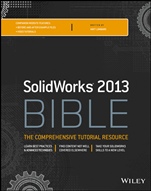
Solidworks 2013 Bible
ISBN 9781118508404
Autor: Matt Lombard
Wydawca: Wiley
Dostępność: 3-6 tygodni
Cena: 313,95 zł
Przed złożeniem zamówienia prosimy o kontakt mailowy celem potwierdzenia ceny.
ISBN13: |
9781118508404 |
ISBN10: |
1118508408 |
Autor: |
Matt Lombard |
Oprawa: |
Paperback |
Rok Wydania: |
2013-03-15 |
Ilość stron: |
1296 |
Wymiary: |
234x187 |
Tematy: |
US |
Companion Website FEATURES:
before–and–after example files Video tutorialsLearn best practices & advanced techniques
Find content not well covered elsewhere
Take your SolidWorks skills to a new level
Get solid with SolidWorks Standard
Are you switching from another CAD program or trying to improve your current SolidWorks skills? If you want more info on SolidWorks than you′ve been able to find, this practical guide from well–known SolidWorks guru Matt Lombard is what you need. Featuring detailed content and workarounds, new performance icons to help you choose the best settings, and access to video tutorials, this book will soon have you efficiently using this complex software at a higher level.
Review SolidWorks basic concepts, terminology, and the user interface Integrate 3D intelligence into your sketches from the beginning, and design parts Work with assembly sketches, use SpeedPak and other tools, and control assembly configurations Use the best tools for creating drawings from SolidWorks parts and assemblies Master multi–body modeling and surface modeling, including techniques not widely covered elsewhere Work effectively with large–scale designsCreate smooth shapes with the new Conic sketch entity
Use the new Intersect feature to create and edit solid bodies
Display the FeatureManager in a straight–line history
Companion Website
Visit the companion website for:
Chapter intro videos to get you up to speed on each chapter′s basic concepts Tutorial videos that accompany the many tutorials in the book All hands–on project files needed to complete the tutorials Before–and–after example filesPart I: Introducing SolidWorks Basics 1
Chapter 1: Introducing SolidWorks 3
Chapter 2: Navigating the SolidWorks Interface 27
Chapter 3: Working with Sketches 69
Chapter 4: Creating Simple Parts and Drawings 121
Chapter 5: Using Visualization Techniques 157
Part II: Building Intelligence into Your Parts 197
Chapter 6: Getting More from Your Sketches 199
Chapter 7 Modeling with Primary Features 235
Chapter 8: Selecting Secondary Features 297
Chapter 9: Patterning and Mirroring 325
Chapter 10: Using Equations 357
Chapter 11: Working with Part Configurations 375
Chapter 12: Editing, Evaluating, and Troubleshooting 415
Part III: Working with Assemblies 457
Chapter 13: Building Efficient Assemblies 459
Chapter 14: Getting More from Mates 495
Chapter 15: Patterning and Mirroring Components 525
Chapter 16: Working with Assembly Sketches and Layouts 539
Chapter 17: Using Assembly Tools 557
Chapter 18: Using Libraries, Assembly Features, and Hole Wizard 581
Chapter 19: Controlling Assembly Configurations and Display States 637
Chapter 20: Modeling in Context 655
Chapter 21: Editing, Evaluating, and Troubleshooting Assemblies 691
Chapter 22: Working with Large Scale Design 711
Chapter 23: Animating with the MotionManager 725
Part IV: Creating Drawings 761
Chapter 24: Automating Drawings: The Basics 763
Chapter 25: Working with Drawing Views 789
Chapter 26: Using Annotations and Symbols 827
Chapter 27: Dimensioning and Tolerancing 847
Chapter 28: Using Layers, Line Fonts, and Colors 873
Chapter 29: Working with Tables and Drawings 885
Chapter 30: Creating Assembly Drawings 911
Part V: Using Advanced and Specialized Techniques 935
Chapter 31: Modeling Multi–Bodies 937
Chapter 32: Working with Surfaces 973
Chapter 33: Employing Master Model Techniques 1001
Chapter 34: Using SolidWorks Sheet Metal Tools 1015
Chapter 35: Creating Sheet Metal Drawings 1069
Chapter 36: Creating Weldments and Weldment Drawings 1081
Chapter 37: Using Imported Geometry and Direct Editing Techniques 1115
Chapter 38: Using Plastic Features 1141
Chapter 39: Using Mold Tools 1173
Appendix A: Finding Help 1195
Appendix B: What s on the Website 1201
Index 1205
Matt Lombard is a mechanical engineer and an independent SolidWords consultant. Because of the popularity of his SolidWorks blog (dezignstuff) and his sessions at SolidWorks World, he has built a reputation as the go–to resource for everything SolidWorks.
Koszyk
Książek w koszyku: 0 szt.
Wartość zakupów: 0,00 zł
Informacje


Kontakt
Gambit
Centrum Oprogramowania
i Szkoleń Sp. z o.o.
Al. Pokoju 29b/22-24
31-564 Kraków
Siedziba Księgarni
ul. Kordylewskiego 1
31-542 Kraków
+48 12 410 5991
+48 12 410 5987
+48 12 410 5989
Subskrypcje
Administratorem danych osobowych jest firma Gambit COiS Sp. z o.o. Na podany adres będzie wysyłany wyłącznie biuletyn informacyjny.
Autoryzacja płatności

Informacje na temat autoryzacji płatności poprzez PayU.

© Copyright 2012: GAMBIT COiS Sp. z o.o. Wszelkie prawa zastrzeżone.
Projekt i wykonanie: Alchemia Studio Reklamy