


Wydawcy
Katalog tematyczny
- Archeologia (109)
- Ekonomia, finanse, business (13704)
- Filozofia (1445)
- Historia (3040)
- Języki i językoznawstwo (2356)
- Lifestyle, hobby i rozrywka (475)
- Medycyna (9704)
- Nauki humanistyczne (4)
- Nauki o Ziemi i środowisku (2638)
- Nauki ścisłe (20412)
- Nauki społeczne (8486)
- Nauki techniczne (13450)
- Prawo (1696)
- Publikacje informacyjne i interdyscyplinarne (1288)
- Religia i wierzenia (917)
- Technika komputerowa (4067)
- Bazy danych (75)
- Bezpieczeństwo komputerowe (454)
- Certyfikacja komputerowa (1)
- Grafika i media cyfrowe (32)
- Informatyka (779)
- Komputery, ogólnie (74)
- Programowanie (351)
- Programy komercyjne (49)
- Sieci komputerowe (350)
- Sprzęt komputerowy (4)
- Systemy operacyjne (32)
- Technika cyfrowa na co dzień (7)
- Zdrowie, relacje międzyludzkie i rozwój osobisty (657)





Informacje szczegółowe o książce
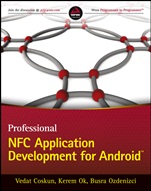
Professional NFC Application Development for Android
ISBN 9781118380093
Autor: Vedat Coskun, Kerem Ok, Busra Ozdenizci
Wydawca: Wiley
Dostępność: 3-6 tygodni
Cena: 208,95 zł
Przed złożeniem zamówienia prosimy o kontakt mailowy celem potwierdzenia ceny.
ISBN13: |
9781118380093 |
ISBN10: |
1118380096 |
Autor: |
Vedat Coskun, Kerem Ok, Busra Ozdenizci |
Oprawa: |
Paperback |
Rok Wydania: |
2013-04-26 |
Ilość stron: |
308 |
Wymiary: |
234x189 |
Tematy: |
UP |
Everything you need to start building killer NFC Android apps right away With the popularity of apps like Google Wallet and Android Beam, users are increasingly demanding NFC-enabled applications for their Android devices. Every day sees new apps coming online for everything from smart posters to social networking, health monitoring to ticket purchasing. Yet, surprisingly, until now, there have been few practical guides available for developing NFC apps for Android. Written for experienced Android programmers, this book delivers: What you need to know about the NFC APIs in Android Practical coverage of all operating modes–reader/writer, peer–to–peer, and card emulation Guidance on working with Android′s NFC Tag Intent Dispatch System Details of performing Peer–to–Peer Transactions Real–life case studies illustrating development for smart poster, remote shopping, game programming, peer–to–peer messaging, and other NFC systems Tons of valuable source code to help streamline the development process wrox.com Programmer Forums Join our Programmer to Programmer forums to ask and answer programming questions about this book, join discussions on the hottest topics in the industry, and connect with fellow programmers from around the world. Code Downloads Take advantage of free code samples from this book, as well as code samples from hundreds of other books, all ready to use. Read More Find articles, ebooks, sample chapters, and tables of contents for hundreds of books, and more reference resources on programming topics that matter to you.
INTRODUCTION xix CHAPTER 1: OVERVIEW OF NEAR FIELD COMMUNICATION 1 Ubiquitous Computing and NFC 2 Wireless Communication as NFC 3 RFID Technology 5 Essentials of an RFID System 6 Common RFID Applications 6 Smart Card Technology 7 Types of Smart Cards: Capability–Based Classification 7 SCOS 8 Types of Smart Cards: Mechanism–Based Classification 9 Common Smart Card Applications 10 NFC Technology 10 NFC Devices 13 NFC Operating Modes 14 NFC Applications 18 Summary 22 CHAPTER 2: NFC ESSENTIALS FOR APPLICATION DEVELOPERS 23 NFC Mobile 24 SE 25 NFC Interface 28 Interface Between SE and NFC Controller 29 HCI 31 Standards Used by NFC 32 Proximity Contactless Smart Card Standards 33 NFCIP 35 NFC Operating Mode Essentials 35 Reader/Writer Mode 36 Peer–to–Peer Mode 45 Card Emulation Mode 48 Standardization of NFC 49 Diversity of NFC Platforms 50 Summary 51 CHAPTER 3: GETTING STARTED WITH ANDROID 53 What Is Android? 54 Linux Kernel 55 Android Runtime 56 Libraries 56 Application Framework 56 Applications 56 Android SDK 56 What You Need to Start 56 JDK and JRE 57 Android SDK 57 Adding More Platforms and Other Components to the SDK 59 SDK Packages 62 Android API Levels 63 Structure of Android Applications 65 Android Application Components 65 Intents 66 Intent Filters 66 Manifest File 67 Application Requirements 68 Application Resources 69 Processes and Threads 69 Dalvik Virtual Machine (DVM) 71 Platform Tools 71 SDK Tools 72 Android Virtual Device 74 Summary 75 CHAPTER 4: ANDROID SOFTWARE DEVELOPMENT PRIMER 77 Creating Your First Android Application 78 Components of the Project 81 Running the Project 83 Running Applications on Your Mobile Phone 83 Running Applications Instantly 84 Running Applications by Manual Installation 84 Distributing Android Applications 85 1. Gathering Materials and Resources 85 2. Configuring the Application for Release 85 3. Compiling and Signing with Eclipse ADT 86 4. Publishing on Google Play 87 Understanding Hello World 87 Using Multiple Views 90 Android Project Resources 90 Alternative Resources 91 Accessing Resources 92 Using an Event Listener 92 Layout 92 Resources 94 Code 94 Using Relative Layout 95 Using Dialog Builders 97 Layout 98 Resources 98 Code 98 Using Grid Layout 100 Android Activity Lifecycle 102 Implementing Multiple Activities and Intents 104 Step 1: Creating the Layout File 105 Step 2: Building the ListView 105 Step 3: Implementing onItemClick 106 Step 4: Editing AndroidManifest.xml 106 Step 5: Creating a New Layout 107 Step 6: Creating a New Activity 108 Using Menu Items 108 Creating a Menu XML File 110 Layout 110 Code 111 Summary 112 CHAPTER 5: NFC PROGRAMMING: READER/WRITER MODE 115 NFC APIs in Android 116 android.nfc package 116 android.nfc.tech package 117 Tag Intent Dispatch System vs. Foreground Dispatch System 117 NFC Tag Intent Dispatch System 118 How NFC Tags Are Dispatched to Applications 118 How Android Handles NDEF–Formatted Tags 120 NFC Properties in the Android Manifest File 121 Filtering NFC Intents 122 ACTION—NDEF—DISCOVERED 122 ACTION—TECH—DISCOVERED 125 ACTION—TAG—DISCOVERED 127 Checking NFC Adapter 127 Tag Writing 128 Preparing NDEF Data 128 Writing NDEF Data to Tags 132 Tag Reading 135 Getting an NDEF Message 135 Processing an NDEF Message 136 Android Application Record 140 How It Works 140 Intent Filters vs. AAR 141 Important Notes on AAR 141 Using AAR 141 Foreground Dispatch System 141 Working with Supported Tag Technologies 143 Getting Available Tag Technologies 144 NfcV Example 145 Summary 147 CHAPTER 6: READER/WRITER MODE APPLICATIONS 149 NFC Smart Poster Use Case 150 Smart Poster Tag Writer Application 150 Smart Poster Reader Application 161 NFC Shopping Use Case 169 NFC Shopping Tag Writer Application 170 NFC Shopping Main Application 172 Student Transportation Tracking Use Case 175 Student Tracking Tag Writer Application 176 Student Tracking Main Application 177 Summary 179 CHAPTER 7: NFC PROGRAMMING: PEER–TO–PEER MODE 181 Performing Peer–to–Peer Transactions 182 Beaming NDEF Messages 183 Beaming with setNdefPushMessageCallback( ) 183 Beaming with setNdefPushMessage( ) 184 Common Notes 184 Receiving Beams 184 An Abstract Beam with setNdefPushMessageCallback( ) 185 An Abstract Beam with setNdefPushMessage( ) 186 Declaring Intent Filters 187 Using Android Application Records in Peer–to–Peer Mode 187 An Example Beam Application using setNdefPushMessageCallback( ) 187 An Example Beam Application using setNdefPushMessage( ) 191 Beam Support for API Level 10 196 Beaming with enableForegroundNdefPush( ) 196 An Example Beam Application Using enableForegroundNdefPush( ) 196 Android OS to Handle the Incoming Beam 199 Beaming Files 203 Beaming with setBeamPushUrisCallback( ) 203 Beaming with setBeamPushUris( ) 204 An Example Beam Application Using setBeamPushUrisCallback( ) 204 An Example Beam Application using setBeamPushUris( ) 204 Summary 205 CHAPTER 8: PEER–TO–PEER MODE APPLICATIONS 207 NFC Chatting 208 NFC Guess Number 215 NFC Panic Bomb 221 Summary 227 CHAPTER 9: NFC PROGRAMMING: CARD EMULATION MODE 229 Definition of Card Emulation Mode 230 Business Ecosystem 230 Stakeholders in an NFC Ecosystem 231 Business Models 232 Business Model Alternatives 232 General Revenue/Expenditure Flow Model 235 Card Emulation Mode Use Case Alternatives 236 Cashless Payment 236 Mobile Wallet 237 Ticketing 237 Loyalty Cards 237 Coupons 237 Card Emulation Mode Programming 238 Programming Secure Elements 238 Programming NFC Reader 240 Programming Android Applications 240 Enabling Android OS Access to SE 242 Setting up the Platform 243 Accessing SE 244 Summary 246 APPENDIX A: URI PREFIXES FOR NDEF 247 APPENDIX B: ANDROID NFC PACKAGES 249 INDEX 265
Vedat Coskun established NFC Lab - Istanbul (NFCLab.com), the leading research lab on Near Field Communication technology worldwide. His major research areas are NFC, mobility, mobile application development, cashless payment, smartcards, Java technology, and mobile security. Kerem Ok and Busra Ozdenizci are researchers at NFC Lab - Istanbul who have participated in several groundbreaking NFC technology projects. Professional NFC Application Development for Android offers the step-by-step guidance, expert advice, and insider tips you need to hop on the NFC bandwagon and start creating brilliant NFC apps for Android devices in no time.
Koszyk
Książek w koszyku: 0 szt.
Wartość zakupów: 0,00 zł
Informacje


Kontakt
Gambit
Centrum Oprogramowania
i Szkoleń Sp. z o.o.
Al. Pokoju 29b/22-24
31-564 Kraków
Siedziba Księgarni
ul. Kordylewskiego 1
31-542 Kraków
+48 12 410 5991
+48 12 410 5987
+48 12 410 5989
Subskrypcje
Administratorem danych osobowych jest firma Gambit COiS Sp. z o.o. Na podany adres będzie wysyłany wyłącznie biuletyn informacyjny.
Autoryzacja płatności

Informacje na temat autoryzacji płatności poprzez PayU.

© Copyright 2012: GAMBIT COiS Sp. z o.o. Wszelkie prawa zastrzeżone.
Projekt i wykonanie: Alchemia Studio Reklamy