


Wydawcy
Katalog tematyczny
- Archeologia (109)
- Ekonomia, finanse, business (13704)
- Filozofia (1445)
- Historia (3040)
- Języki i językoznawstwo (2356)
- Lifestyle, hobby i rozrywka (475)
- Medycyna (9704)
- Nauki humanistyczne (4)
- Nauki o Ziemi i środowisku (2638)
- Nauki ścisłe (20412)
- Nauki społeczne (8486)
- Nauki techniczne (13450)
- Prawo (1696)
- Publikacje informacyjne i interdyscyplinarne (1288)
- Religia i wierzenia (917)
- Technika komputerowa (4067)
- Bazy danych (75)
- Bezpieczeństwo komputerowe (454)
- Certyfikacja komputerowa (1)
- Grafika i media cyfrowe (32)
- Informatyka (779)
- Komputery, ogólnie (74)
- Programowanie (351)
- Programy komercyjne (49)
- Sieci komputerowe (350)
- Sprzęt komputerowy (4)
- Systemy operacyjne (32)
- Technika cyfrowa na co dzień (7)
- Zdrowie, relacje międzyludzkie i rozwój osobisty (657)





Informacje szczegółowe o książce
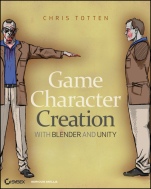
Game Character Creation with Blender and Unity
ISBN 9781118172728
Autor: Chris Totten
Wydawca: Wiley
Dostępność: 3-6 tygodni
Cena: 205,80 zł
Przed złożeniem zamówienia prosimy o kontakt mailowy celem potwierdzenia ceny.
ISBN13: |
9781118172728 |
ISBN10: |
1118172728 |
Autor: |
Chris Totten |
Oprawa: |
Paperback |
Rok Wydania: |
2012-07-06 |
Ilość stron: |
320 |
Wymiary: |
228x188 |
Tematy: |
US |
Create realistic game characters powered by your imagination If you're a do-it-yourself game designer, you'll want to take advantage of Blender and Unity to build professional-quality game characters. With this guide, you first learn how to create realistic game assets using the power of Blender and then test how your characters work in Unity. Game design expert Chris Totten walks you through each step, from modeling and sculpting to rigging and animating a character. Use the tutorial files accompanying the book to design a zombie game character, and then put it in action in a real-world game environment. Build a basic block character and then dive into more sophisticated modeling Pump up the appearance of your character using sculpting and textures Follow digital painting best practices and add colorful details to your model Create realistic movement by rigging your character for animation with an armature Explore how to make Unity and Blender work together by creating and importing finished game objects Bring your character into Unity and create your own video game Learn how to use Unity scripts to make your character animate properly Learn to model, texture, sculpt, rig, and animate a low-polygon video game character in Blender Import your low-poly Blender character into the Unity game engine and use JavaScript to create a zombie arcade shooter
Introduction xv Chapter 1: Basic Game Art Concepts 1 Game Design Workflows 2 Creating Game Assets 4 Understanding and Optimizing 3D Game Art 9 Working with Game Engines 20 Scripting Happens 21 Chapter 2: Blender Basics for Game Characters 23 Working with Blender’s Unique Features 24 Working with Editor Arrangement and Types 26 Navigating and Viewing 3D Space 32 Creating and Manipulating Objects 33 Using the Properties Editor 36 Know Your Hotkeys 37 Making a Simple Block Character 39 Useful Techniques 44 Chapter 3: Modeling the Character 45 Working with Model Sheets 46 Shaping the Torso for Low Polygon Count 48 Extruding the Legs and Feet 51 Making the Arms and Hands 56 Separating Body Components to Create Clothing 62 Creating the Head with Poly–by–Poly Modeling 65 Carving Out Zombie Damage 82 Chapter 4: Prepping for Zombie Details with UV Unwrapping 87 The Uses of UV Layouts 88 Drawing Seams 89 Using Blender′s UV/Image Editor 97 Laying Out a UV Sheet 100 Using Blender′s Live Unwrap Functions 102 Chapter 5: Sculpting for Normal Maps 105 The Purpose of Sculpting 106 Introducing the Multires Modifier 107 Using Blender′s Sculpting Interface 110 Sculpting the Zombie in Blender 120 Baking Normal Maps 128 Chapter 6: Digital Painting Color Maps 135 Understanding Digital Painting 136 Preparing for Color Map Painting 142 Digital Painting Best Practices 144 Applying Your Color Map to the Zombie 154 Chapter 7: Rigging for Realistic Movement 157 Understanding Rigging 158 Creating a Simple Armature 164 Finishing the Armature with Constraints 175 Linking the Armature and Zombie 184 Chapter 8: Animating the Zombie 193 Understanding and Planning Game Animation 194 Using Blender′s Animation System 200 Creating an Idle Animation 203 Creating a Walk Animation 208 Creating a Chase Animation 210 Creating a Run Animation 212 Organizing Your Animations 214 Chapter 9: Unity Engine Basics 217 Understanding Unity’s Logic and Interface 218 Building a Whiteblock Level with Unity Primitives 223 Creating and Editing Materials in Unity 232 Organizing Assets with Unity Empties 234 Chapter 10: Implementing Your Zombie in a Unity Game 237 Importing Models into Unity 238 Unity Scripting––A Crash Course 240 Adding Interactivity to the Zombie 247 Turning the First Person Controller into an FPS Hero 259 Adding Other Gameplay Elements 270 Wrapping Up 278 Index 279
Chris Totten is a Washington, DCbased game designer, writer, and professor. He teaches character development, 3D modeling, and animation for games. Chris has participated in independent game design projects as an artist and animator; written for gamasutra.com and videogamewriters.com; and has been a guest speaker at East Coast Game Conference, GDC China and Dakota State University's Workshop on Integrated Design.
Koszyk
Książek w koszyku: 0 szt.
Wartość zakupów: 0,00 zł
Informacje


Kontakt
Gambit
Centrum Oprogramowania
i Szkoleń Sp. z o.o.
Al. Pokoju 29b/22-24
31-564 Kraków
Siedziba Księgarni
ul. Kordylewskiego 1
31-542 Kraków
+48 12 410 5991
+48 12 410 5987
+48 12 410 5989
Subskrypcje
Administratorem danych osobowych jest firma Gambit COiS Sp. z o.o. Na podany adres będzie wysyłany wyłącznie biuletyn informacyjny.
Autoryzacja płatności

Informacje na temat autoryzacji płatności poprzez PayU.

© Copyright 2012: GAMBIT COiS Sp. z o.o. Wszelkie prawa zastrzeżone.
Projekt i wykonanie: Alchemia Studio Reklamy