


Wydawcy
Katalog tematyczny
- Archeologia (109)
- Ekonomia, finanse, business (13704)
- Filozofia (1445)
- Historia (3040)
- Języki i językoznawstwo (2356)
- Lifestyle, hobby i rozrywka (475)
- Medycyna (9704)
- Nauki humanistyczne (4)
- Nauki o Ziemi i środowisku (2638)
- Nauki ścisłe (20412)
- Nauki społeczne (8486)
- Nauki techniczne (13450)
- Prawo (1696)
- Publikacje informacyjne i interdyscyplinarne (1288)
- Religia i wierzenia (917)
- Technika komputerowa (4067)
- Bazy danych (75)
- Bezpieczeństwo komputerowe (454)
- Certyfikacja komputerowa (1)
- Grafika i media cyfrowe (32)
- Informatyka (779)
- Komputery, ogólnie (74)
- Programowanie (351)
- Programy komercyjne (49)
- Sieci komputerowe (350)
- Sprzęt komputerowy (4)
- Systemy operacyjne (32)
- Technika cyfrowa na co dzień (7)
- Zdrowie, relacje międzyludzkie i rozwój osobisty (657)





Informacje szczegółowe o książce
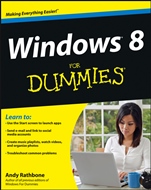
Windows 8 For Dummies
ISBN 9781118134610
Autor: Andy Rathbone
Wydawca: Wiley
Dostępność: 3-6 tygodni
Cena: 140,70 zł
Przed złożeniem zamówienia prosimy o kontakt mailowy celem potwierdzenia ceny.
ISBN13: |
9781118134610 |
ISBN10: |
1118134613 |
Autor: |
Andy Rathbone |
Oprawa: |
Paperback |
Rok Wydania: |
2012-09-14 |
Ilość stron: |
432 |
Wymiary: |
235x191 |
Tematy: |
UH |
Just want to get going with Windows 8? This book was made for you! Windows 8 looks and acts differently than previous Windows versions. The touch-friendly Start screen and new apps can confuse even the most experienced Windows user. This book helps you master Windows 8 by getting you started using the new interface, finding that missing file, creating a network, using Windows 8 on your tablet, and more. The big changes tour the Start screen, where you load apps and programs, see where the desktop went, and use the Control Panel to customize Windows 8 Touch and go get acquainted with the many features designed for touchscreen devices Tour the web use Internet Explorer, set up and use e-mail, access your social networks, and do it all with more security When you have to share discover how to protect everyone's privacy and how to set up a network The magic of media play CDs, digital music, and movies, or work with photos transferred from your camera Open the book and find: Straightforward explanations of unique features Which version of Windows 8 is right for you Tips for touchscreen users Whether you should upgrade to Windows 8 Easy, do-it-yourself maintenance tips How to download apps from the Windows Store The easy way to back up your PC Ten things that will drive you crazy and how to fix them Learn to: Use the Start screen to launch apps Send e-mail and link to social media accounts Create music playlists, watch videos, and organize photos Troubleshoot common problems
Introduction 1 Part I: Windows 8 Stuff Everybody Thinks You Already Know 9 Chapter 1: What Is Windows 8? 11 Chapter 2: The Mysterious New Start Screen 19 Chapter 3: The Traditional Desktop 51 Chapter 4: Basic Desktop Window Mechanics 71 Chapter 5: Storage: Internal, External, and in the Sky 87 Part II: Working with Programs, Apps, and Files 117 Chapter 6: Playing with Programs, Apps, and Documents 119 Chapter 7: Finding the Lost 139 Chapter 8: Printing Your Work 153 Part III: Getting Things Done on the Internet 167 Chapter 9: Cruising the Web 169 Chapter 10: Being Social: Mail, People, Calendar, and Messaging 191 Chapter 11: Safe Computing 215 Part IV: Customizing and Upgrading Windows 8 227 Chapter 12: Customizing Windows 8 with the Control Panel 229 Chapter 13: Keeping Windows from Breaking 255 Chapter 14: Sharing One Computer with Several People 269 Chapter 15: Connecting Computers with a Network 285 Part V: Music, Photos, and Movies 299 Chapter 16: Playing and Copying Music in Media Player 301 Chapter 17: Fiddling with Photos (and Movies) 323 Part VI: Help! 341 Chapter 18: The Case of the Broken Window 343 Chapter 19: Strange Messages: What You Did Does Not Compute 359 Chapter 20: Moving from an Old PC to a New Windows 8 PC 369 Chapter 21: Help on the Windows 8 Help System 377 Part VII: The Part of Tens 383 Chapter 22: Ten Things You’ll Hate about Windows 8 (and How to Fix Them) 385 Chapter 23: Ten or So Tips for Touchscreen Owners 393 Index 399
Andy Rathbone is an expert on PC operation and repair, home theater and entertainment technologies, and tablet computing. In addition to all editions of Windows For Dummies, he is the author of Upgrading & Fixing Computers Do-It-Yourself For Dummies and Motorola XOOM For Dummies.
Koszyk
Książek w koszyku: 0 szt.
Wartość zakupów: 0,00 zł
Informacje


Kontakt
Gambit
Centrum Oprogramowania
i Szkoleń Sp. z o.o.
Al. Pokoju 29b/22-24
31-564 Kraków
Siedziba Księgarni
ul. Kordylewskiego 1
31-542 Kraków
+48 12 410 5991
+48 12 410 5987
+48 12 410 5989
Subskrypcje
Administratorem danych osobowych jest firma Gambit COiS Sp. z o.o. Na podany adres będzie wysyłany wyłącznie biuletyn informacyjny.
Autoryzacja płatności

Informacje na temat autoryzacji płatności poprzez PayU.

© Copyright 2012: GAMBIT COiS Sp. z o.o. Wszelkie prawa zastrzeżone.
Projekt i wykonanie: Alchemia Studio Reklamy