


Wydawcy
Katalog tematyczny
- Archeologia (109)
- Ekonomia, finanse, business (13704)
- Filozofia (1445)
- Historia (3040)
- Języki i językoznawstwo (2356)
- Lifestyle, hobby i rozrywka (475)
- Medycyna (9704)
- Nauki humanistyczne (4)
- Nauki o Ziemi i środowisku (2638)
- Nauki ścisłe (20412)
- Nauki społeczne (8486)
- Nauki techniczne (13450)
- Prawo (1696)
- Publikacje informacyjne i interdyscyplinarne (1288)
- Religia i wierzenia (917)
- Technika komputerowa (4067)
- Bazy danych (75)
- Bezpieczeństwo komputerowe (454)
- Certyfikacja komputerowa (1)
- Grafika i media cyfrowe (32)
- Informatyka (779)
- Komputery, ogólnie (74)
- Programowanie (351)
- Programy komercyjne (49)
- Sieci komputerowe (350)
- Sprzęt komputerowy (4)
- Systemy operacyjne (32)
- Technika cyfrowa na co dzień (7)
- Zdrowie, relacje międzyludzkie i rozwój osobisty (657)





Informacje szczegółowe o książce
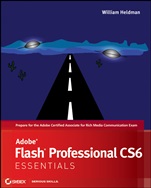
Adobe Flash Professional CS6 Essentials
ISBN 9781118129654
Autor: William Heldman
Wydawca: Wiley
Dostępność: 3-6 tygodni
Cena: 190,05 zł
Przed złożeniem zamówienia prosimy o kontakt mailowy celem potwierdzenia ceny.
ISBN13: |
9781118129654 |
ISBN10: |
1118129652 |
Autor: |
William Heldman |
Oprawa: |
Paperback |
Rok Wydania: |
2012-07-06 |
Ilość stron: |
368 |
Wymiary: |
228x188 |
Tematy: |
US |
Learn Flash Quickly and Easily This full–color guide covers the fundamentals of Adobe Flash Professional CS6 and prepares you for the Adobe Certified Associate (ACA) exam for Rich Media Communication Using Adobe Flash Professional CS6. First, you′ll review basic principles of rich media design. From there, this clear, task–based book covers all exam areas while showing you step by step how to draw shapes; use the Timeline; add text, audio, and video; and more. Whether you′re new to Flash, preparing for the exam, or updating your skills to Flash CS6, this book is the perfect primer. Learn these Flash essentialsand more: The basic principles and practices of rich media design How to navigate the complex interface without a hitch Creating designs using Flash shape tools The no–sweat basics of Flash layers and the timeline Using Flash text and symbols, and developing simple animations Complex animation techniques such as rotation and parallax scrolling Using the Flash Bone tool and Inverse Kinematics (IK) to animate characters Working with audio, video, and ActionScript® Learn about Flash′s new Text Layout Framework (TLF) engine Learn how to use Flash′s drawing tools for both 2D and 3D art assets This striking Essentials book features: Chapter–opening learning objectives Step–by–step tutorials Four–color screenshots and illustrations Essentials and Beyondsummaries and additional suggested exercises Downloadable exercise files
Introduction xxi CHAPTER 1 Before Jumping into Flash: Rich Media Design Principles and Practice 1 Working with Clients to Create Rich Media Projects 1 What Is Rich Media? 2 Viewing Great Rich Media Examples 3 Identifying Your Content’s Purpose and Audience 7 Choosing the Best Media Types 10 Addressing Accessibility Issues in Rich Media 12 Designing for People Who Are Blind 14 Designing for Low–Vision Viewers 18 Designing for Hearing–Impaired and Deaf Viewers 23 Designing for People with Physical Limitations 27 Designing for People with Cognitive Limitations 28 Designing for People with Photosensitive Epilepsy 28 Understanding Project Management 101 28 Identifying a Project 29 Creating the Project Plan 29 Creating the Project Schedule 31 Properly Closing Out the Project 32 Understanding Copyright Issues When Using Others’ Work 32 Understanding Text Copyright 33 Understanding Music Copyright 34 Understanding Video Copyright 34 Understanding Animation Copyright 34 Understanding Trademarks 35 CHAPTER 2 Getting Acquainted with Flash 37 Opening Flash for the First Time 37 Using Flash Panels 40 Frequently Used Panels 41 Other Handy Panels 43 Understanding Flash Workspaces 45 Understanding Flash File Types 47 FLA 48 SWF 48 HTML 49 CHAPTER 3 Drawing Shapes in Flash 51 Drawing Standard Shapes 51 Understanding Merge vs. Object Drawing 58 Creating Objects in Merge Drawing Mode 58 Creating Objects in Object Drawing Mode 60 Drawing Primitive Shapes 62 Drawing Polygonal or Star Shapes with the PolyStar Tool 65 Making Artsy Shapes with the Deco Tool 66 Drawing Other Shapes 68 Working with Color in Flash 75 Using kuler 75 Saving a Color Set 77 Working with Color Gradients 77 CHAPTER 4 Getting Started with the Timeline 81 Becoming Acquainted with the Timeline 81 Adding Different Frame Types to Your Animation 83 Copying and Deleting Frames 88 Frame Names 90 Organizing Your Work with Layers 91 Creating a UFO Scene 92 Hanging the Moon 96 Organizing Your Layers: Using Layer Folders 98 Working with Special Layer Types 102 Aligning Objects with Snapping 105 CHAPTER 5 Adding Flash Text and Fonts to Your Creat ions 109 Understanding When You Can Use TLF Text Fields 110 Flash Player 110 ActionScript 111 Flash Builder 112 Picking the Best Font 112 Choosing Serif or Sans Serif 112 Embedding Your Font 114 Using Placeholder Text 116 Checking Your Spelling 116 Using Classic Text 117 Deciding to Use Classic Text 117 Inserting Classic Text Boxes 117 Using Text Layout Framework 120 Deciding to Use TLF 120 Inserting TLF Text Boxes 121 CHAPTER 6 Working with Flash Symbols 129 Creating Graphic Symbols 129 Converting Assets to a Symbol 130 Grouping Assets 132 Using the Library 134 Using the Symbols from the Library 134 Implementing a Library Naming Convention 135 Grouping Common Objects in the Library 135 Creating Button Symbols 136 Manually Creating a Button 138 Turning the Button into an Instance 140 Editing a Button 140 Using a Prebuilt Button 143 Creating Movie Clip Symbols 144 Creating and Editing Symbol Instances 146 Understanding ActionScript Linkages 148 CHAPTER 7 Developing Simple Flash Animations 155 Developing Storyboards to Describe Your Animation155 Creating a Storyboard for Cow Abduction 156 Animating the Cow Abduction 159 Creating a Frame–by–Frame Animation 165 Differentiating between a Stage Animation and a Movie Clip 171 CHAPTER 8 Using Tweens 175 Creating Shape Tweens 175 Making Changes to a Shape Tween 178 Adding Shape Hints 181 Creating Motion Tweens 183 Rotating Objects 185 Using Parallax Scrolling 186 Applying Granular Changes with the Motion Editor 189 Making Animations More Realistic with Easing 190 Using Motion Presets 192 Understanding Classic Tweens 194 CHAPTER 9 Techniques for Creating More Technical Animations 199 Creating a Bicycle with Rotating Wheels 199 Drawing the Crank Arms 200 Creating the Pedals 202 Repeating the Process for the Three Arcs 204 Creating the Sprocket 206 Creating the Tires 207 Creating the Bike Frame 209 Assembling the Bike 211 Setting Different Speeds Using Parallax Scrolling 213 Creating the Buildings 213 Adding Some Clouds 215 Assembling the Scene 216 Adding a Highway 217 Creating a Bouncing Ball with Color Gradients, Motion Presets, and Eases 218 Creating the Basketball Court’s Floor 218 Adding Pizzazz with Custom Color Gradients 219 Creating a Backboard by Combining Motion Tweens 222 Tweaking the Animation 225 Adding Perspective to the Basketball Scene with 3D Tools 225 CHAPTER 10 Creating Characters with Inverse Kinematics 231 Boning a Character 231 Snapping a Photo as a Base 231 Tracing Your Picture 233 Inserting Bones into Your Character 237 Constricting Animations 240 Animating IK’d Objects 242 Creating the Bicycle Animation 242 Creating Bouncing Movement Using IK Springs 244 CHAPTER 11 Working with Audio 251 Creating a Rich Media Project with Audio 251 Creating the Drum Set 253 Drawing the Bass Drum 254 Drawing the Bass Drum Hoops 254 Making the Drum Head 255 Moving the Back Hoop into the Back of the Front Hoop 256 Creating the Drum Shell 257 Drawing and Placing the Lugs and Rods 258 Creating the Tom–Toms and Snare 260 Making the Cymbals and Cymbal Stands 261 Drawing the Cymbal Stand 261 Drawing the Scissor–Style Brace for the Cymbal Stand Legs 263 Creating the Cymbal 266 Creating the High–Hat Stand and Cymbals 267 Adding Sounds to the Drums 268 Importing the Sounds and Preparing for ActionScript 268 Creating the Buttons 269 Adding a Hit Zone to the Cymbals 271 Compressing Audio 272 Using the Sounds Supplied with Flash 273 Putting a Sound on the Stage 274 Controlling a Sound with a Code Snippet 274 CHAPTER 12 Working with Video 279 Understanding Supported Flash Video File Types 279 Converting Non–supported File Types 281 Using the Import Video Wizard 282 Setting Up ActionScript Cue Points 289 Adding ActionScript Cue Points to Your Video 289 Adding Parameters to Cue Points 292 Adding the Buttons 293 CHAPTER 13 Working with ActionScript 299 Getting Started with ActionScript 299 ActionScript Basics 300 Working with Dynamic Text 303 Programmatically Adjusting a Text Object’s Coordinates and Formatting 304 Testing Your Work 305 Programming ActionScript to Calculate Your BMI 308 Writing the Code to Declare Variables and Hide Dynamic Text Fields 310 Garnering User Input 312 Calculating and Outputting the Results 314 Publishing Your Work 317 APPENDIX A Adobe Rich Media Communication Using Flash Professional CS6 Objectives 323 APPENDIX B Next Steps 327 Index 331
William Heldman is the Computer Science and Game Development instructor at Warren Tech (www.warrentech.org), a Career and Technical Education (CTE) high school in Lakewood, Colorado. He is the author or coauthor of several Sybex books, including the CompTIA Project+ Study Guide.
Koszyk
Książek w koszyku: 0 szt.
Wartość zakupów: 0,00 zł
Informacje


Kontakt
Gambit
Centrum Oprogramowania
i Szkoleń Sp. z o.o.
Al. Pokoju 29b/22-24
31-564 Kraków
Siedziba Księgarni
ul. Kordylewskiego 1
31-542 Kraków
+48 12 410 5991
+48 12 410 5987
+48 12 410 5989
Subskrypcje
Administratorem danych osobowych jest firma Gambit COiS Sp. z o.o. Na podany adres będzie wysyłany wyłącznie biuletyn informacyjny.
Autoryzacja płatności

Informacje na temat autoryzacji płatności poprzez PayU.

© Copyright 2012: GAMBIT COiS Sp. z o.o. Wszelkie prawa zastrzeżone.
Projekt i wykonanie: Alchemia Studio Reklamy