


Wydawcy
Katalog tematyczny
- Archeologia (109)
- Ekonomia, finanse, business (13704)
- Filozofia (1445)
- Historia (3040)
- Języki i językoznawstwo (2356)
- Lifestyle, hobby i rozrywka (475)
- Medycyna (9704)
- Nauki humanistyczne (4)
- Nauki o Ziemi i środowisku (2638)
- Nauki ścisłe (20412)
- Nauki społeczne (8486)
- Nauki techniczne (13450)
- Prawo (1696)
- Publikacje informacyjne i interdyscyplinarne (1288)
- Religia i wierzenia (917)
- Technika komputerowa (4067)
- Bazy danych (75)
- Bezpieczeństwo komputerowe (454)
- Certyfikacja komputerowa (1)
- Grafika i media cyfrowe (32)
- Informatyka (779)
- Komputery, ogólnie (74)
- Programowanie (351)
- Programy komercyjne (49)
- Sieci komputerowe (350)
- Sprzęt komputerowy (4)
- Systemy operacyjne (32)
- Technika cyfrowa na co dzień (7)
- Zdrowie, relacje międzyludzkie i rozwój osobisty (657)





Informacje szczegółowe o książce
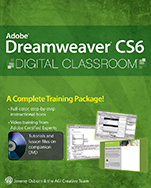
Adobe Dreamweaver CS6 Digital Classroom
ISBN 9781118124093
Autor: Jeremy Osborn, AGI Creative Team
Wydawca: Wiley
Dostępność: 3-6 tygodni
Cena: 253,05 zł
Przed złożeniem zamówienia prosimy o kontakt mailowy celem potwierdzenia ceny.
ISBN13: |
9781118124093 |
ISBN10: |
111812409X |
Autor: |
Jeremy Osborn, AGI Creative Team |
Oprawa: |
Paperback |
Rok Wydania: |
2012-06-12 |
Ilość stron: |
496 |
Wymiary: |
233x189 |
Tematy: |
US |
A Complete Training Package!
Full–color, step–by–step instructional book
Video training from Adobe Certified Experts
Tutorials and lesson files on companion DVD
You have a personal tutor in the Digital Classroom
If you want expert instruction that fits into your schedule, the Digital Classroom series delivers. Expert instructors guide you through 17 lessons, helping you learn essential Dreamweaver CS6 skills at your own speed. Full–color, step–by–step instructions in the book are enhanced with video tutorials on the DVD. With this Digital Classroom training package, you have your own private instructor showing you the easiest way to learn Dreamweaver CS6.
Set up Dreamweaver CS6 and use its design and layout tools
Create, publish, and maintain websites
Add text, images, and multimedia to your pages
Build CSS–based websites to create consistent, standards–based page designs
Use modern web design techniques including CSS3 transitions and fluid grids
Design HTML5 web pages optimized for mobile devices
Add web fonts for more visually exciting text
Starting Up About Dreamweaver Digital Classroom 1 Prerequisites 1 System requirements 1 Starting Adobe Dreamweaver 3 Resetting the Dreamweaver workspace 3 Loading lesson files 4 Working with the video tutorials 5 Setting up for viewing the video tutorials 5 Viewing the video tutorials with the Adobe Flash Player 6 Hosting your websites 7 Additional resources 7 Lesson 1: Dreamweaver CS6 Jumpstart Starting up 9 What is Dreamweaver? 10 Design and layout tools 10 Site management and File Transfer Protocol 11 Coding environment and text editor 11 Mobile design and development features 12 Who uses Dreamweaver? 12 Dreamweaver’s workspace features 13 Live View and Live Code 16 CSS Inspection and the Enable/Disable Feature 17 Related files 18 Code Navigator 19 Photoshop smart objects 20 Support for Content Management Systems 20 HTML5, CSS3, and PHP code hinting 21 HTML and CSS Starter Pages 21 Subversion 22 Business Catalyst integration 22 How websites work22 A simple flow chart 22 Domain names and IP addresses 23 Servers and web hosts23 The role of web browsers 23 An introduction to HTML24 Tag structure and attributes 24 The structure of an HTML document 27 Placing images in HTML 28 Colors in HTML 30 Case sensitivity and whitespace rules 31 Element hierarchy 33 XHTML 1.0 Transitional 33 What’s the difference? 33 Explorations in code 34 A look at the Welcome Screen 35 Creating, opening, and saving documents 36 Creating new documents 36 Self study 38 Review 38 Lesson 2: Setting Up a New Site Starting up 39 Creating a new site 40 Advanced site–creation options 43 Adding pages 45 Saving a page to your site 48 Defining page properties 49 Work views 55 A deeper look into the Files panel 58 Viewing local files 59 Selecting and editing files 59 Self study 61 Review 61 Lesson 3: Adding Text and Images Starting up 63 Typography and images on the Web 64 Adding text 64 An introduction to styles 69 Previewing pages in a web browser 73 Understanding hyperlinks 74 Creating hyperlinks 75 Relative versus absolute hyperlinks 77 Linking to an e–mail address 79 Creating lists 80 Using the Text Insert panel 82 Inserting images 83 Image resolution 83 Image formats 83 Creating a simple gallery page 84 Linking images 87 Using image placeholders 88 Editing images 89 Adjusting brightness and contrast 89 Optimizing images 90 Updating images 91 Self study 92 Review 92 Lesson 4: Styling Your Pages with CSS Starting up 93 What are Cascading Style Sheets? 94 CSS replaces inefficient HTML styling 95 The benefits of CSS styling 96 How do you create CSS rules in Dreamweaver? 98 Understanding Style Sheets 102 Understanding why they’re called Cascading 105 Creating and modifying styles 106 Creating a class style with the Property Inspector 108 Creating and modifying styles in the CSS Styles panel 111 Advanced text formatting with CSS 112 Fine–tuning page appearance with contextual and pseudo–class selectors 115 Div tags and CSS IDs 119 Internal versus external style sheets 120 Attaching an external style sheet to your page 122 Modifying attached style sheets 122 Creating a new .css file (external style sheet) 124 Self study 126 Review 126 Lesson 5: Creating Page Layouts with CSS Starting up 127 The CSS Box model 128 The basics of CSS margins, padding, and borders 128 Reviewing the element 129 Reviewing the ID selector 129 Creating a centered container for your page 132 Making layouts cross–browser compatible 135 Absolute versus relative positioning 136 Positioning content with AP Divs 138 Creating a header section with the Draw AP Div 139 Adding an introduction section to your page 142 Adding images to your layout 144 Photoshop integration 145 Adding Main and Sidebar content areas 146 Adding additional content and styles 148 Setting margins and borders 149 Overriding default margins in CSS 150 Adding borders to elements 151 Future proofing your layout 152 The pros and cons of Absolutely Positioned CSS layouts 153 Self study 156 Review 156 Lesson 6: Advanced Page Layout Starting up 157 Layout with AP divs versus layout with floats 158 Creating a floated image 159 Creating columns with HTML and CSS 161 Creating the HTML Structure with div elements 161 Setting the width and floating the columns 163 Using the clear property 165 Creating a list–based navigation bar 166 Changing column layout and size 172 Creating the appearance of equal height columns 175 Browser compatibility 178 Adding code for IE 6 178 Applying finishing touches 179 Creating more sophisticated layouts 180 Dreamweaver Fluid Grid Layout 181 Self study 182 Review 182 Lesson 7: CSS3 Transitions and Web Fonts Starting up 183 Understanding the role of CSS3 184 Adding a CSS Transition 184 Modifying a CSS Transition 190 Adding CSS Transitions to a navigation menu 196 The basics of web fonts 199 Adding web fonts to your site 200 Styling your heading with a web font 205 Self study 208 Review 208 Lesson 8: Working with Tables Starting up 209 Using tables in web design 210 Importing table data 210 Selecting table elements 213 Modifying table size215 Modifying table structure 217 Creating a table 219 Formatting and styling tables in HTML 221 Formatting and styling tables with CSS 226 Advanced CSS styling of tables 229 Controlling cell alignment, padding, and borders with CSS 232 Creating alternate row styling with CSS 234 Reusing CSS for other tables 236 Data sorting tables 238 Self study 240 Review 240 Lesson 9: Fine–Tuning Your Workflow Starting up 241 Customizing panels and panel groups 242 Using the Favorites tab on the Insert bar 245 Resizing the document window 246 Changing the Zoom level 249 Using guides 250 Using grids 253 The tag selector 255 Tiling documents 256 Self study 257 Review 257 Lesson 10: Adding Flash, Video, and Sound Content Starting up 259 Making web content interesting 260 Inserting Flash movies 260 Adding video 263 Flash Video 263 QuickTime video and Windows Media 266 Inserting sound 269 Self study 272 Review 272 Lesson 11: Maximizing Site Design Starting up 273 Creating modular page elements 274 Introducing snippets 274 The Snippets panel 275 Creating new snippets 276 Introducing library items 280 Modifying and updating library items 282 Introducing templates 285 Creating a new template 285 Working with editable regions 286 Creating new pages from templates 287 Modifying templates 289 Repeating regions 290 Putting repeating regions into action 291 Detach from Template command 293 Self study 294 Review 294 Lesson 12: Working with Code–editing Features Starting up 295 Working with code 296 Accessing code with the Quick Tag editor 296 Inserting tags with the Tag Chooser298 Inserting and editing comments 299 Using HTML5 Code–hinting 300 Working in the Code view 302 Modifying the Code view workspace 303 The Coding toolbar 305 Collapsing and expanding tags and code blocks 307 Validating your code 308 Highlighting and correcting invalid code 308 Running a Report 309 Formatting code 311 Indenting 313 Self study 314 Review 314 Lesson 13: Building Web Forms Starting up 315 The basics of HTML forms 316 How forms work 316 Building a contact form 317 Inserting the tag 317 Setting form properties 320 Adding form elements 322 Adding text fields 323 Adding checkboxes 325 Adding radio buttons 326 Adding radio groups 327 Adding lists and menus 328 Adding a text area 330 Adding a File Upload field 331 Creating Submit and Reset buttons 332 Styling forms with CSS 334 Attaching external styles 334 Setting a background color 335 Styling form elements 337 Form processing and validation 338 Adding form validation 339 A look at the Behaviors panel 339 Setting an event or trigger 341 Validating form fields 342 Changing a form field’s behavior order 343 Verifying field contents 344 Self study 345 Review 345 Lesson 14: Adding Interactivity with the Spry Framework Starting up 347 Introducing the Spry Widgets 348 The Spry framework for AJAX 348 What is AJAX? 348 A look at the project 349 The Spry Menu bar 350 Customizing Spry Widgets with CSS 353 The Spry Tabbed panel 356 The Spry Accordion panel 360 The Spry Collapsible panel 364 Working with Spry Data Widgets 365 What is XML? 366 Creating a Spry XML data set 366 Adding a Spry Data Widget: The Spry Repeat List 368 Styling and fine–tuning data widgets 370 Self study 373 Review 373 Lesson 15: Mobile Design and Layout Starting up 375 The rise of the mobile web 376 Dreamweaver tools for mobile layout 376 Mobile website features in Dreamweaver 378 Viewing your web page with the Multiscreen feature 378 Media Queries defined 381 Creating a site–wide media query file 383 Organizing your style sheets 386 Creating a layout optimized for mobile 388 Creating styles for navigation and a single–column layout 391 The basics of Fluid Grid Layout 394 Creating your mobile layout 398 Creating a tablet layout 402 Creating a three–column fluid layout for the desktop 403 Styling elements in your fluid grid layout 407 Self study 410 Review 410 Lesson 16: Managing your Website: Reports, Optimization, and Maintenance Starting up 411 Working with the Files panel 412 Creating a remote connection 412 Viewing files on a remote web server 416 Transferring files to and from a remote server with Get and Put 417 Using Check In/Check Out and Design Notes 419 Check In and Check Out 419 Checking files in and out 421 Using Design Notes 422 Sharing Design Notes 423 Displaying Design Notes in the Files panel 424 Testing site integrity 425 Using Check Links 425 Checking links sitewide 426 Generating site reports 428 Understanding report results 430 Addressing a listed item 430 The Browser Compatibility Check 432 Optimizing pages for launch 432 Search engine visibility and Search Engine Optimization 432 Titling your documents with the <title> tag 432 Adding meta keywords and descriptions 435 Launching your site 436 Site Launch Checklist 436 Uploading your site 437 Getting help and using the reference guides 438 The Reference panel 439 Suggested next steps 439 Website design resources 440 Self study 441 Review 441 Lesson 17: Dreamweaver CS6 New Features What’s new in Dreamweaver CS6? 443 Fluid Grid Layout 444 CSS transitions 446 Web fonts 447 jQuery Mobile Swatches 448 PhoneGap Build Service 448 New Features in Dreamweaver CS5.5 449 CSS3 and HTML5 authoring support 449 jQuery Mobile integration 450 Support for building native mobile apps for iOS and Android with PhoneGap 451 W3C Validation 451
Jeremy Osborn is Training Director at American Graphics Institute and an expert on web and interactive technology. He is a member of the AGI Creative Team, which develops and delivers training programs for creative, marketing, and communications professionals through the American Graphics Institute.
Koszyk
Książek w koszyku: 0 szt.
Wartość zakupów: 0,00 zł
Informacje


Kontakt
Gambit
Centrum Oprogramowania
i Szkoleń Sp. z o.o.
Al. Pokoju 29b/22-24
31-564 Kraków
Siedziba Księgarni
ul. Kordylewskiego 1
31-542 Kraków
+48 12 410 5991
+48 12 410 5987
+48 12 410 5989
Subskrypcje
Administratorem danych osobowych jest firma Gambit COiS Sp. z o.o. Na podany adres będzie wysyłany wyłącznie biuletyn informacyjny.
Autoryzacja płatności

Informacje na temat autoryzacji płatności poprzez PayU.

© Copyright 2012: GAMBIT COiS Sp. z o.o. Wszelkie prawa zastrzeżone.
Projekt i wykonanie: Alchemia Studio Reklamy