


Wydawcy
Katalog tematyczny
- Archeologia (109)
- Ekonomia, finanse, business (13704)
- Filozofia (1445)
- Historia (3040)
- Języki i językoznawstwo (2356)
- Lifestyle, hobby i rozrywka (475)
- Medycyna (9704)
- Nauki humanistyczne (4)
- Nauki o Ziemi i środowisku (2638)
- Nauki ścisłe (20412)
- Nauki społeczne (8486)
- Nauki techniczne (13450)
- Prawo (1696)
- Publikacje informacyjne i interdyscyplinarne (1288)
- Religia i wierzenia (917)
- Technika komputerowa (4067)
- Bazy danych (75)
- Bezpieczeństwo komputerowe (454)
- Certyfikacja komputerowa (1)
- Grafika i media cyfrowe (32)
- Informatyka (779)
- Komputery, ogólnie (74)
- Programowanie (351)
- Programy komercyjne (49)
- Sieci komputerowe (350)
- Sprzęt komputerowy (4)
- Systemy operacyjne (32)
- Technika cyfrowa na co dzień (7)
- Zdrowie, relacje międzyludzkie i rozwój osobisty (657)






Informacje szczegółowe o książce
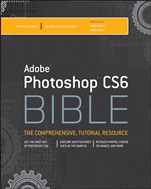
Adobe Photoshop CS6 Bible
ISBN 9781118123881
Autor: Brad Dayley, DaNae Dayley
Wydawca: Wiley
Dostępność: 3-6 tygodni
Cena: 233,10 zł
Przed złożeniem zamówienia prosimy o kontakt mailowy celem potwierdzenia ceny.
ISBN13: |
9781118123881 |
ISBN10: |
1118123883 |
Autor: |
Brad Dayley, DaNae Dayley |
Oprawa: |
Paperback |
Rok Wydania: |
2012-05-04 |
Ilość stron: |
1104 |
Wymiary: |
242x189 |
Tematy: |
US |
Get the most out of Photoshop CS6
Explore new features such as the dark ui
Retouch photos, create 3d images, and more
Create stunning, eye–catching images like a Photoshop pro
Get ready to unlock the power of Photoshop and achieve amazing results with your images. From editing basics to techniques for working with camera raw images, this top–selling book will show you how to master every aspect of Photoshop CS6. You′ll gain the skills to retouch, color, correct, and manipulate your files and then dive into creating cutting–edge special effects using the latest features and enhancements. Everything you need to become a Photoshop master is covered in these pages.
Explore camera raw basics, selections, layers, and channels
Adjust lighting, color, and sharpness to bring new life to images
Work with paths, shapes, and text
Apply filters to incorporate brush strokes, pixilation, sketches, and more
Build and manipulate 3D objects, scenes, and settings
Add artistic effects to video files
Create images for the Web and mobile devices
Companion Website
The companion website includes project files for the book′s tutorials. www.wiley.com/go/photoshopcs6bible
Enhance color in Camera Raw
Edit and paint with brushes
Use the Blur gallery to refocus your image
Acknowledgments xxxi
Introduction xxxiii
Part I: Getting Started with Adobe Photoshop CS6 1
Chapter 1: Introducing Adobe Photoshop CS6 3
Chapter 2: Exploring the Photoshop Workspace 15
Chapter 3: Performing Image Basics 79
Chapter 4: Understanding Colors, Histograms, Levels, and Curves 117
Chapter 5: Applying History and Actions 151
Chapter 6: Using Bridge to Organize and Process Files 171
Part II: Working with Camera Raw Images 209
Chapter 7: Exploring Camera Raw Basics 211
Chapter 8: Processing Photos with Camera Raw 235
Part III: Working with Selections, Layers, and Channels 281
Chapter 9: Creating Selections 283
Chapter 10: Learning All About Layers 321
Chapter 11: Exploring Channels 371
Part IV: Enhancing, Correcting, and Retouching Images 397
Chapter 12: Optimizing Adjustment Workflow 399
Chapter 13: Lighting and Color Adjustments 409
Chapter 14: Applying Sharpness, Blur, and Noise Adjustments 471
Chapter 15: Cleaning Up Digital Images with Cloning and Healing Tools 513
Part V: Using Paint, Paths, Shapes, and Text Tools 551
Chapter 16: Editing with Paintbrush Tools 553
Chapter 17: Working with Paths and Vector Shapes 605
Chapter 18: Working with Text 647
Part VI: Creating Artistic Effects 683
Chapter 19: Distorting Images 685
Chapter 20: Applying Filters 715
Chapter 21: Combining Images 737
Part VII: Working with 3D Images 757
Chapter 22: Creating and Manipulating 3D Objects 759
Chapter 23: Editing 3D Scenes and Settings 785
Chapter 24: Using Photoshop Tools with 3D Layers 809
Part VIII: Working with Video and Animation 839
Chapter 25: Understanding Video Editing Basics 841
Chapter 26: Animating in the Timeline Panel 879
Chapter 27: Correcting Video Files and Adding Artistic Effects 915
Chapter 28: Animating Using Frames 931
Part IX: Using Advanced Output Techniques 953
Chapter 29: Printing and Color Management 955
Chapter 30: Creating Images for the Web 977
Chapter 31: Automating and Scripting Workflow in Photoshop 1003
Part X: Appendixes 1019
Appendix A: Timesaving Keyboard Shortcuts 1021
Appendix B: Extending the Capabilities of Photoshop with Plug–Ins 1027
Appendix C: Finding Resources 1031
Index 1035
Brad Dayley is a senior software engineer with almost 22 years of experience creating computer software. He has been working with Photoshop for 21 years, enjoying the transition of Photoshop from a simple image editor to the powerhouse it is today. He is the author of several books. He is an avid amateur photographer and spends most of his free time in the remote areas of the western United States with his wife DaNae and four sons (wherever a Jeep can get them).
DaNae Dayley has been working with Photoshop for 18 years and is still constantly amazed at the cool stuff it can do! With a degree in Advertising from Brigham Young University, DaNae has owned and operated a media creation business for 17 years, incorporating writing, graphic design, and video editing over the years. She also enjoys teaching Photoshop classes locally. She has co–authored several books with her husband Brad Dayley and is the author of Photoshop CS3 Extended Video and 3D Bible and Roxio Easy Media Creator 8 in a Snap. DaNae lives in Utah with her husband Brad and their four sons. When she is not at her computer, she can be found in the great outdoors (with a camera), preferably in a Jeep!
Koszyk
Książek w koszyku: 0 szt.
Wartość zakupów: 0,00 zł
Informacje


Kontakt
Gambit
Centrum Oprogramowania
i Szkoleń Sp. z o.o.
Al. Pokoju 29b/22-24
31-564 Kraków
Siedziba Księgarni
ul. Kordylewskiego 1
31-542 Kraków
+48 12 410 5991
+48 12 410 5987
+48 12 410 5989
Subskrypcje
Administratorem danych osobowych jest firma Gambit COiS Sp. z o.o. Na podany adres będzie wysyłany wyłącznie biuletyn informacyjny.
Autoryzacja płatności

Informacje na temat autoryzacji płatności poprzez PayU.

© Copyright 2012: GAMBIT COiS Sp. z o.o. Wszelkie prawa zastrzeżone.
Projekt i wykonanie: Alchemia Studio Reklamy