


Wydawcy
Katalog tematyczny
- Archeologia (109)
- Ekonomia, finanse, business (13704)
- Filozofia (1445)
- Historia (3040)
- Języki i językoznawstwo (2356)
- Lifestyle, hobby i rozrywka (475)
- Medycyna (9704)
- Nauki humanistyczne (4)
- Nauki o Ziemi i środowisku (2638)
- Nauki ścisłe (20412)
- Nauki społeczne (8486)
- Nauki techniczne (13450)
- Prawo (1696)
- Publikacje informacyjne i interdyscyplinarne (1288)
- Religia i wierzenia (917)
- Technika komputerowa (4067)
- Bazy danych (75)
- Bezpieczeństwo komputerowe (454)
- Certyfikacja komputerowa (1)
- Grafika i media cyfrowe (32)
- Informatyka (779)
- Komputery, ogólnie (74)
- Programowanie (351)
- Programy komercyjne (49)
- Sieci komputerowe (350)
- Sprzęt komputerowy (4)
- Systemy operacyjne (32)
- Technika cyfrowa na co dzień (7)
- Zdrowie, relacje międzyludzkie i rozwój osobisty (657)





Informacje szczegółowe o książce
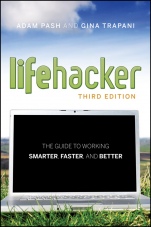
Lifehacker: The Guide to Working Smarter, Faster, and Better
ISBN 9781118018378
Autor: Adam Pash, Gina Trapani
Wydawca: Wiley
Dostępność: 3-6 tygodni
Cena: 170,10 zł
Przed złożeniem zamówienia prosimy o kontakt mailowy celem potwierdzenia ceny.
ISBN13: |
9781118018378 |
ISBN10: |
1118018370 |
Autor: |
Adam Pash, Gina Trapani |
Oprawa: |
Paperback |
Rok Wydania: |
2011-06-24 |
Numer Wydania: |
3rd Edition |
Ilość stron: |
504 |
Wymiary: |
224x159 |
Tematy: |
UZ |
Start using technology to spend less time working and more time living
Isn′t that what technology was supposed to give us—more time? If your tools and gizmos seem to be consuming your life instead of streamlining it, you need these 100+ shortcuts. Here are updated versions of tried–and–true techniques plus plenty of new tricks that take advantage of smartphone technology and the growing importance of the web. There are tips for everyone—from Windows, Mac, and Linux power users to those less tech–savvy—all designed to put hours back into your life.
A dozen ways to take back time
Hack 7: Future–Proof Your E–mail Address
Hack 12: Instantly Retrieve Files Stored on Your Computer
Hack 24: Design Your Own Planner
Hack 37: Set Up a Ubiquitous Note–Taking Inbox Across Devices
Hack 43: Build a No–Fly Zone
Hack 65: Make Google Search Results Automatically Come to You
Hack 71: Run a Home Web Server
Hack 80: Automate Android Functions with Tasker
Hack 84: Command Your Phone with Your Voice
Hack 93: Extend Your Web Browser
Hack 109: Firewall Your Mac
Hack 110: Speed Up Windows with a Thumb Drive
Companion website
At www.lifehackerbook.com you′ll find hack updates, additional information, and more tips and tricks.
Spis treści:
Introduction.
Chapter 1 Control Your Email.
Hack 1: Empty Your Inbox (and Keep It Empty).
Hack 2: Decrease Your Response Time.
Hack 3: Craft Effective Messages.
Hack 4: Highlight Messages Sent Directly to You.
Hack 5: Use Disposable Email Addresses.
Hack 6: Master Message Search.
Hack 7: Future–Proof Your Email Address.
Hack 8: Consolidate Multiple Email Addresses with Gmail.
Hack 9: Script and Automate Repetitive Replies.
Hack 10: Filter Low–Priority Messages.
Chapter 2 Organize You
r Data.
Hack 11: Organize Your Documents Folder.
Hack 12: Instantly Retrieve Files Stored on Your Computer.
Hack 13: Overhaul Your Filing Cabinet.
Hack 14: Instantly Recall Any Number of Different Passwords.
Hack 15: Securely Track Your Passwords.
Hack 16: Tag Your Bookmarks.
Hack 17: Organize Your Digital Photos.
Hack 18: Corral Media Across Folders and Drives.
Hack 19: Create Saved Search Folders.
Hack 20: Create a Password–Protected Disk on Your PC.
Hack 21: Create a Password–Protected Disk on Your Mac.
Hack 22: Encrypt Your Entire Windows Operating System.
Hack 23: Set Up 2–Step Verification for Your Google Account.
Hack 24: Design Your Own Planner.
Chapter 3 Trick Yourself into Getting Done.
Hack 25: Make Your To–Do List Doable.
Hack 26: Set Up a Morning Dash.
Hack 27: Map Your Time.
Hack 28: Quick–Log Your Workday.
Hack 29: Dash Through Tasks with a Timer.
Hack 30: Form New Habits with Jerry Seinfeld′s Chain.
Hack 31: Control Your Workday.
Hack 32: Turn Tasks into Game Play.
Chapter 4 Clear Your Mind.
Hack 33: Send Reminders to Your Future Self.
Hack 34: Take Great Notes.
Hack 35: Organize Your Life with Remember the Milk.
Hack 36: Organize Your Life in Text Files.
Hack 37: Set Up a Ubiquitous Note–Taking Inbox Across Devices.
Hack 38: Off–Load Your Online Reading to a Distraction–Free Environment.
Chapter 5 Firewall Your Attention.
Hack 39: Limit Visits to Time–Wasting Websites.
Hack 40: Permanently Block Time–Wasting Websites.
Hack 41: Reduce Email Interruptions.
Hack 42: Split Your Work Among Multiple Desktops.
Hack 43: Build a No–Fly Zone.
Hack 44: Set Up Communication Quiet Hours.
Hack 45: Clear Your Desktop.
Hack 46: Make Your House a Usable Home.
Hack 47: Sentence Stuff to Death Row.
Hack 48: Drown Out Distracting Sounds with Pink Noise
.
Chapter 6 Streamline Common Tasks.
Hack 49: Search the Web in Three Keystrokes.
Hack 50: Command Your Windows PC from the Keyboard.
Hack 51: Command Your Mac from the Keyboard.
Hack 52: Reduce Repetitive Typing with Texter for Windows.
Hack 53: Reduce Repetitive Typing with TextExpander for Mac.
Hack 54: Automatically Fill in Repetitive Web Forms.
Hack 55: Batch–Resize Photos.
Hack 56: Bypass Free Site Registration with BugMeNot.
Hack 57: Speed Up Web Pages on a Slow Internet Connection.
Hack 58: Securely Save Website Passwords.
Hack 59: Become a Scheduling Black Belt with Google Calendar.
Chapter 7 Automate Repetitive Tasks.
Hack 60: Set Up an Automated, Bulletproof File Back Up Solution.
Hack 61: Automatically Back Up Your Files to an External Hard Drive (Mac).
Hack 62: Automatically Clean Up Your PC.
Hack 63: Automatically Clean Up Your Mac.
Hack 64: Automatically Reboot and Launch Applications.
Hack 65: Make Google Search Results Automatically Come to You.
Hack 66: Automatically Download Music, Movies, and More.
Chapter 8 Get Your Data to Go.
Hack 67: Access Your Most Important Files Anywhere with Dropbox.
Hack 68: Manage Your Documents in a Web–Based Office Suite.
Hack 69: Carry Your Life on a Flash Drive.
Hack 70: Create a Virtual Private Network (VPN) with Hamachi.
Hack 71: Run a Home Web Server.
Hack 72: Run Full–Fledged Webapps from Your Home Computer.
Hack 73: Build Your Personal Wikipedia.
Hack 74: Remotely Control Your Home Computer.
Hack 75: Give Your Home Computer a Web Address.
Hack 76: Optimize Your Laptop.
Chapter 9 Work Smarter on Your Smart Phone.
Hack 77: Speed Up Your Touchscreen Typing.
Hack 78: Break Down the Barrier Between Your Computer and Mobile Phone.
Hack 79: Remote Control Your Computer with Your Phone.
Hack 80: Automate Android Functions with Tasker.
Hack 81: Set Up One Phone Nu
mber to Rule Them All.
Hack 82: Augment Reality with Your Phone.
Hack 83: Remember Where You’ve Been Using Location Awareness.
Hack 84: Command Your Phone with Your Voice.
Hack 85: Use Your Camera Phone as a Scanner.
Hack 86: Make Your "Dumbphone" Smarter via Text Message.
Hack 87: Connect Your Computer to the Internet via Mobile Phone by "Tethering".
Hack 88: Develop Your (Digital) Photographic Memory.
Hack 89: Send and Receive Money on Your Mobile Phone with PayPal.
Chapter 10 Master the Web.
Hack 90: Google Like a Pro.
Hack 91: Subscribe to Websites with RSS.
Hack 92: Quickly Search Within Specific Websites from the Address Bar.
Hack 93: Extend Your Web Browser.
Hack 94: Supercharge Your Firefox Downloads with DownThemAll!
Hack 95: Get 10 Useful Bookmarklets.
Hack 96: Find Reusable Media Online.
Hack 97: Get Your Data on a Map.
Hack 98: Set Multiple Sites as Your Home Page.
Hack 99: Access Unavailable Websites via Google.
Hack 100: Have a Say in What Google Says About You.
Hack 101: Clear Your Web Browsing Tracks.
Chapter 11 Hone Your Computer Survival Skills.
Hack 102: Rescue Your PC from Malware.
Hack 103: Protect Your PC from Malware.
Hack 104: Clean Up Your Startup.
Hack 105: Undo System Configuration Changes.
Hack 106: Truly Delete Data from Your Hard Drive.
Hack 107: Compare and Merge Files and Folders with WinMerge.
Hack 108: Firewall Your Windows PC.
Hack 109: Firewall Your Mac.
Hack 110: Speed Up Windows with a Thumb Drive.
Hack 111: Free Up Hard–Drive Space.
Hack 112: Resurrect Deleted Files.
Hack 113: Hot Image Your PC for Instant Restoration.
Hack 114: Hot Image Your Mac for Instant Restoration.
Hack 115: Recover Files from an Unbootable PC.
Chapter 12 Manage Multiple Computers.
Hack 116: Share Windows Files.
Hack 117: Share Mac Files.
Hack 118: Keep Your Web Browser in Sync Across Computers.<
br>Hack 119: Share a Single Printer Between Computers.
Hack 120: Optimize Your Dual Monitors.
Hack 121: Control Multiple Computers with a Single Keyboard and Mouse.
Index.
Nota biograficzna:
Adam Pash is the Editor–in–Chief of Lifehacker.com and host of the popular Lifehacker web show. A self–taught software developer, he has created popular apps like Texter and MixTape.me.
Gina Trapani is the founding editor of Lifehacker.com. Named one of the Most Influential Women in Technology by Fast Company magazine, today she co–hosts popular web show This Week in Google.
Okładka tylna:
Start using technology to spend less time working and more time living
Isn′t that what technology was supposed to give us—more time? If your tools and gizmos seem to be consuming your life instead of streamlining it, you need these 100+ shortcuts. Here are updated versions of tried–and–true techniques plus plenty of new tricks that take advantage of smartphone technology and the growing importance of the web. There are tips for everyone—from Windows, Mac, and Linux power users to those less tech–savvy—all designed to put hours back into your life.
A dozen ways to take back time
Hack 7: Future–Proof Your E–mail Address
Hack 12: Instantly Retrieve Files Stored on Your Computer
Hack 24: Design Your Own Planner
Hack 37: Set Up a Ubiquitous Note–Taking Inbox Across Devices
Hack 43: Build a No–Fly Zone
Hack 65: Make Google Search Results Automatically Come to You
Hack 71: Run a Home Web Server
Hack 80: Automate Android Functions with Tasker
Hack 84: Command Your Phone with Your Voice
Hack 93: Extend Your Web Browser
Hack 109: Firewall Your Mac
Hack 110: Speed Up Windows with a Thumb Drive
Companion website
At
www.lifehackerbook.com you′ll find hack updates, additional information, and more tips and tricks.
Koszyk
Książek w koszyku: 0 szt.
Wartość zakupów: 0,00 zł
Informacje


Kontakt
Gambit
Centrum Oprogramowania
i Szkoleń Sp. z o.o.
Al. Pokoju 29b/22-24
31-564 Kraków
Siedziba Księgarni
ul. Kordylewskiego 1
31-542 Kraków
+48 12 410 5991
+48 12 410 5987
+48 12 410 5989
Subskrypcje
Administratorem danych osobowych jest firma Gambit COiS Sp. z o.o. Na podany adres będzie wysyłany wyłącznie biuletyn informacyjny.
Autoryzacja płatności

Informacje na temat autoryzacji płatności poprzez PayU.

© Copyright 2012: GAMBIT COiS Sp. z o.o. Wszelkie prawa zastrzeżone.
Projekt i wykonanie: Alchemia Studio Reklamy