


Wydawcy
Katalog tematyczny
- Archeologia (109)
- Ekonomia, finanse, business (13704)
- Filozofia (1445)
- Historia (3040)
- Języki i językoznawstwo (2356)
- Lifestyle, hobby i rozrywka (475)
- Medycyna (9704)
- Nauki humanistyczne (4)
- Nauki o Ziemi i środowisku (2638)
- Nauki ścisłe (20412)
- Nauki społeczne (8486)
- Nauki techniczne (13450)
- Prawo (1696)
- Publikacje informacyjne i interdyscyplinarne (1288)
- Religia i wierzenia (917)
- Technika komputerowa (4067)
- Bazy danych (75)
- Bezpieczeństwo komputerowe (454)
- Certyfikacja komputerowa (1)
- Grafika i media cyfrowe (32)
- Informatyka (779)
- Komputery, ogólnie (74)
- Programowanie (351)
- Programy komercyjne (49)
- Sieci komputerowe (350)
- Sprzęt komputerowy (4)
- Systemy operacyjne (32)
- Technika cyfrowa na co dzień (7)
- Zdrowie, relacje międzyludzkie i rozwój osobisty (657)





Informacje szczegółowe o książce
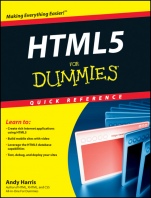
HTML5 For Dummies Quick Reference
ISBN 9781118012529
Autor: Andy Harris
Wydawca: Wiley
Dostępność: 3-6 tygodni
Cena: 124,95 zł
Przed złożeniem zamówienia prosimy o kontakt mailowy celem potwierdzenia ceny.
ISBN13: |
9781118012529 |
ISBN10: |
1118012526 |
Autor: |
Andy Harris |
Oprawa: |
Paperback |
Rok Wydania: |
2011-05-06 |
Ilość stron: |
224 |
Wymiary: |
230x165 |
Tematy: |
UV |
Quick and up–to–date information about HTML5 and how to use it
HTML is the preferred programming language for creating Web pages, and HTML5 is full of new features. This handy, no–nonsense book gives you the straight scoop. You′ll discover enhanced rich media, geolocation, database and mobile capabilities, what′s new in CSS and JavaScript, and how to use the new canvas tag. Find what you need quickly and make your Web site a winner!
A matter of semantics get up to speed on new semantic page elements and in–line semantic elements
Informed about forms examine new and modified form elements that add new capabilities to HTML
Celebrate CSS discover the new tools and functionality in CSS3, including flexible box layout and improved font and text support
Brew up something new explore new JavaScript®features such as drag–and–drop, geolocation,notifications, and Web sockets
Canvas for cool use the canvas tag and JavaScript to create cool and colorful graphics
Visit the companion Web site at www.dummies.com/go/html5fdqr for bonus content.
Open the book and find:
Which browsers support the new tools
Media elements, including a video tag
Additional pseudo–classes in CSS
New form input types
How to add shadows and colorful shapes
Tips on building Web socketconnections
How a Web worker improvesefficiency
Steps for creating animation
Learn to:
Create rich Internet applications using HTML5
Build mobile sites with video
Leverage the HTML5 database capabilities
Test, debug, and deploy your sites
Part 1: Moving on to HTML5.
A Quick History of HTML.
A bit of ancient history.
And the first browser war begins.
A new challenger arises from the ashes.
HTML 4 was getting old.
Getting to Know the Real HTML5.
HTML5 Is More than HTML!
HTML.
CSS.
JavaScript.
Server technologies.
Looking At Browser Features.
Assessing your browser’s capabilities.
Checking for features in your code.
Picking a Suitable Browser.
Using Chrome Frame to Add Support to IE.
Part 2: HTML Foundations.
Exploring HTML and XHTML.
Appreciating HTML.
Emergence of XHTML.
It’s alive, and it’s HTML5!
Setting up a basic HTML page.
Fleshing Out Your Page.
Adding images.
Including links.
Making lists and tables.
Utilizing tables.
Making a Form.
Form structure tags.
Constructing text input.
Creating password fields.
Erecting a multiline text box.
Forming drop–down lists.
Making checkboxes.
Popping in radio buttons.
Putting in action buttons.
Validating Your Pages.
Part 3: New or Changed HTML5 Elements.
Semantic Page Elements.
address.
article.
aside.
footer.
header.
hgroup.
menu.
nav.
section.
Inline Semantic Elements.
command.
details.
dfn.
figcaption.
figure.
summary/details.
time.
wbr.
Media Elements.
audio.
canvas.
embed.
source.
svg.
video.
Ruby Elements.
ruby.
rt.
rp.
Part 4: New and Modified Form Elements.
New Form Elements.
datalist.
fieldset.
keygen.
label.
meter.
output.
progress.
New Form Element Attributes.
autofocus.
pattern.
placeholder.
required.
Validation.
New Form Input Types.
color.
date.
datetime.
datetime–local.
email.
month.
number.
range.
search.
tel.
time.
url.
week.
Part 5: Formatting with CSS.
A Quick Overview of CSS.
Employing local styles.
Making use of ids and classes.
Managing levels of CSS.
Managing the Appearance of Your Page.
Comprehending hex colors.
Editing text.
Joining the border patrol.
Putting in background images.
Using Float Positioning.
Getting to know the display types.
Having a block party.
Floating to a two–column look.
Cleaning up the form.
Using absolute positioning.
Part 6: New and Improved CSS Elements.
CSS3’s New Selection Tools.
Attribute selection.
not.
nth–child.
Other new pseudo–classes.
Downloadable Fonts and Text Support.
@font–face.
Column support.
text–stroke.
text–shadow.
Flexible Box Layout Model.
Creating a flexible box layout.
Viewing a flexible box layout.
. . . And now for a little reality.
New Visual Elements.
Color values.
Gradients.
Image borders.
Reflections.
Rounded corners.
Shadows.
Transformations.
Transition animation.
Transparency.
Part 7: Changes in JavaScript.
Behold: The New JavaScript Selection Options.
document.getElementsByClassName( ).
document.getElementsByTagName( ).
document.querySelector( ).
document.querySelectorAll( ).
Data Options.
Achieving offline cache.
Local storage.
WebSQL database.
Miscellaneous New JavaScript Features.
Geolocation.
Notifications.
Web sockets.
Web workers.
Part 8: Working with the Canvas.
Canvas Basics.
Setting up the canvas.
Understanding how canvas works.
Controlling Fill and Stroke Styles.
Colors.
Gradients.
Patterns.
Drawing Essential Shapes.
Drawing rectangles.
Drawing text.
Enhancing shapes with shadows.
Drawing More Complex Shapes.
Line–drawing options.
Making arcs and circles.
Making quadratic curves.
Producing a bezier curve.
Images.
Drawing an image on the canvas.
Drawing part of an image.
Manipulating Images with Transformations.
Building a transformed image.
Some key points about transformations.
Using Animation.
Basic structure of the animation loop.
Creating the constants.
Deploying the animation.
Giving animation to the current frame.
Moving an element.
Now we’re bouncing off the walls.
Working with Pixel Manipulation.
Index.
Andy Harris taught himself programming because it was fun. Today he teachers computer science, game development, and Web programming at the university level and is a technology consultant for the State of Indiana.
Koszyk
Książek w koszyku: 0 szt.
Wartość zakupów: 0,00 zł
Informacje


Kontakt
Gambit
Centrum Oprogramowania
i Szkoleń Sp. z o.o.
Al. Pokoju 29b/22-24
31-564 Kraków
Siedziba Księgarni
ul. Kordylewskiego 1
31-542 Kraków
+48 12 410 5991
+48 12 410 5987
+48 12 410 5989
Subskrypcje
Administratorem danych osobowych jest firma Gambit COiS Sp. z o.o. Na podany adres będzie wysyłany wyłącznie biuletyn informacyjny.
Autoryzacja płatności

Informacje na temat autoryzacji płatności poprzez PayU.

© Copyright 2012: GAMBIT COiS Sp. z o.o. Wszelkie prawa zastrzeżone.
Projekt i wykonanie: Alchemia Studio Reklamy