


Wydawcy
Katalog tematyczny
- Archeologia (109)
- Ekonomia, finanse, business (13704)
- Filozofia (1445)
- Historia (3040)
- Języki i językoznawstwo (2356)
- Lifestyle, hobby i rozrywka (475)
- Medycyna (9704)
- Nauki humanistyczne (4)
- Nauki o Ziemi i środowisku (2638)
- Nauki ścisłe (20412)
- Nauki społeczne (8486)
- Nauki techniczne (13450)
- Prawo (1696)
- Publikacje informacyjne i interdyscyplinarne (1288)
- Religia i wierzenia (917)
- Technika komputerowa (4067)
- Bazy danych (75)
- Bezpieczeństwo komputerowe (454)
- Certyfikacja komputerowa (1)
- Grafika i media cyfrowe (32)
- Informatyka (779)
- Komputery, ogólnie (74)
- Programowanie (351)
- Programy komercyjne (49)
- Sieci komputerowe (350)
- Sprzęt komputerowy (4)
- Systemy operacyjne (32)
- Technika cyfrowa na co dzień (7)
- Zdrowie, relacje międzyludzkie i rozwój osobisty (657)





Informacje szczegółowe o książce
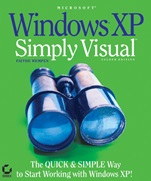
Microsoft® Windows® XP: Simply VisualTM
ISBN 9780782143942
Autor: Faithe Wempen
Wydawca: Wiley
Dostępność: 3-6 tygodni
Cena: 142,80 zł
Przed złożeniem zamówienia prosimy o kontakt mailowy celem potwierdzenia ceny.
ISBN13: |
9780782143942 |
ISBN10: |
0782143946 |
Autor: |
Faithe Wempen |
Oprawa: |
Paperback |
Rok Wydania: |
2004-11-12 |
Numer Wydania: |
2nd Edition |
Ilość stron: |
444 |
Wymiary: |
224x190 |
Tematy: |
UH |
Learning How to Use Windows XP Has Never Been Easier!
Thishighly illustrated introduction to the latest release of Windows XP is packedwith easy–to–follow lessons that make learning simple. Just follow the screensand instructions, step by step, and you′ll understand the most essential andfrequently used features of Windows XP Professional and Windows XP Home Edition.If you want to explore beyond the basics, you′ll find tips on customizing yourcomputer, setting up a home network, and much more.
Master all thefundamental skills, including:Navigating and managing filesand foldersInstalling and running programs with Windows XPWorking withphotographs and still imagesPlaying with music and videosCustomizingthe look and function of Windows XPSetting up a home networkConnectingyour computer to the InternetExploring the webCommunicatingonlineCustomizing your online experienceOptimizing systemperformanceSafeguarding and troubleshooting your systemInstalling newhardware
Spis treści:
Introduction.
Part 1: Navigating and Managing Files and Folders in Windows XP.
Chapter 1: Getting Started with Windows XP Home Edition.
Chapter 2: Navigating in a Window.
Chapter 3: Managing Files, Folders, and Disks.
Chapter 4: Setting File Management Options.
Part 2: Running Programs with Windows XP.
Chapter 5: Program Basics and Exploring Accessories.
Chapter 6: Installing New Programs.
Chapter 7: Organizing Your Programs.
Part 3: Working with Multimedia Content.
Chapter 8: Working with Photographs and Still Images.
Chapter 9: Playing Music and Videos.
Chapter 10: Creating Your Own Sounds and Videos.
Part 4: Customizing Windows XP.
Chapter 11: Adjusting Screen Appearance.
Chapter 12: Customizing System Settings.
Chapter 13: Managing Fonts and Printers.
Chapter 14: Sharing a PC with Multiple Users.
Part 5:
Online and Network Connectivity.
Chapter 15: Setting Up a Home Network.
Chapter 16: Connecting to the Internet.
Chapter 17: Exploring the Web.
Chapter 18: Communicating Online.
Chapter 19: Customizing Your Online Experience.
Part 6: System Maintenance.
Chapter 20: Optimizing System Performance.
Chapter 21: Safeguarding and Troubleshooting.
Chapter 22: Installing New Hardware.
Index.
Nota biograficzna:
Faithe Wempen has authored over 20 computer books on topics including Microsoft′s Windows Me, Windows 98, Office, Access and PowerPoint. Skilled at instructing newbies, Wempen′s Indianapolis–based training operation teaches beginners how to use PCs. Wempen is A+ certified, holds a master’s degree in English, and has taught writing and composition.
Okładka tylna:
Learning How to Use Windows XP Has Never Been Easier!
Thishighly illustrated introduction to the latest release of Windows XP is packedwith easy–to–follow lessons that make learning simple. Just follow the screensand instructions, step by step, and you′ll understand the most essential andfrequently used features of Windows XP Professional and Windows XP Home Edition.If you want to explore beyond the basics, you′ll find tips on customizing yourcomputer, setting up a home network, and much more.
Master all thefundamental skills, including:Navigating and managing filesand foldersInstalling and running programs with Windows XPWorking withphotographs and still imagesPlaying with music and videosCustomizingthe look and function of Windows XPSetting up a home networkConnectingyour computer to the InternetExploring the webCommunicatingonlineCustomizing your online experienceOptimizing systemperformanceSafeguarding and troubleshooting your systemInstalling newhardware
Koszyk
Książek w koszyku: 0 szt.
Wartość zakupów: 0,00 zł
Informacje


Kontakt
Gambit
Centrum Oprogramowania
i Szkoleń Sp. z o.o.
Al. Pokoju 29b/22-24
31-564 Kraków
Siedziba Księgarni
ul. Kordylewskiego 1
31-542 Kraków
+48 12 410 5991
+48 12 410 5987
+48 12 410 5989
Subskrypcje
Administratorem danych osobowych jest firma Gambit COiS Sp. z o.o. Na podany adres będzie wysyłany wyłącznie biuletyn informacyjny.
Autoryzacja płatności

Informacje na temat autoryzacji płatności poprzez PayU.

© Copyright 2012: GAMBIT COiS Sp. z o.o. Wszelkie prawa zastrzeżone.
Projekt i wykonanie: Alchemia Studio Reklamy