


Wydawcy
Katalog tematyczny
- Archeologia (109)
- Ekonomia, finanse, business (13704)
- Filozofia (1445)
- Historia (3040)
- Języki i językoznawstwo (2356)
- Lifestyle, hobby i rozrywka (475)
- Medycyna (9704)
- Nauki humanistyczne (4)
- Nauki o Ziemi i środowisku (2638)
- Nauki ścisłe (20412)
- Nauki społeczne (8486)
- Nauki techniczne (13450)
- Prawo (1696)
- Publikacje informacyjne i interdyscyplinarne (1288)
- Religia i wierzenia (917)
- Technika komputerowa (4067)
- Bazy danych (75)
- Bezpieczeństwo komputerowe (454)
- Certyfikacja komputerowa (1)
- Grafika i media cyfrowe (32)
- Informatyka (779)
- Komputery, ogólnie (74)
- Programowanie (351)
- Programy komercyjne (49)
- Sieci komputerowe (350)
- Sprzęt komputerowy (4)
- Systemy operacyjne (32)
- Technika cyfrowa na co dzień (7)
- Zdrowie, relacje międzyludzkie i rozwój osobisty (657)





Informacje szczegółowe o książce
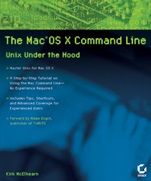
The Mac® OS X Command Line: Unix Under the Hood
ISBN 9780782143546
Autor: Kirk McElhearn
Wydawca: Wiley
Dostępność: 3-6 tygodni
Cena: 203,70 zł
Przed złożeniem zamówienia prosimy o kontakt mailowy celem potwierdzenia ceny.
ISBN13: |
9780782143546 |
ISBN10: |
0782143547 |
Autor: |
Kirk McElhearn |
Oprawa: |
Paperback |
Rok Wydania: |
2004-11-26 |
Ilość stron: |
464 |
Wymiary: |
234x199 |
Tematy: |
UH |
Work More Quickly and Easily—and Learn Some New Tricks
The Mac command line offers a faster, easier way to accomplish many tasks. It′s also the medium for many commands that aren′t accessible using the GUI. The Mac OS X Command Line is a clear, concise, tutorial–style introduction to all the major functionality provided by the command line. It′s also packed with information the experienced users need, including little–known shortcuts and several chapters devoted to advanced topics. This is a book to get you started, but also a book you won’t soon outgrow.
Coverage includes: Using Terminal, the gateway to the command lineMaking Terminal easier to use with shortcutsConfiguring your shell: bash and tcshNavigating your file system in TerminalMoving and copying files from the command lineAccessing hidden files with TerminalEditing configuration files with command–line text editorFinding any kind of file or content using simple commandsPrinting from the command lineArchiving, compressing, and decompressing filesManaging users, groups, and permissionsAccessing network volumes and the Internet using simple commandsManaging programs and processesUsing system maintenance commands
Spis treści:
Introduction.
Chapter 1: A Guided Tour of the Command Line.
Chapter 2: Using Terminal.
Interlude 1: Command Syntax.
Chapter 3: Getting Help while in Terminal.
Interlude 2: Names and Paths.
Chapter 4: Navigating the File System.
Interlude 3: Redirecting Input and Output.
Chapter 5: Working with Files and Directories.
Interlude 4: Cloning Your Mac OS X Startup Volume.
Chapter 6: Saving Time on the Command Line.
Interlude 5: The Versatile open Command.
Chapter 7: Finding Files, Directories, and Everything Else.
Interlude 6: Wild
cards and Globbing.
Chapter 8: Viewing Files.
Chapter 9: Editing Text.
Chapter 10: Printing.
Chapter 11: Compressing, Decompressing, and Archiving Files.
Chapter 12: Working with Users, Groups, and Permissions.
Interlude 7: Using sudo.
Chapter 13: Using the Network.
Chapter 14: Managing Programs and Processes.
Chapter 15: System Maintenance from the Command Line.
Interlude 8: Using the Developer Tools.
Chapter 16: Configuring the Shell.
Interlude 9: Automating Commands.
Appendix A: Further Reading.
Index.
Nota biograficzna:
Kirk McElhearn, co–author of the best–selling Mastering Mac OS X Third Edition, is a professional author, journalist and translator. He has written user manuals for many popular Macintosh programs, and articles for publications including MacWorld magazine and TidBITS.
Okładka tylna:
Work More Quickly and Easily—and Learn Some New Tricks
The Mac command line offers a faster, easier way to accomplish many tasks. It′s also the medium for many commands that aren′t accessible using the GUI. The Mac OS X Command Line is a clear, concise, tutorial–style introduction to all the major functionality provided by the command line. It′s also packed with information the experienced users need, including little–known shortcuts and several chapters devoted to advanced topics. This is a book to get you started, but also a book you won’t soon outgrow.
Coverage includes: Using Terminal, the gateway to the command lineMaking Terminal easier to use with shortcutsConfiguring your shell: bash and tcshNavigating your file system in TerminalMoving and copying files from the command lineAccessing hidden files with TerminalEditing configuration files with command–line text edito
rFinding any kind of file or content using simple commandsPrinting from the command lineArchiving, compressing, and decompressing filesManaging users, groups, and permissionsAccessing network volumes and the Internet using simple commandsManaging programs and processesUsing system maintenance commands
Koszyk
Książek w koszyku: 0 szt.
Wartość zakupów: 0,00 zł
Informacje


Kontakt
Gambit
Centrum Oprogramowania
i Szkoleń Sp. z o.o.
Al. Pokoju 29b/22-24
31-564 Kraków
Siedziba Księgarni
ul. Kordylewskiego 1
31-542 Kraków
+48 12 410 5991
+48 12 410 5987
+48 12 410 5989
Subskrypcje
Administratorem danych osobowych jest firma Gambit COiS Sp. z o.o. Na podany adres będzie wysyłany wyłącznie biuletyn informacyjny.
Autoryzacja płatności

Informacje na temat autoryzacji płatności poprzez PayU.

© Copyright 2012: GAMBIT COiS Sp. z o.o. Wszelkie prawa zastrzeżone.
Projekt i wykonanie: Alchemia Studio Reklamy