


Wydawcy
Katalog tematyczny
- Archeologia (109)
- Ekonomia, finanse, business (13704)
- Filozofia (1445)
- Historia (3040)
- Języki i językoznawstwo (2356)
- Lifestyle, hobby i rozrywka (475)
- Medycyna (9704)
- Nauki humanistyczne (4)
- Nauki o Ziemi i środowisku (2638)
- Nauki ścisłe (20412)
- Nauki społeczne (8486)
- Nauki techniczne (13450)
- Prawo (1696)
- Publikacje informacyjne i interdyscyplinarne (1288)
- Religia i wierzenia (917)
- Technika komputerowa (4067)
- Bazy danych (75)
- Bezpieczeństwo komputerowe (454)
- Certyfikacja komputerowa (1)
- Grafika i media cyfrowe (32)
- Informatyka (779)
- Komputery, ogólnie (74)
- Programowanie (351)
- Programy komercyjne (49)
- Sieci komputerowe (350)
- Sprzęt komputerowy (4)
- Systemy operacyjne (32)
- Technika cyfrowa na co dzień (7)
- Zdrowie, relacje międzyludzkie i rozwój osobisty (657)





Informacje szczegółowe o książce
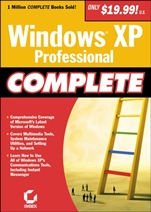
Windows XP Professional Complete
ISBN 9780782129854
Autor: Dave Evans, Greg Jarboe, Hollis Thomases, Mari Smith, Chris Treadaway
Wydawca: Wiley
Dostępność: 3-6 tygodni
Cena: 286,65 zł
Przed złożeniem zamówienia prosimy o kontakt mailowy celem potwierdzenia ceny.
ISBN13: |
9780782129854 |
ISBN10: |
0782129854 |
Autor: |
Dave Evans, Greg Jarboe, Hollis Thomases, Mari Smith, Chris Treadaway |
Oprawa: |
Paperback |
Rok Wydania: |
2002-02-05 |
Ilość stron: |
1088 |
Wymiary: |
216x140 |
Tematy: |
UH |
Windows XP Professional Complete is a one–of–a–kind book—valuable both for its broad content and its low price. The book contains all the essentials on XP, from basic navigation to accessing the Internet to setting up and securing a network.
Windows XP Professional Complete provides in–depth coverage of the hottest new features, including the Network Setup Wizard, Internet Connection Sharing, Media Player 8, Internet Explorer 6, and CD–R and CD–RW support. Once you’ve got the basics down, Windows XP Professional Complete shows you how to automate, optimize and troubleshoot your computer so that you get work done faster and easier.
Windows XP Professional Complete introduces you to the work of some of Sybex’s finest authors, so you’ll know where to go to learn even more about Windows XP.
Inside:
Windows XP Professional Essentials Installing Windows XP ProfessionalUsing the Desktop and Getting HelpInstalling, Removing and Running ApplicationsManaging, Files, Folders and DisksCustomizing System SettingsPrinters and PrintingSharing Data Between ApplicationsCommunications and the Internet Connecting to the Outside WorldWeb Browsing with Internet ExplorerUsing Outlook Express for E–Mail and NewsUsing the Communications ProgramsFaxing and TelephonyMultimedia in Windows XP Professional Working with Photos and Still ImagesPlaying Music and VideosCreating Your Own Sounds and VideosBurning CDsNetworking Windows XP Professional An In–Depth Introduction to NetworksNetwork ArchitecturesSetting Up and Configuring a Peer–to–Peer Network and Working with DomainsLiving with Windows XP Professional Strict SecuritySecure TelecommutingWorking with the Registry What is the Registry and WhyPreve
nting DisasterAnatomy of the Registry: The Blood, Gore and GutsRegistry Tools and Tips: Getting the Work DoneMaintaining and Troubleshooting Windows XP Managing Your Disks and DrivesManaging Hardware, Drivers and PowerTroubleshooting, Optimizing, and Dual–Booting Windows XP Professional
Spis treści:
Introduction.
Part I: Windows XP Essentials.
Chapter 1: Introducing Windows XP Professional.
Chapter 2: Installing Windows XP.
Chapter 3: Using the Desktop and Getting Help.
Chapter 4: Installing, Removing, and Running Programs.
Chapter 5: Managing Files, Folders, and Disks.
Chapter 6: Setting File Management Options.
Chapter 7: Setting Object Properties.
Chapter 8: Adjusting Screen Appearance.
Chapter 9: Customizing System Settings.
Chapter 10: Printers and Printing.
Chapter 11: Sharing Information between Applications.
Part II: Communications and the Internet.
Chapter 12: Connecting to the Outside World.
Chapter 13: Web Browsing with Internet Explorer.
Chapter 14: Using Outlook Express for E–Mail and News.
Chapter 15: Using the Communications Programs.
Chapter 16: Using Fax Services.
Part III: Multimedia in Windows XP Professional.
Chapter 17: Working with Photographs and Still Images.
Chapter 18: Playing Music and Videos.
Chapter 19: Creating Your Own Sounds and Videos.
Chapter 20: Burning CDs.
Part IV: Networking Windows XP Professional.
Chapter 21: Understanding the Architecture.
Chapter 22: Network Architectures.
Chapter 23: Setting Up and Configuring a Peer–to–Peer Network and Working with Domains.
Chapter 24: Living with Windows XP Professional Strict Security.
Chapter 25: Secure Telecommuting.
Part V: Working with the Registry.
Chapter 26: What Is a Registry and Why?.
Chapter 27: Readme.1st: Preventing Disaster!.
Chapte
r 28: Anatomy of the Registry: The Blood, Gore, and Guts.
Chapter 29: Registry Tools and Tips: Getting the Work Done.
Part VI: Maintaining and Troubleshooting Your Disks and Drives.
Chapter 30: Managing Your Disks and Drives.
Chapter 31: Managing Hardware, Drivers, and Power.
Chapter 32: Troubleshooting, Optimizing, and Dual–Booting Windows.
Index.
Nota biograficzna:
Sybex editors and authors have pulled together the best information from the company′s Windows XP library to create this collection of essential information. Sources include Mastering Windows XP Professional, Mastering Windows Registry and Windows XP Home/Professional Editions Instant Reference.
Okładka tylna:
Windows XP Professional Complete is a one–of–a–kind book—valuable both for its broad content and its low price. The book contains all the essentials on XP, from basic navigation to accessing the Internet to setting up and securing a network.
Windows XP Professional Complete provides in–depth coverage of the hottest new features, including the Network Setup Wizard, Internet Connection Sharing, Media Player 8, Internet Explorer 6, and CD–R and CD–RW support. Once you’ve got the basics down, Windows XP Professional Complete shows you how to automate, optimize and troubleshoot your computer so that you get work done faster and easier.
Windows XP Professional Complete introduces you to the work of some of Sybex’s finest authors, so you’ll know where to go to learn even more about Windows XP.
Inside:
Windows XP Professional Essentials Installing Windows XP ProfessionalUsing the Desktop and Getting HelpInstalling, Removing and Running ApplicationsManaging, Files, Folders and DisksCustomizing System SettingsPrinters and PrintingSharing Data Between ApplicationsCommunication
s and the Internet Connecting to the Outside WorldWeb Browsing with Internet ExplorerUsing Outlook Express for E–Mail and NewsUsing the Communications ProgramsFaxing and TelephonyMultimedia in Windows XP Professional Working with Photos and Still ImagesPlaying Music and VideosCreating Your Own Sounds and VideosBurning CDsNetworking Windows XP Professional An In–Depth Introduction to NetworksNetwork ArchitecturesSetting Up and Configuring a Peer–to–Peer Network and Working with DomainsLiving with Windows XP Professional Strict SecuritySecure TelecommutingWorking with the Registry What is the Registry and WhyPreventing DisasterAnatomy of the Registry: The Blood, Gore and GutsRegistry Tools and Tips: Getting the Work DoneMaintaining and Troubleshooting Windows XP Managing Your Disks and DrivesManaging Hardware, Drivers and PowerTroubleshooting, Optimizing, and Dual–Booting Windows XP Professional
Koszyk
Książek w koszyku: 0 szt.
Wartość zakupów: 0,00 zł
Informacje


Kontakt
Gambit
Centrum Oprogramowania
i Szkoleń Sp. z o.o.
Al. Pokoju 29b/22-24
31-564 Kraków
Siedziba Księgarni
ul. Kordylewskiego 1
31-542 Kraków
+48 12 410 5991
+48 12 410 5987
+48 12 410 5989
Subskrypcje
Administratorem danych osobowych jest firma Gambit COiS Sp. z o.o. Na podany adres będzie wysyłany wyłącznie biuletyn informacyjny.
Autoryzacja płatności

Informacje na temat autoryzacji płatności poprzez PayU.

© Copyright 2012: GAMBIT COiS Sp. z o.o. Wszelkie prawa zastrzeżone.
Projekt i wykonanie: Alchemia Studio Reklamy