


Wydawcy
Katalog tematyczny
- Archeologia (109)
- Ekonomia, finanse, business (13704)
- Filozofia (1445)
- Historia (3040)
- Języki i językoznawstwo (2356)
- Lifestyle, hobby i rozrywka (475)
- Medycyna (9704)
- Nauki humanistyczne (4)
- Nauki o Ziemi i środowisku (2638)
- Nauki ścisłe (20412)
- Nauki społeczne (8486)
- Nauki techniczne (13450)
- Prawo (1696)
- Publikacje informacyjne i interdyscyplinarne (1288)
- Religia i wierzenia (917)
- Technika komputerowa (4067)
- Bazy danych (75)
- Bezpieczeństwo komputerowe (454)
- Certyfikacja komputerowa (1)
- Grafika i media cyfrowe (32)
- Informatyka (779)
- Komputery, ogólnie (74)
- Programowanie (351)
- Programy komercyjne (49)
- Sieci komputerowe (350)
- Sprzęt komputerowy (4)
- Systemy operacyjne (32)
- Technika cyfrowa na co dzień (7)
- Zdrowie, relacje międzyludzkie i rozwój osobisty (657)





Informacje szczegółowe o książce
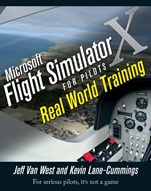
Microsoft Flight Simulator X For Pilots: Real World Training
ISBN 9780764588228
Autor: Jeff Van West, Kevin Lane–Cummings
Wydawca: Wiley
Dostępność: 3-6 tygodni
Cena: 154,35 zł
Przed złożeniem zamówienia prosimy o kontakt mailowy celem potwierdzenia ceny.
ISBN13: |
9780764588228 |
ISBN10: |
0764588222 |
Autor: |
Jeff Van West, Kevin Lane–Cummings |
Oprawa: |
Paperback |
Rok Wydania: |
2007-07-03 |
Ilość stron: |
752 |
Wymiary: |
233x191 |
Tematy: |
US |
It′s the next best thing to being up there
Why use Microsoft Flight Simulator for real–world flight training? Because it gives you the best possible head start and enables you to learn at your convenience. Flight Simulator provides scenario–based training that lets you practice handling almost any situation. It offers advantages you don′t even get in a real plane—the option to set up any kind of weather or equipment failures, stop midway and redo a procedure, or get the view from outside the airplane. FSX isn′t a game. It′s a training mission for virtual and real aviators alike.
Install Flight Simulator and set up a training program from Student Pilot through Airline Transport Pilot
Use the custom flight lessons on the companion Web site to prepare for actual flight training
Practice the fundamentals of flight—starting the engine, taking off and landing, and performing pre–flight checks
Learn to handle different types of aircraft
Experience the effects of wind and weather
Prepare for emergency situations and learn to navigate by both old–fashioned and modern methods
Communicate with air traffic control
Build practice time that can help you prepare for license exams
Use stunning visuals to practice in any conditions
Master expert–level, high–performance maneuvers
Companion Web site
Visit www.wiley.com/go/flightsim to find sample flights for each lesson in the book, demonstrations of flight maneuvers, and two bonus chapters.
Spis treści:
About the Authors.
Credits.
Acknowledgments.
PART I: PREFLIGHT.
Intro: Why Use Flight Simulator for Real–World Flying?
Why We Fly.
How to Use This Book.
Procedure training vs.. Scenario–Based Training.
What′s on the Website.
Chapter 1. Flight School Setup.
Installing FSX.
Looking At Wh
at′s New In FSX.
Getting the Right Hardware.
Processor, Memory, Video Cards.
Monitors.
Flight Controls and Headsets.
Adjusting Performance Settings.
Organizing Your Cockpit.
Key Flight SIM Commands.
Use of Slew For Practice.
Using the FSX Built–In Flight Lessons.
Selecting a Real–World Flight School.
Aircraft Types.
Environment.
Instructor.
Costs.
Introductory Flight.
Working with Your Flight Instructor.
FSX as Part of a Lesson.
Shared Cockpit.
Using the Practical Test Standards.
Plugging in the Pilot Communities.
Key Points for Real Flying and FSX Built–Ins.
Chapter 2. First Flight in the Piper J–3 CUB.
Flight Fundamentals for the Pilot.
We All Have Our Limits.
The Four Fundamental Gaits of Flight.
Visualize Your Control Surfaces.
Trim.
First Flight in the CUB.
Start the Engine.
Taxi.
Takeoff.
Practice the First Three Gaits and Trim.
Make Turns.
The Tail′s Balancing Act.
Fly Once Around the Lake.
Approach the Airport.
Land.
Rollout.
Takeoffs, Landings, and Go–Arounds.
Key Points for real Flying and FSX Built–Ins.
PART II: SPORT PILOT.
Chapter 3. Ground Reference Maneuvers.
The Effects of Wind.
A River of Ai.
Heading, Course, and Track.
Ground Reference Maneuvers with Wind.
Coordinated and Uncoordinated Flight.
Ground Reference Maneuvers Flight.
Rectangular Course.
Turns Around a Point.
S–Turns.
Steep Turns.
Crosswind Takeoffs.
Forward Slip.
Sideslip and Crosswind Landings.
Ridiculous Winds.
Maximum Demonstrated Crosswind.
Worst Crosswinds–Kona, Hawaii.
Key Points for Real Flying and FSX Built–Ins.
Chapter 4. Airport Operations.
Uncontrolled and Controlled Airport Operations.
Airport Procedures.
Radio Communications.
Other Aircraft.
Airport Weather and Notices.
Post Mills to Leb
anon Municipal.
StartUp.
Taxi and Takeoff.
Approach and Landing.
Depart for Lebanon.
Approaching Lebanon.
Land and Taxi.
Take the Cub to Beantown.
Key Point for Real Flying and FSX Built–Ins.
Chapter 5. Old–Fashioned Navigation.
Planning a Trip.
Reading Charts.
A Route From A to B.
Dead Reckoning.
Pilotage.
The FSX Flight Planner.
How High to Fly.
Fly Left, Look Right.
Who Owns This Airspace?
Moving Loads, Burning Gas.
A Multileg Flight Using Pilotage.
Take Off and Turn South.
Seriously Dead Reckoning.
Key Points for Real Flying and FSX Built–Ins.
Chapter 6. Emergencies.
In–Flight Emergencies.
Immediate–Action Emergencies.
Urgent Situations.
Emergency Training.
Power–Off Descent.
Rapid Descent.
Oddball Emergencies.
Key Points for Real Flying and FSX Built–Ins.
Chapter 7. Performance Takeoffs and Landings.
Aerodynamics of Performance.
Takeoff and Landing Calculations.
Rate and Angle of Climb and Descent.
Short–Field and Soft–Field Procedures.
Short Runways.
Off–Airport Operations.
Yet Another Runway Surface.
Key Points for Real Flying and FSX Built–Ins.
Chapter 8. Slow Flight, Stalls, and Spins.
Taking It Slowly.
The Aerodynamics of Slow Flight.
The Separation Begins.
Stalls with a Twist: Spins.
Taking the Cub For a Spin.
Slow Down.
Power–Off, or Arrival, Stalls.
Departure, or Power–On, Stalls.
Now for Some Spin.
Catching the Bus.
Key Points for Real Flying and FSX Built–Inst.
PART III: PRIVATE PILOT.
Chapter 9. First Flight in the Cessna 172SP.
Transition to the Cessna 172SP.
Modern Aircraft Instruments.
The Flap About Flaps.
Other System Differences.
Checkout Flight in the CESSNA 172SP.
Engine Start.
Radios Use.
Taxiing and Runup.
Takeoff and Climb.
Basic Maneuvers.
Approach and Landing.
Advanced Maneuvers.
Performance Takeoffs and Landings.
Emergency Procedures.
Key Points for Real Flying and FSX Built–Ins.
Chapter 10. Radio Navigation with Tradional Avionics.
Follow the Invisible Road.
Finding the Beacon.
Flying a Radial.
But How Far Away Are You?
Flying with GPS.
Flying Cross–Country with Radio Navigation.
Off You Go.
The First Turn.
North to Duluth.
Giving George the Controls.
Direct with GPS.
Getting Unlost and Going Elsewhere.
Key Points for Real Flying and FSX Built–Ins.
Chapter 11. First Flight with the G1000.
Welcome to the Age of Glass.
A Distributed System.
The Primary Flight Display.
The Radios.
The Multifunction Flight Display.
G1000 Cross–Country.
Getting Set Up.
Taking Off.
Staying on Top of Things.
Using VORs.
Try It with a Crosswind.
No Wind Vector?
Key Points for Real Flying and FSX Built–Ins.
Chapter 12. Night Flight.
When Darkness Falls.
Vision and Illusions.
Night Flying Techniques.
Lights.
Emergencies.
Night Flight in the Cessna 172SP.
Departure.
On Course.
Arrival At Flying Cloud.
Night Flight in the G1000.
Key Points for Real Flying and FSX Built–Ins.
Chapter 13. Weather.
Weather Theory and Data.
Weather Hazards.
Weather Controls and Effects.
The Joy of Scud Running.
Scud Run In Cessna 172 With G1000.
Key Points for Real Flying and FSX Built–Ins.
Chapter 14. Maximizing Performance.
Quick, Clean, and Cool.
No Replacement for Displacement.
A New, Blue Control.
Stuff Hanging Down and Sticking Out.
Introducing Flight Profiles.
Fly Fast In a Mooney.
Getting Everything in Position.
Pouring on the Colas.
Climb, Clean, Cool, Communicate.
Picking Up Speed.
Coming Downhill.
Combinations Count.
Going Down and Slowing Dow
Koszyk
Książek w koszyku: 0 szt.
Wartość zakupów: 0,00 zł
Informacje


Kontakt
Gambit
Centrum Oprogramowania
i Szkoleń Sp. z o.o.
Al. Pokoju 29b/22-24
31-564 Kraków
Siedziba Księgarni
ul. Kordylewskiego 1
31-542 Kraków
+48 12 410 5991
+48 12 410 5987
+48 12 410 5989
Subskrypcje
Administratorem danych osobowych jest firma Gambit COiS Sp. z o.o. Na podany adres będzie wysyłany wyłącznie biuletyn informacyjny.
Autoryzacja płatności

Informacje na temat autoryzacji płatności poprzez PayU.

© Copyright 2012: GAMBIT COiS Sp. z o.o. Wszelkie prawa zastrzeżone.
Projekt i wykonanie: Alchemia Studio Reklamy