


Wydawcy
Katalog tematyczny
- Archeologia (109)
- Ekonomia, finanse, business (13704)
- Filozofia (1445)
- Historia (3040)
- Języki i językoznawstwo (2356)
- Lifestyle, hobby i rozrywka (475)
- Medycyna (9704)
- Nauki humanistyczne (4)
- Nauki o Ziemi i środowisku (2638)
- Nauki ścisłe (20412)
- Nauki społeczne (8486)
- Nauki techniczne (13450)
- Prawo (1696)
- Publikacje informacyjne i interdyscyplinarne (1288)
- Religia i wierzenia (917)
- Technika komputerowa (4067)
- Bazy danych (75)
- Bezpieczeństwo komputerowe (454)
- Certyfikacja komputerowa (1)
- Grafika i media cyfrowe (32)
- Informatyka (779)
- Komputery, ogólnie (74)
- Programowanie (351)
- Programy komercyjne (49)
- Sieci komputerowe (350)
- Sprzęt komputerowy (4)
- Systemy operacyjne (32)
- Technika cyfrowa na co dzień (7)
- Zdrowie, relacje międzyludzkie i rozwój osobisty (657)





Informacje szczegółowe o książce
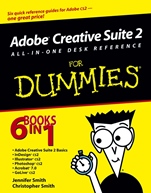
Adobe Creative Suite 2 All–in–One Desk Reference For Dummies
ISBN 9780764588150
Autor: Jennifer Smith, Christopher Smith
Wydawca: Wiley
Dostępność: 3-6 tygodni
Cena: 162,75 zł
Przed złożeniem zamówienia prosimy o kontakt mailowy celem potwierdzenia ceny.
ISBN13: |
9780764588150 |
ISBN10: |
076458815X |
Autor: |
Jennifer Smith, Christopher Smith |
Oprawa: |
Paperback |
Rok Wydania: |
2005-08-12 |
Ilość stron: |
768 |
Wymiary: |
233x189 |
Tematy: |
US |
6 books in 1—your key to success with CS2!
Your one–stop guide to creating great graphics with all the cool CS2 tools
They all work together, and now you have one guide to help you work with each of them! First, you′ll get the "big picture" tour of the suite. Then you′ll be ready to create perfect pages with InDesign, illustrate them with Illustrator, add images you′ve edited with Photoshop, make PDFs with Acrobat, and design dynamite Web sites with GoLive.
Discover how toUse common menus, palettes, and plug–insDesign Web pages and print publicationsCreate illustrations and add typeRetouch, enhance, and reshape photosSave Photoshop images for print or the Web
Spis treści:
Introduction.
Book I: Adobe Creative Suite 2 Basics.
Chapter 1: Introducing Adobe Creative Suite 2.
Chapter 2: Using Common Menus and Commands.
Chapter 3: Using Common Palettes.
Chapter 4: Using Common Plug–Ins.
Chapter 5: Importing and Exporting.
Chapter 6: Handling Graphics, Paths, Text, and Fonts.
Chapter 7: Using Color.
Chapter 8: Printing Documents.
Book II: InDesign CS2.
Chapter 1: Introducing InDesign CS2.
Chapter 2: Drawing in InDesign.
Chapter 3: Working with Text and Text Frames.
Chapter 4: Understanding Page Layout.
Chapter 5: Clipping Paths, Transforming Objects, and Alignment.
Chapter 6: Understanding Color and Printing.
Chapter 7: Exporting Your Work.
Chapter 8: Integrating InDesign.
Book III: Illustrator CS2.
Chapter 1: Discovering Illustrator CS2.
Chapter 2: Using the Selection Tools.
Chapter 3: Creating Basic Shapes.
Chapter 4: Using the Pen Tool and Placing Images.
Chapter 5: Using Type in Illustrator.
Chapter 6: Organizing Your Illustrations.
Chapter 7: Using Layers.
Chapter 8: Livening Up Illustrations with Color.
Chapter 9: The Transform and Distort
ions Tools.
Chapter 10: Transparency and Special Effects Tools.
Chapter 11: Using Filters and Effects.
Chapter 12: Using Your Illustrator Image.
Book IV: Photoshop CS2.
Chapter 1: Photoshop CS2 Basics.
Chapter 2: Mode Matters.
Chapter 3: Creating a Selection.
Chapter 4: Using the Photoshop Pen Tool.
Chapter 5: Resolution Basics.
Chapter 6: Creating a Good Image.
Chapter 7: Painting and Retouching Tools.
Chapter 8: Using Layers.
Chapter 9: Saving Photoshop Images for Print and the Web.
Book V: Acrobat 7.0.
Chapter 1: Discovering Essential Acrobat Information.
Chapter 2: Creating PDF Files.
Chapter 3: Adding Interactivity to PDF Files.
Chapter 4: Editing and Extracting Text and Graphics.
Chapter 5: Using Commenting and Annotation Tools.
Chapter 6: Securing Your PDF Files.
Book VI: GoLive CS2.
Chapter 1: Introducing GoLive CS2.
Chapter 2: Creating a Web Site.
Chapter 3: Working with Images.
Chapter 4: Text and CSS.
Chapter 5: Layout Grids, Tables, and Frames.
Chapter 6: Links.
Chapter 7: Layers.
Chapter 8: Forms.
Chapter 9: Multimedia.
Chapter 10: Publishing Your Web Site.
Index.
Nota biograficzna:
Jennifer Smith is the founder and Vice President of American Graphics Institute (AGITraining.com). She has authored multiple books on Adobe products and is a technical writer for the Adobe Classroom in a Book series. Jennifer has worked in all aspects of graphic design and production including as an art director of an advertising agency. More than ten years ago, Jennifer took her experience and applied it to teaching. Under her leadership, AGI has grown into the largest training organization focused on print, Internet, video, and PDF publishing. Her teaching and writing style shows a clear direction that can only be achieved by someone who knows the industry and has experienced the Adobe applications in a professional workflow.
She lives in the Boston area with her husband (who co–authored this book) and children.
Christopher Smith is President of American Graphics Institute and oversees curriculum content and delivery for Adobe’s largest and oldest Certified Training Provider. An Adobe Certified Expert, he works as part of the Adobe Creative Team as the lead technical writer for the Adobe Classroom in a Book series for both Adobe Acrobat and Adobe InDesign. His more than ten other books include Moving to InDesign, Teach Yourself Adobe Acrobat in 24 Hours, and Real World Adobe Acrobat. Smith has served as an elected member of the School Board in his hometown in suburban Boston, Massachusetts, where he lives with his wife and children.
Okładka tylna:
6 books in 1—your key to success with CS2!
Your one–stop guide to creating great graphics with all the cool CS2 tools
They all work together, and now you have one guide to help you work with each of them! First, you′ll get the "big picture" tour of the suite. Then you′ll be ready to create perfect pages with InDesign, illustrate them with Illustrator, add images you′ve edited with Photoshop, make PDFs with Acrobat, and design dynamite Web sites with GoLive.
Discover how toUse common menus, palettes, and plug–insDesign Web pages and print publicationsCreate illustrations and add typeRetouch, enhance, and reshape photosSave Photoshop images for print or the Web
Koszyk
Książek w koszyku: 0 szt.
Wartość zakupów: 0,00 zł
Informacje


Kontakt
Gambit
Centrum Oprogramowania
i Szkoleń Sp. z o.o.
Al. Pokoju 29b/22-24
31-564 Kraków
Siedziba Księgarni
ul. Kordylewskiego 1
31-542 Kraków
+48 12 410 5991
+48 12 410 5987
+48 12 410 5989
Subskrypcje
Administratorem danych osobowych jest firma Gambit COiS Sp. z o.o. Na podany adres będzie wysyłany wyłącznie biuletyn informacyjny.
Autoryzacja płatności

Informacje na temat autoryzacji płatności poprzez PayU.

© Copyright 2012: GAMBIT COiS Sp. z o.o. Wszelkie prawa zastrzeżone.
Projekt i wykonanie: Alchemia Studio Reklamy