


Wydawcy
Katalog tematyczny
- Archeologia (109)
- Ekonomia, finanse, business (13704)
- Filozofia (1445)
- Historia (3040)
- Języki i językoznawstwo (2356)
- Lifestyle, hobby i rozrywka (475)
- Medycyna (9704)
- Nauki humanistyczne (4)
- Nauki o Ziemi i środowisku (2638)
- Nauki ścisłe (20412)
- Nauki społeczne (8486)
- Nauki techniczne (13450)
- Prawo (1696)
- Publikacje informacyjne i interdyscyplinarne (1288)
- Religia i wierzenia (917)
- Technika komputerowa (4067)
- Bazy danych (75)
- Bezpieczeństwo komputerowe (454)
- Certyfikacja komputerowa (1)
- Grafika i media cyfrowe (32)
- Informatyka (779)
- Komputery, ogólnie (74)
- Programowanie (351)
- Programy komercyjne (49)
- Sieci komputerowe (350)
- Sprzęt komputerowy (4)
- Systemy operacyjne (32)
- Technika cyfrowa na co dzień (7)
- Zdrowie, relacje międzyludzkie i rozwój osobisty (657)





Informacje szczegółowe o książce
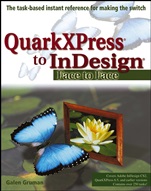
QuarkXPress to InDesign: Face to Face
ISBN 9780764583797
Autor: Galen Gruman
Wydawca: Wiley
Dostępność: 3-6 tygodni
Cena: 164,85 zł
Przed złożeniem zamówienia prosimy o kontakt mailowy celem potwierdzenia ceny.
ISBN13: |
9780764583797 |
ISBN10: |
0764583794 |
Autor: |
Galen Gruman |
Oprawa: |
Paperback |
Rok Wydania: |
2005-03-29 |
Ilość stron: |
432 |
Wymiary: |
234x190 |
Tematy: |
US |
Here′s the easiest way possible to move from QuarkXPress to InDesign
You′ve decided to make the move to InDesign, but you need to get up to speed quickly. You still have deadlines to meet, even during the transition. Galen Gruman, a veteran of electronic publishing since its birth, provides exactly what you need—a side–by–side comparison showing you how to do every task in both QuarkXPress and InDesign. You′ll see each procedure in a self–contained, two–page spread with Quark processes on the left and InDesign on the right. Making the switch just got easier.Compare InDesign tools to those of QuarkXPressSet up the fundamental elements–pages, sections, templates, libraries, and guides—and quickly identify operational differencesUnderstand InDesign′s approach to importing, creating, and applying colors, gradient fills, and shadesRecognize the significant procedural differences for importing and managing the flow of textLearn the special tricks only InDesign can doGet the same high–quality typography from InDesign that you expected from QuarkXPressExplore the differences in creating and modifying graphicsPrepare files for output, manage fonts, and work with multiple–chapter documentsFollow easy, step–by–step instructions for performing Quark operations in InDesign
Spis treści:
Introduction.
About the Author/Acknowledgment.
Table of Contents.
Foreword: How Meredith Made the Switch.
Foreword: Future USA’s Leap to InDesign.
Foreword: The Road to InDesign: A History.
Preface: What This Book Offers.
Part I: Interface and Program Basics.
Translating Basic Terms.
Comparing Palettes and Panes.
Comparing Dialog Boxes.
Comparing the Measurements and Control Palettes.
Comparing Tools.
Comparing the Selection Tools.
Using the Contextual Menus.
Controlling What
You See Onscreen.
Part II: Layout Building Blocks.
Setting Up Pages and Margins.
Setting Up Master Pages.
Applying Master Pages.
Moving Elements among Master Pages.
Setting Up Templates.
Setting Up Sections.
Creating Automatic Page Numbers.
Creating Gatefold Spreads.
Shuffling Pages.
Working with Layers.
Setting Up Libraries.
Searching Library Contents.
Copying Objects among Documents.
Working with Individual Guides.
Creating Automatic Guides.2
Part III: Working with Colors.
Creating Colors.
Creating Gradients.
Importing Colors from Graphics.
Importing Colors from Other Documents.
Creating Tints.
Applying Color Profiles.
Part IV: Working with Text Blocks.
Creating Text Frames.
Setting Up Text Position in Frames.
Setting Up Columns.
Comparing Automatic Text Boxes to Master Text Frames.
Automatically Flowing Text.
Linking Text Frames.
Redirecting Text Flow.
Preparing Word Files.
Comparing Supported Formatting.
Importing Word Files.
Importing Word Style Sheets.
Importing Style Sheets from Other Documents.
Importing Word and Excel Tables.
Exporting Text.
Selecting Text.
Copying Text.
Editing Text in the Document.
Setting Up Spelling Dictionaries.
Checking Spelling.
Setting Up Hyphenation Dictionaries.
Specifying Language.
Wrapping Text around Other Objects.
Creating Text Paths.
Part V: Working with Text Formatting.
Working with Font Attributes.
Creating Paragraph Styles.
Overriding Paragraph Styles.
Creating Character Styles.
Overriding Character Styles.
Specifying Hyphenation and Justification.
Preventing Hyphenation.
Setting Up Drop Caps.
Creating Bulleted and Numbered Lists.
Creating Underlines and Strikethroughs.
Using Special Characters.
Creating Fractions.
Searching and Replacing Special Characters.
Searching and Replacing Formatting.
Working with C
apitals.
Working with Leading.
Creating Ruling Lines.
Creating Reversed–Out Text.
Applying Other Attributes.
Applying Strokes.
Applying Colors and Gradients.
Controlling Character Spacing.
Controlling Paragraph Spacing.
Controlling Indents.
Controlling Alignment.
Using Special Spaces.
Using Hyphens and Dashes.
Part VI: Working with Tables.
Working with Tabs.
Converting Tabs to Tables.
Creating Tables.
Applying Table Attributes.
Formatting Rows and Columns.
Applying Cell Attributes.
Part VII: Working with Graphics Files.
Comparing Supported Formats.
Preparing Graphics for Import.
Importing Vector Graphics.
Importing Bitmapped Graphics.
Placing PDF Files.
Working with Imported Clipping Paths.
Editing Source Graphics.
Updating Links to Source Files.
Part VIII: Creating and Manipulating Graphics.
Creating Graphics Frames.
Changing Frame Shapes.8
Fitting Graphics into a Frame.0
Cropping Graphics.
Repositioning Graphics and Points of Origin.
Resizing Graphics.
Working with Image Layers.
Rotating and Skewing Graphics.
Flipping Graphics.
Cutting Graphics with the Scissors Tool.
Applying Colors and Shades to Bitmapped Images.
Working with Lines and Arrows.
Drawing Basic Shapes.
Drawing Freeform Shapes.
Drawing Bézier Shapes.
Modifying Freeform and Bézier Shapes.
Modifying Bézier Points.
Converting Text to Graphics.
Combining and Separating Shapes.
Applying Strokes.
Applying Colors and Gradients.
Creating New Clipping Paths.
Anchoring Graphics in Text.
Part IX: Working with Objects.
Adding Strokes and Fills.
Creating Custom Frame Strokes.
Working with Overlapping Objects.
Grouping and Ungrouping Objects.
Constraining and Nesting Objects.
Distributed–Copying and Cloning Objects.
Applying Corner Effects.
Changing Frame Shapes.
Deleting Obje
cts.
Aligning and Distributing Objects.
Locking Objects.
Making Objects Nonprinting.
Applying Drop Shadows to Graphics.
Part X: Working with Output.
Managing Printer Settings.
Setting Bleeds and Crops.4
Controlling Color Screens.
Managing Color Separations.
Defining Color Traps.
Working with Color Traps.
Setting Color Calibration Rules.
Applying Color Calibration to Objects.
Packaging Documents for Service Bureaus.
Exporting PDF Files.
Using Documents on the Web.
Part XI: Specialty Issues.
Managing Fonts.
Working with Multiple Page Types.
Setting Up Multichapter Projects.
Synchronizing Multichapter Projects.
Printing Multichapter Projects.
Creating TOCs and Lists.
Generating TOCs and Lists.
Creating Indexes.
Setting Up Index Formatting.
Generating Indexes.
Adding Hyperlinks.
Sharing Files.
Sharing Common Elements.
Sharing Preferences.
Working Cross–Platform.
Working with Scripts.
Working with Plug–Ins.
Part XII: What Only InDesign Can Do.
Setting Up a Custom Workspace.
Creating New Default Page Sizes.
Using Child Master Pages.
Using the Story Editor.
Using Automated Bullets and Numbering.
Autocorrecting Text.
Aligning Text to the Spine.
Working with Footnotes.
Merging Data.
Modifying Text Strokes.
Using Object Styles.
Anchoring Objects in Text.
Placing Images in Open Shapes.
Working with Transparency.
Working with Drop Shadows and Feathering.
Nesting Styles.
Working with OpenType.
Working with Optical Margins.
Working with Multiple Document Views.
Controlling Ink Output.
Appendixes.
A: Converting QuarkXPress Files.
B: Differences in a Nutshell.
C: Shortcuts Cheat Sheet.
D: More Resources.
Index.
Nota biograficzna:
Galen Gruman is principal at The Zango Group, an editorial and marketing consulting firm, and senior editorial
Koszyk
Książek w koszyku: 0 szt.
Wartość zakupów: 0,00 zł
Informacje


Kontakt
Gambit
Centrum Oprogramowania
i Szkoleń Sp. z o.o.
Al. Pokoju 29b/22-24
31-564 Kraków
Siedziba Księgarni
ul. Kordylewskiego 1
31-542 Kraków
+48 12 410 5991
+48 12 410 5987
+48 12 410 5989
Subskrypcje
Administratorem danych osobowych jest firma Gambit COiS Sp. z o.o. Na podany adres będzie wysyłany wyłącznie biuletyn informacyjny.
Autoryzacja płatności

Informacje na temat autoryzacji płatności poprzez PayU.

© Copyright 2012: GAMBIT COiS Sp. z o.o. Wszelkie prawa zastrzeżone.
Projekt i wykonanie: Alchemia Studio Reklamy