


Wydawcy
Katalog tematyczny
- Archeologia (109)
- Ekonomia, finanse, business (13704)
- Filozofia (1445)
- Historia (3040)
- Języki i językoznawstwo (2356)
- Lifestyle, hobby i rozrywka (475)
- Medycyna (9704)
- Nauki humanistyczne (4)
- Nauki o Ziemi i środowisku (2638)
- Nauki ścisłe (20412)
- Nauki społeczne (8486)
- Nauki techniczne (13450)
- Prawo (1696)
- Publikacje informacyjne i interdyscyplinarne (1288)
- Religia i wierzenia (917)
- Technika komputerowa (4067)
- Bazy danych (75)
- Bezpieczeństwo komputerowe (454)
- Certyfikacja komputerowa (1)
- Grafika i media cyfrowe (32)
- Informatyka (779)
- Komputery, ogólnie (74)
- Programowanie (351)
- Programy komercyjne (49)
- Sieci komputerowe (350)
- Sprzęt komputerowy (4)
- Systemy operacyjne (32)
- Technika cyfrowa na co dzień (7)
- Zdrowie, relacje międzyludzkie i rozwój osobisty (657)





Informacje szczegółowe o książce
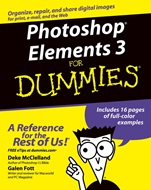
Photoshop Elements 3 For Dummies
ISBN 9780764570629
Autor: Deke McClelland, Galen Fott
Wydawca: Wiley
Dostępność: 3-6 tygodni
Cena: 127,05 zł
Przed złożeniem zamówienia prosimy o kontakt mailowy celem potwierdzenia ceny.
ISBN13: |
9780764570629 |
ISBN10: |
0764570625 |
Autor: |
Deke McClelland, Galen Fott |
Oprawa: |
Paperback |
Rok Wydania: |
2004-11-19 |
Ilość stron: |
406 |
Wymiary: |
233x188 |
Tematy: |
US |
Loaded with tips on fixing flaws to create great photos
Find your way around Elements 3, organize your photos, enhance them, and more
Want to do cool things with your photos but uneasy about braving the Elements? Never fear — this handy guide makes it easy to use all the hot new features for both Mac® and Windows®. Improve your pictures or distort them for artistic effect, correct shading, add highlights, change color, create slideshows or online galleries, and much more!
Discover how toImport photos from digital cameras, CDs, and scannersOrganize and search your digital photo collectionRepair vintage photosCreate slideshows to share with family and friendsFix photos with just a few clicks of the mouse
Spis treści:
Introduction.
Part I: Element–ary School.
Chapter 1: Braving the Elements.
Chapter 2: Dissecting Your Desktop.
Chapter 3: “Open!” Says Me.
Chapter 4: Pixels: It’s Hip to Be Square.
Chapter 5: Over (and Under) the Rainbow.
Part II: Be Prepared.
Chapter 6: Get Organized (Before It Gets You).
Chapter 7: Saving with Grace.
Chapter 8: It’s Perfect. No, Wait! Okay, Print.
Chapter 9: Making Selections on the Pixel Prairie.
Chapter 10: Fifty Ways to Love Your Layer.
Part III: Realer Than Life.
Chapter 11: The Midas Retouch.
Chapter 12: Darkroom Déjà Vu.
Chapter 13: The Rainbow Correction.
Part IV: Unreality Programming.
Chapter 14: Startling Style.
Chapter 15: If a Picture Paints a Thousand Words . . . Then Shut Up and Paint.
Chapter 16: Painting with the Digital Stencil.
Chapter 17: Type Righter.
Chapter 18: Can Photoshop Elements Do That?
Part V: The Part of Tens.
Chapter 19: Ten Shortcuts to Commit to Long–Term Memory.
Chapter 20: Ten Reasons Why You Might Want to Upgrade to Photoshop Someday.<
br>Index.
Nota biograficzna:
Deke McClelland wrote the Photoshop Bible and Photoshop Bible, Professional Edition (both published by Wiley), bestselling guides on digital imaging. He has written 76 titles in 25 languages with 3 million copies in print, including Photoshop For Dummies (published by Wiley) and the tutorial–based Adobe Photoshop One–on–One (published by O’Reilly/Deke Press). In addition to his books, Deke hosts the video training series Total Training for Adobe Photoshop and Total Training Presents: Adobe Photoshop Elements (published by Total Training). One of the most award–winning writers in the business, Deke has received seven honors from the Computer Press Association. In 2002, he was inducted into the Photoshop Hall of Fame.
Galen Fott contributed to two editions of Deke’s Photoshop Bible and to Adobe InDesign CS One–on–One (O’Reilly/Deke Press). He has also written for Macworld and PC Magazine. Galen created and hosted Total Training for Mac OS X, co–hosted Total Training for Adobe Premiere 6, and presented more than two hours of Photoshop training for the Apple Web site (all published by Total Training). In his theoretical spare time, Galen is involved in a number of other pursuits. As an animator, he has worked for AT&T and Paramount. As a performer, he has played leading roles in musicals across the country. As a puppeteer, he has performed with the Jim Henson Company. Those with piqued interest can visit his Web site at www.grundoon.com.
Okładka tylna:
Loaded with tips on fixing flaws to create great photos
Find your way around Elements 3, organize your photos, enhance them, and more
Want to do cool things with your photos but uneasy about braving the Elements? Never fear — this handy guide makes it easy to use all the hot ne
w features for both Mac® and Windows®. Improve your pictures or distort them for artistic effect, correct shading, add highlights, change color, create slideshows or online galleries, and much more!
Discover how toImport photos from digital cameras, CDs, and scannersOrganize and search your digital photo collectionRepair vintage photosCreate slideshows to share with family and friendsFix photos with just a few clicks of the mouse
Koszyk
Książek w koszyku: 0 szt.
Wartość zakupów: 0,00 zł
Informacje


Kontakt
Gambit
Centrum Oprogramowania
i Szkoleń Sp. z o.o.
Al. Pokoju 29b/22-24
31-564 Kraków
Siedziba Księgarni
ul. Kordylewskiego 1
31-542 Kraków
+48 12 410 5991
+48 12 410 5987
+48 12 410 5989
Subskrypcje
Administratorem danych osobowych jest firma Gambit COiS Sp. z o.o. Na podany adres będzie wysyłany wyłącznie biuletyn informacyjny.
Autoryzacja płatności

Informacje na temat autoryzacji płatności poprzez PayU.

© Copyright 2012: GAMBIT COiS Sp. z o.o. Wszelkie prawa zastrzeżone.
Projekt i wykonanie: Alchemia Studio Reklamy