


Wydawcy
Katalog tematyczny
- Archeologia (109)
- Ekonomia, finanse, business (13704)
- Filozofia (1445)
- Historia (3040)
- Języki i językoznawstwo (2356)
- Lifestyle, hobby i rozrywka (475)
- Medycyna (9704)
- Nauki humanistyczne (4)
- Nauki o Ziemi i środowisku (2638)
- Nauki ścisłe (20412)
- Nauki społeczne (8486)
- Nauki techniczne (13450)
- Prawo (1696)
- Publikacje informacyjne i interdyscyplinarne (1288)
- Religia i wierzenia (917)
- Technika komputerowa (4067)
- Bazy danych (75)
- Bezpieczeństwo komputerowe (454)
- Certyfikacja komputerowa (1)
- Grafika i media cyfrowe (32)
- Informatyka (779)
- Komputery, ogólnie (74)
- Programowanie (351)
- Programy komercyjne (49)
- Sieci komputerowe (350)
- Sprzęt komputerowy (4)
- Systemy operacyjne (32)
- Technika cyfrowa na co dzień (7)
- Zdrowie, relacje międzyludzkie i rozwój osobisty (657)





Informacje szczegółowe o książce
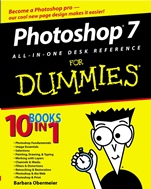
Photoshop 7 All–in–One Desk Reference For Dummies
ISBN 9780764516672
Autor: Barbara Obermeier, David D. Busch
Wydawca: Wiley
Dostępność: 3-6 tygodni
Cena: 183,75 zł
Przed złożeniem zamówienia prosimy o kontakt mailowy celem potwierdzenia ceny.
ISBN13: |
9780764516672 |
ISBN10: |
0764516671 |
Autor: |
Barbara Obermeier, David D. Busch |
Oprawa: |
Paperback |
Rok Wydania: |
2003-01-03 |
Ilość stron: |
816 |
Wymiary: |
232x189 |
Tematy: |
US |
Cool tips, tricks, and techniques that′ll make you look like a pro!
Your guide to repairing and restoring images, adding effects, fixing red eye, and more
Want to produce awesome graphics, fix old photos, and optimize images for the Web? With Photoshop and this book, you can find the information you want – fast. Friendly instructions, a new page layout, lots of images, and bonus Putting–It–Together sections help you discover easy solutions to your real–world questions.
The Dummies Way
∗ Coverage of the essentials and beyond
∗ Explanations in plain English
∗ "Get in, get out" information
∗ Thumbtabs and other navigation aids
∗ Tear–out cheat sheet
∗ 16–page color insert
∗ A dash of humor and fun
Spis treści:
Introduction.
Book I: Photoshop Fundamentals.
Chapter 1: Examining the Photoshop Environment.
Chapter 2: Getting to Know the Tool Palette.
Chapter 3: Getting Started and Finishing Up.
Chapter 4: Getting It on Paper.
Chapter 5: Viewing and Navigating Images.
Chapter 6: Customizing Your Workspace and Preferences.
Book II: Image Essentials.
Chapter 1: Specifying Size and Resolution.
Chapter 2: Choosing Color Modes and File Formats.
Chapter 3: Using and Managing Color.
Chapter 4: Time Travel –– Undoing in Photoshop.
Chapter 5: Applying Annotations and Notes.
Chapter 6: Creating Actions for Productivity and Fun.
Book III: Selections.
Chapter 1: Creating Selections.
Chapter 2: Creating and Working with Paths.
Chapter 3: Modifying and Transforming Selections and Paths.
Book IV: Painting, Drawing, and Typing.
Chapter 1: Exploring with the Painting Tools.
Chapter 2: Creating Vector Shapes.
Chapter 3: Filling and Stroking.
Chapter 4: Creating and Editing Type.
Chapter 5: Masking, Shaping, and Warping Type.
Book V: Working with Layers.
Chapter 1: Crea
ting Layers.
Chapter 2: Managing Layers.
Chapter 3: Playing with Opacity and Blend Modes.
Chapter 4: Getting Jazzy with Layer Styles and Clipping Groups.
Book VI: Channels and Masks.
Chapter 1: Using Channels.
Chapter 2: Quick and Dirty Masking.
Chapter 3: Getting Exact with Advanced Masking Techniques.
Book VII: Filters and Distortions.
Chapter 1: Making Corrections with Daily Filters.
Chapter 2: Applying Filters for Special Occasions.
Chapter 3: Distorting with the Liquify Command.
Book VIII: Retouching and Restoration.
Chapter 1: Enhancing Images with Adjustments.
Chapter 2: Repairing with the Focus and Toning Tools.
Chapter 3: Fixing Flaws and Imperfections.
Book IX: Photoshop and the Web.
Chapter 1: Prepping Web Graphics.
Chapter 2: Optimizing Images with Save for Web.
Chapter 3: Slicing Your Image.
Chapter 4: Creating a Web Photo Gallery.
Chapter 5: Looking to ImageReady.
Book X: Photoshop and Print.
Chapter 1: Working with Other Programs.
Chapter 2: Prepping Graphics for Print.
Chapter 3: Creating Contact Sheets and Picture Packages.
Appendix A: Working with Digital Cameras and Scanners.
Appendix B: A Visual Reference of Photoshop Tools.
Index.
Nota biograficzna:
Barbara Obermeier owns a graphic design studio and teaches computer graphics at the University of California, Santa Barbara. She is the coauthor of Illustrator 10 For Dummies.
Okładka tylna:
Cool tips, tricks, and techniques that′ll make you look like a pro!
Your guide to repairing and restoring images, adding effects, fixing red eye, and more
Want to produce awesome graphics, fix old photos, and optimize images for the Web? With Photoshop and this book, you can find the information you want – fast. Friendly instructions, a new page layout, lots of images, and bonus Putting–It–Together sections help you discover easy solutions to your real–wor
ld questions.
The Dummies Way
∗ Coverage of the essentials and beyond
∗ Explanations in plain English
∗ "Get in, get out" information
∗ Thumbtabs and other navigation aids
∗ Tear–out cheat sheet
∗ 16–page color insert
∗ A dash of humor and fun
Koszyk
Książek w koszyku: 0 szt.
Wartość zakupów: 0,00 zł
Informacje


Kontakt
Gambit
Centrum Oprogramowania
i Szkoleń Sp. z o.o.
Al. Pokoju 29b/22-24
31-564 Kraków
Siedziba Księgarni
ul. Kordylewskiego 1
31-542 Kraków
+48 12 410 5991
+48 12 410 5987
+48 12 410 5989
Subskrypcje
Administratorem danych osobowych jest firma Gambit COiS Sp. z o.o. Na podany adres będzie wysyłany wyłącznie biuletyn informacyjny.
Autoryzacja płatności

Informacje na temat autoryzacji płatności poprzez PayU.

© Copyright 2012: GAMBIT COiS Sp. z o.o. Wszelkie prawa zastrzeżone.
Projekt i wykonanie: Alchemia Studio Reklamy