


Wydawcy
Katalog tematyczny
- Archeologia (109)
- Ekonomia, finanse, business (13704)
- Filozofia (1445)
- Historia (3040)
- Języki i językoznawstwo (2356)
- Lifestyle, hobby i rozrywka (475)
- Medycyna (9704)
- Nauki humanistyczne (4)
- Nauki o Ziemi i środowisku (2638)
- Nauki ścisłe (20412)
- Nauki społeczne (8486)
- Nauki techniczne (13450)
- Prawo (1696)
- Publikacje informacyjne i interdyscyplinarne (1288)
- Religia i wierzenia (917)
- Technika komputerowa (4067)
- Bazy danych (75)
- Bezpieczeństwo komputerowe (454)
- Certyfikacja komputerowa (1)
- Grafika i media cyfrowe (32)
- Informatyka (779)
- Komputery, ogólnie (74)
- Programowanie (351)
- Programy komercyjne (49)
- Sieci komputerowe (350)
- Sprzęt komputerowy (4)
- Systemy operacyjne (32)
- Technika cyfrowa na co dzień (7)
- Zdrowie, relacje międzyludzkie i rozwój osobisty (657)





Informacje szczegółowe o książce
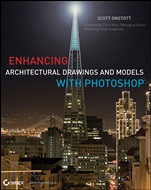
Enhancing Architectural Drawings and Models with Photoshop
ISBN 9780470916568
Autor: Scott Onstott
Wydawca: Wiley
Dostępność: 3-6 tygodni
Cena: 231,00 zł
Przed złożeniem zamówienia prosimy o kontakt mailowy celem potwierdzenia ceny.
ISBN13: |
9780470916568 |
ISBN10: |
0470916567 |
Autor: |
Scott Onstott |
Oprawa: |
Paperback |
Rok Wydania: |
2010-12-30 |
Ilość stron: |
360 |
Wymiary: |
234x187 |
Tematy: |
US |
Scott Onstott brings together his extensive expertise and skills as an architect, technologist, artist, and author in crafting this book, which is written in a clear, concise, and engaging manner and amply supported by numerous illustrations. Everything that you want to know about how to use Photoshop for enhancing architectural drawings and models is in this book." — Lachmi Khemlani , Ph.D., Founder and Editor, AECbytes Scott Onstott has a way with Photoshop and CAD—plain and simple. In fact, his ingenious insight is somehow always presented ′plain and simple′ so that the average user can fully comprehend the techniques he is trying to get across.? Scott′s years of teaching come into play here as he masterfully takes the reader from novice to expert as they traverse the pages of this book." — Lynn Allen , Autodesk Evangelist Transform Your Architectural Designs into Compelling Visualizations with Photoshop Turn your CAD drawings and BIM models into beautiful, professional productions—complete with video, animation, and dazzling 3D—with the step–by–step instructions in this detailed guide. You′ll learn how to harness the powerful Photoshop CS5 Extended toolkit to create presentations and visualizations that truly communicate design intent, impress clients, and win business. Master all of today′s current digital architecture presentation techniques and quickly elevate your skills. Inside this unique book, you′ll learn how to: Transform CAD plans and elevations into instantly readable full–color diagrams Stretch the literal photographic truth to present your design in the best possible light Craft interactive 360 panoramas and post them on your website Extract people and objects from photos and add them to presentations Import and render models made in many other 3D applications Paint and filter 3D renderings and turn them into beautiful artistic illustrations Integrate 3D object models inside architectural interiors and exterior models with photos Build a simple 3D model as well as texture maps from a photo Turn photos and 3D models into stereographic images viewable with 3D glasses Add artistic effects to video clips and animate layer masks to reveal routes on maps Get extra inspiration from the examples in the book′s full–color insert, as well as additional instruction from the video tutorials and the project files on the DVD.
Foreword xiii Introduction xv Chapter 1 Preparing Drawings in CAD or BIM for Enhancement 1 Making Drawings Readable by Everyone 2 Preparing Drawings in CAD or BIM 3 Working with AutoCAD 2011 Drawings 3 Cleaning Up Drawings 4 Setting Up a Printer Driver and Paper Size in AutoCAD 5 Creating a Plot Style Table for Images 9 Making a Test Plot to Determine Scale 12 Plotting with the Included LISP Program 15 Working with Revit Architecture 2011 Models 16 Carrying Revit′s Default Treatment of Lineweight into Photoshop 17 Forcing All Lines to Be as Thin as Possible 19 Chapter 2 Enhancing Drawings in Photoshop 23 Importing Drawings as Smart Objects 24 Setting the Resolution to Match Graphic Scale 29 Managing and Creating Patterns 31 Applying Drawing Techniques 34 Applying Patterns 36 Scaling and Positioning 41 Enhancing Stairs 42 Adjusting Color 44 Adjusting Color with an Adjustment Layer 44 Adjusting Color with a Layer Effect 45 Separating Color from Pattern 46 Creating Layers from Effects 47 Varying Lineweight and Dropping Shadows to Indicate Depth 48 Chapter 3 Stretching the Photographic Truth 53 Removing Unwanted Objects 54 Replacing the Sky 58 Adjusting Color 63 Desaturating Color 63 Shifting Color 65 Correcting Color 68 Altering Content 71 Content–Aware Scale 71 The Puppet Master 74 Expanding Dynamic Range 78 HDR Pro 79 HDR Toning 82 Chapter 4 Crafting Interactive Panoramas 85 Tips for Shooting Panoramic Images 86 Merging Photos into Panoramas 91 Shooting Photos for Your Panoramic Image 91 Using Photomerge 92 Cleaning Up Panoramas 96 Zenith and Nadir Retouching 96 Making Seamless 360–Degree Panoramas 97 3D Painting 104 Adding Interactivity to Panoramas 105 Animating and Rendering 3D Panoramic Videos 106 Exporting to Zoomify 107 Creating Java Panoramas with PTViewer 109 Generating QuickTime VR and Flash Panoramas with Pano2VR 110 Chapter 5 Exploring Multiple–Exposure Tricks 117 Loading and Manipulating Stacks of Images 118 Altering Images with Stack Modes 121 Cloning within Image Stacks 124 Rendering Time–Lapse Video from Stills 126 Processing Video with Stack Modes 129 Using Poor Man’s HDR 131 Chapter 6 Creating Texture Maps 137 Creating Textures from Scratch 138 Making Seamless Textures from Photos 143 Harvesting Nontiling Textures from Photos 149 Extracting Entourage from Photos 152 Chapter 7 Compositing Imagery from 3D Applications 159 Compositing Render Elements from 3ds Max Design 2011 160 Compositing Image Elements in Photoshop 175 Narrowing the Depth of Field 179 Using the Lens Blur Filter 179 Using the Z Depth Image Element from 3ds Max to Narrow the Depth of Field 182 Creating Depth Maps with SketchUp 7 184 Narrowing the Depth of Field in Photoshop 187 Chapter 8 Working with Imported 3D Models 189 Transferring 3D Models into Photoshop 190 Navigating in 3D Space 194 Rotating the Model to Match Photoshop’s Coordinate System 194 Using 3D Camera Tools 196 Adjusting Materials and Maps 199 Illuminating with Virtual Light 210 Rendering the Model 215 Chapter 9 Illustrating 3D Models 219 Illustrating with Smart Filters 220 Illustrating with Render Settings 224 Using Painterly Approaches to Illustrating Models 232 Art History 101 232 Painting with the Mixer Brush 236 Chapter 10 Integrating 3D Models with Photos 241 Adding 3D Entourage to Photos 242 Adding a 3D Painting to a Wall 242 Adding 3D Furniture with Shadows 247 Masking Unrealistic Ray–Traced Shadows 250 Painting Shadows and Fading Them with a Gradient Mask 251 Merging 3D Buildings with Photos 253 Adding a New 3D Building 253 Adding a Masked Sky Gradient 257 Merging the 3D Building with Neighboring Structures in the Photo 262 Chapter 11 Playing with Depth Perception 269 Using Repoussé: 3D Modeling in Photoshop 270 Maximizing Vanishing Point 275 Replacing Textures in Perspective 275 Measuring in Perspective 288 Shifting Perspective 289 Shooting and Perceiving Stereographic Images 290 Creating Anaglyphic Imagery for 3D–Glasses Experiences 294 Turning a Pair of Stereo Photos into an Anaglyph 295 Turning a Single Image into an Anaglyph 297 Chapter 12 Working with Animation and Video 305 Animating One Frame at a Time 306 Creating a Frame–Based Animation 306 Adding Changing Text to the Animation 307 Animating Using the Timeline 311 Altering Videos the Smart Way 317 Animating a Vector Mask 317 Assigning Smart Filters to a Video Layer 320 Animating 3D Models on the Timeline 322 Appendix About the Companion DVD 327 What You′ll Find on the DVD 328 Tutorial Videos 328 Example and Resource Files 328 Pano2VR Trial Software 328 System Requirements 328 Using the DVD 329 Troubleshooting 329 Customer Care 330 Index 331
Scott Onstott is a consultant, former university lecturer, author, and independent video producer who has more than 12 years of experience teaching and writing about architectural and design visualization software. He is the author of the popular book Enhancing CAD Drawings with Photoshop , a columnist at Photoshop User magazine, and a frequent contributor to popular industry websites.
Koszyk
Książek w koszyku: 0 szt.
Wartość zakupów: 0,00 zł
Informacje


Kontakt
Gambit
Centrum Oprogramowania
i Szkoleń Sp. z o.o.
Al. Pokoju 29b/22-24
31-564 Kraków
Siedziba Księgarni
ul. Kordylewskiego 1
31-542 Kraków
+48 12 410 5991
+48 12 410 5987
+48 12 410 5989
Subskrypcje
Administratorem danych osobowych jest firma Gambit COiS Sp. z o.o. Na podany adres będzie wysyłany wyłącznie biuletyn informacyjny.
Autoryzacja płatności

Informacje na temat autoryzacji płatności poprzez PayU.

© Copyright 2012: GAMBIT COiS Sp. z o.o. Wszelkie prawa zastrzeżone.
Projekt i wykonanie: Alchemia Studio Reklamy