


Wydawcy
Katalog tematyczny
- Archeologia (109)
- Ekonomia, finanse, business (13704)
- Filozofia (1445)
- Historia (3040)
- Języki i językoznawstwo (2356)
- Lifestyle, hobby i rozrywka (475)
- Medycyna (9704)
- Nauki humanistyczne (4)
- Nauki o Ziemi i środowisku (2638)
- Nauki ścisłe (20412)
- Nauki społeczne (8486)
- Nauki techniczne (13450)
- Prawo (1696)
- Publikacje informacyjne i interdyscyplinarne (1288)
- Religia i wierzenia (917)
- Technika komputerowa (4067)
- Bazy danych (75)
- Bezpieczeństwo komputerowe (454)
- Certyfikacja komputerowa (1)
- Grafika i media cyfrowe (32)
- Informatyka (779)
- Komputery, ogólnie (74)
- Programowanie (351)
- Programy komercyjne (49)
- Sieci komputerowe (350)
- Sprzęt komputerowy (4)
- Systemy operacyjne (32)
- Technika cyfrowa na co dzień (7)
- Zdrowie, relacje międzyludzkie i rozwój osobisty (657)





Informacje szczegółowe o książce
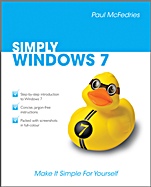
SIMPLY Windows 7
ISBN 9780470711330
Autor: Paul McFedries
Wydawca: Wiley
Dostępność: 3-6 tygodni
Cena: 102,90 zł
Przed złożeniem zamówienia prosimy o kontakt mailowy celem potwierdzenia ceny.
ISBN13: |
9780470711330 |
ISBN10: |
0470711337 |
Autor: |
Paul McFedries |
Oprawa: |
Paperback |
Rok Wydania: |
2010-07-16 |
Ilość stron: |
224 |
Wymiary: |
234x188 |
Tematy: |
UH |
Spis treści:
1 GETTING STARTED WITH WINDOWS 7.
Start Windows 7.
What You Can Do with Windows 7.
The Windows 7 Screen.
Using a Mouse with Windows 7.
Get Help.
Activate Your Copy of Windows 7.
Shut Down Windows 7.
2 LAUNCHING AND WORKING WITH PROGRAMS.
Install a Program.
Change or Repair a Program Installation.
Start a Program.
Understanding Program Windows.
Use Pull–Down Menus.
Use Toolbars.
Use Dialog Boxes.
Work with Program Windows.
Use Scrollbars.
Switch Between Programs.
Take Advantage of Program Jump Lists.
Uninstall a Program.
3 CREATING AND EDITING DOCUMENTS.
Understanding Documents.
Create a Document.
Save a Document.
Open a Document.
Edit Document Text.
Change the Text Font.
Find Text.
Replace Text.
Print a Document.
4 WORKING WITH IMAGES.
Open the Pictures Library.
Preview an Image.
View Your Images.
Scan an Image.
Import Images from a Digital Camera.
Repair a Digital Image.
Print an Image.
5 PLAYING MUSIC AND OTHER MEDIA.
Open and Close Windows Media Player.
Navigate the Media Player Window.
Use the Library.
Play an Audio or Video File.
Adjust the Volume.
Play a Music CD
Copy Tracks from a Music CD.
Create a Playlist.
Burn Music Files to a CD.
Play a DVD.
6 WORKING WITH FILES.
View Your Files.
Select a File.
Change the File View.
Preview a File.
Copy a File.
Move a File.
Burn Files to a CD or DVD.
Rename a File.
Create a New File.
Delete a File.
Restore a Deleted File.
Search for a File.
7 SHARING YOUR COMPUTER WITH OTHERS.
Display User Accounts.
Create a User Account.
Switch Between Accounts.
Change a User′s Name.
Change a User′s Picture.
Delete an Account.
Create a Homegroup.
Connect to a Wireless Network.
8 SURFING THE WORLD WIDE WEB.
Understanding
the World Wide Web.
Start Internet Explorer.
Navigate Internet Explorer.
Select a Link.
Enter a Web Page Address.
Open a Web Page in a Tab.
Navigate Web Pages.
Change Your Home Page.
Save Favourite Web Pages.
Search for Sites.
9 WORKING WITH E–MAIL, CONTACTS, AND EVENTS.
Install Windows Live Essentials Programs.
Configure an E–mail Account.
Send an E–mail Message.
Add Someone to Your Contacts.
Select a Contact Address.
Add a File Attachment.
Add a Signature.
Receive and Read E–mail Messages.
Reply to a Message.
Forward a Message.
Open and Save an Attachment.
Switch to Calendar.
Understanding the Calendar.
Navigate the Calendar.
Create an Event.
Add a Calendar.
10 IMPLEMENTING SECURITY IN WINDOWS 7.
Understanding Windows 7 Security.
Check Action Center for Security Problems.
Protect an Account with a Password.
Lock Your Computer.
Set the Junk E–mail Protection Level.
11 CUSTOMISING WINDOWS 7.
Open the Personalization Window.
Change the Desktop Background.
Set the Screen Saver.
Change the Windows 7 Colour Scheme.
Customise the Start Menu.
Customise the Taskbar.
12 MAINTAINING WINDOWS 7.
Check Hard Drive Free Space.
Defragment Your Hard Drive on a Schedule.
Back Up Files.
Restore Backed–Up Files.
INDEX.
Koszyk
Książek w koszyku: 0 szt.
Wartość zakupów: 0,00 zł
Informacje


Kontakt
Gambit
Centrum Oprogramowania
i Szkoleń Sp. z o.o.
Al. Pokoju 29b/22-24
31-564 Kraków
Siedziba Księgarni
ul. Kordylewskiego 1
31-542 Kraków
+48 12 410 5991
+48 12 410 5987
+48 12 410 5989
Subskrypcje
Administratorem danych osobowych jest firma Gambit COiS Sp. z o.o. Na podany adres będzie wysyłany wyłącznie biuletyn informacyjny.
Autoryzacja płatności

Informacje na temat autoryzacji płatności poprzez PayU.

© Copyright 2012: GAMBIT COiS Sp. z o.o. Wszelkie prawa zastrzeżone.
Projekt i wykonanie: Alchemia Studio Reklamy