


Wydawcy
Katalog tematyczny
- Archeologia (109)
- Ekonomia, finanse, business (13704)
- Filozofia (1445)
- Historia (3040)
- Języki i językoznawstwo (2356)
- Lifestyle, hobby i rozrywka (475)
- Medycyna (9704)
- Nauki humanistyczne (4)
- Nauki o Ziemi i środowisku (2638)
- Nauki ścisłe (20412)
- Nauki społeczne (8486)
- Nauki techniczne (13450)
- Prawo (1696)
- Publikacje informacyjne i interdyscyplinarne (1288)
- Religia i wierzenia (917)
- Technika komputerowa (4067)
- Bazy danych (75)
- Bezpieczeństwo komputerowe (454)
- Certyfikacja komputerowa (1)
- Grafika i media cyfrowe (32)
- Informatyka (779)
- Komputery, ogólnie (74)
- Programowanie (351)
- Programy komercyjne (49)
- Sieci komputerowe (350)
- Sprzęt komputerowy (4)
- Systemy operacyjne (32)
- Technika cyfrowa na co dzień (7)
- Zdrowie, relacje międzyludzkie i rozwój osobisty (657)





Informacje szczegółowe o książce
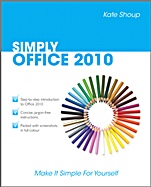
SIMPLY Office 2010
ISBN 9780470711293
Autor: Kate Shoup
Wydawca: Wiley
Dostępność: 3-6 tygodni
Cena: 102,90 zł
Przed złożeniem zamówienia prosimy o kontakt mailowy celem potwierdzenia ceny.
ISBN13: |
9780470711293 |
ISBN10: |
0470711299 |
Autor: |
Kate Shoup |
Oprawa: |
Paperback |
Rok Wydania: |
2010-07-16 |
Ilość stron: |
224 |
Wymiary: |
233x188 |
Tematy: |
US |
Spis treści:
I OFFICE FEATURES.
Chapter 1: Office Basics.
Start and Exit Office Applications.
Navigate the Program Windows.
Work with the Ribbon.
Customise the Quick Access Toolbar.
Get Help with Office.
Chapter 2: Working with Files.
Create a New File.
Save a File.
Open a File.
Print a File.
Select Data.
Cut, Copy and Paste Data.
Chapter 3: Office Graphics Tools.
Insert a Picture or Clip Art.
Resize and Move Objects.
Rotate and Flip Objects.
Crop a Picture.
Change a Picture.
II WORD.
Chapter 4: Adding Text.
Change Word′s Views.
Type and Edit Text.
Insert Symbols and Special Characters.
Chapter 5: Formatting Text.
Change the Font, Size and Colour.
Align Text.
Set Line Spacing.
Indent Text.
Set Tabs.
Set Margins.
Copy Formatting.
Clear Formatting.
Format with Styles.
Apply a Template.
Chapter 6: Adding Extra Touches.
Create Columns.
Insert a Table.
Use Headers, Footers and Footnotes.
Insert Page Numbers and Page Breaks.
Create an Index.
Create a Table of Contents.
Chapter 7: Reviewing Documents.
Find and Replace Text.
Check Spelling and Grammar.
Work with AutoCorrect.
Track and Review Document Changes.
III EXCEL.
Chapter 8: Building Spreadsheets.
Enter Cell Data.
Select Cells.
Faster Data Entry with AutoFill.
Change the Font and Size.
Change Number Formats.
Apply Conditional Formatting.
Add Columns and Rows.
Freeze a Column or Row.
Name a Range.
Delete Data or Cells.
Chapter 9: Worksheet Basics.
Add a Worksheet.
Name a Worksheet.
Change Page Setup Options.
Move and Copy Worksheets.
Delete a Worksheet.
Find and Replace Data.
Sort Data.
Filter Data.
Chapter 10: Working with Formulas and Functions.
Create a Formula.
Apply Absolute and Relative Cell R
eferences.
Understanding Functions.
Apply a Function.
Total Cells with AutoSum.
Audit a Worksheet for Errors.
Create a Chart.
IV POWERPOINT.
Chapter 11: Creating a Presentation.
Create a Photo Album Presentation.
Create a Presentation with a Template.
Build a Blank Presentation.
Change PowerPoint Views.
Insert Slides.
Change the Slide Layout.
Chapter 12: Populating Presentation Slides.
Add and Edit Slide Text.
Change the Font, Size and Colour.
Set Line Spacing.
Add a Text Box to a Slide.
Add Other Objects to a Slide.
Move a Slide Object.
Resize a Slide Object.
Chapter 13: Assembling and Presenting a Slide Show.
Reorganise Slides.
Record Narration.
Set Up a Slide Show.
Run a Slide Show.
V ACCESS.
Chapter 14: Database Basics.
Create a Database Based on a Template.
Create a Blank Database.
Create a New Table.
Change Table Views.
Add or Move a Field in a Table.
Delete or Hide a Field in a Table.
Create a Form.
Change Form Views.
Move or Delete a Field in a Form.
Chapter 15: Adding, Finding and Querying Data.
Add a Record to a Table.
Add a Record to a Form.
Navigate Records in a Form.
Search for a Record in a Form.
Sort Records.
Filter Records.
Use Conditional Formatting.
Perform a Simple Query.
Create a Report.
VI OUTLOOK.
Chapter 16: Organising with Outlook.
View Outlook Components.
Schedule an Appointment.
Schedule an Event.
Create a New Contact.
Create a New Task.
Chapter 17: E–mailing with Outlook.
Compose and Send a Message.
Send a File Attachment.
Read an Incoming Message.
Reply To or Forward a Message.
Add a Sender to Your Outlook Contacts.
Delete a Message.
View Conversations.
Screen Junk E–mail.
INDEX.
Koszyk
Książek w koszyku: 0 szt.
Wartość zakupów: 0,00 zł
Informacje


Kontakt
Gambit
Centrum Oprogramowania
i Szkoleń Sp. z o.o.
Al. Pokoju 29b/22-24
31-564 Kraków
Siedziba Księgarni
ul. Kordylewskiego 1
31-542 Kraków
+48 12 410 5991
+48 12 410 5987
+48 12 410 5989
Subskrypcje
Administratorem danych osobowych jest firma Gambit COiS Sp. z o.o. Na podany adres będzie wysyłany wyłącznie biuletyn informacyjny.
Autoryzacja płatności

Informacje na temat autoryzacji płatności poprzez PayU.

© Copyright 2012: GAMBIT COiS Sp. z o.o. Wszelkie prawa zastrzeżone.
Projekt i wykonanie: Alchemia Studio Reklamy