


Wydawcy
Katalog tematyczny
- Archeologia (109)
- Ekonomia, finanse, business (13704)
- Filozofia (1445)
- Historia (3040)
- Języki i językoznawstwo (2356)
- Lifestyle, hobby i rozrywka (475)
- Medycyna (9704)
- Nauki humanistyczne (4)
- Nauki o Ziemi i środowisku (2638)
- Nauki ścisłe (20412)
- Nauki społeczne (8486)
- Nauki techniczne (13450)
- Prawo (1696)
- Publikacje informacyjne i interdyscyplinarne (1288)
- Religia i wierzenia (917)
- Technika komputerowa (4067)
- Bazy danych (75)
- Bezpieczeństwo komputerowe (454)
- Certyfikacja komputerowa (1)
- Grafika i media cyfrowe (32)
- Informatyka (779)
- Komputery, ogólnie (74)
- Programowanie (351)
- Programy komercyjne (49)
- Sieci komputerowe (350)
- Sprzęt komputerowy (4)
- Systemy operacyjne (32)
- Technika cyfrowa na co dzień (7)
- Zdrowie, relacje międzyludzkie i rozwój osobisty (657)





Informacje szczegółowe o książce
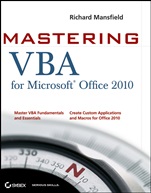
Mastering VBA for Office 2010
ISBN 9780470634004
Autor: Richard Mansfield
Wydawca: Wiley
Dostępność: 3-6 tygodni
Cena: 231,00 zł
Przed złożeniem zamówienia prosimy o kontakt mailowy celem potwierdzenia ceny.
ISBN13: |
9780470634004 |
ISBN10: |
0470634006 |
Autor: |
Richard Mansfield |
Oprawa: |
Paperback |
Rok Wydania: |
2010-08-20 |
Ilość stron: |
912 |
Wymiary: |
232x186 |
Tematy: |
UP |
Get more done in less time by automating Office tasks
Take control of Office 2010 with Microsoft′s Visual Basic for Applications (VBA) and this practical guide. Even if you′re not a programmer, you can easily learn to record and write macros, automate tasks, and create your own custom programs for Word, Excel, PowerPoint, Outlook, and Access.
You′ll quickly grasp the basics of recording macros with Office 2010′s built–in Macro Recorder, before delving into all the essentials: the Visual Basic Editor, VBA syntax, how to use loops and functions, the keys to building effective code, how to debug and secure your code, programming the Office 2010 Ribbon, and much more.
Coverage includes:
Recording, writing, and running macros in Office 2010
Creating code from scratch with the Visual Basic® Editor
Understanding the essentials of VBA syntax
Finding the objects, methods, and properties you need
Using loops to repeat actions in your code
Creating simple and complex dialog boxes
Adding If statements to make your applications respond intelligently
Programming each Office app—Word, Excel®, PowerPoint®, Outlook®, and Access®
Building, debugging, and securing your code
Use VBA to Increase Your Productivity in Office 2010
Simplify Complex Operations with Macros and Automation
Create Custom Apps for Word, Excel, PowerPoint, Outlook, and Access
Reinforce Your Skills with Real–World Examples
Master VBA Fundamentals and Essentials
Create Custom Applications and Macros for Office 2010
Spis treści:
Part I: Recording Macros and Getting Started with VBA.
1 Recording and Running Macros in the Microsoft Office Applications.
2 Getting Started with the Visual Basic Editor.
3 Editing Recorded Macros.
4 Creating Code from Scratch in the Vi
sual Basic Editor.
Part II: Learning How to Work with VBA.
5 Understanding the Essentials of VBA Syntax
6 Working with Variables, Constants, and Enumerations.
7 Using Array Variables.
8 Finding the Objects, Methods, and Properties You Need.
Part III: Making Decisions and Using Loops and Functions.
9 Using Built–In Functions.
10 Creating Your Own Functions.
11 Making Decisions in Your Code.
12 Using Loops to Repeat Actions.
Part IV: Using Message Boxes, Input Boxes, and Dialog Boxes.
13 Getting User Input with Message Boxes and Input Boxes.
14 Creating Simple Custom Dialog Boxes.
15 Creating Complex Dialog Boxes.
Part V: Creating Effective Code.
16 Building Modular Code and Using Classes.
17 Debugging Your Code and Handling Errors.
18 Building Well–Behaved Code.
19 Securing Your Code with VBA′s Security Features.
Part VI: Programming the Office Applications.
20 Understanding the Word Object Model and Key Objects.
21 Working with Widely Used Objects in Word.
22 Understanding the Excel Object Model and Key Objects.
23 Working with Widely Used Objects in Excel.
24 Understanding the PowerPoint Object Model and Key Objects.
25 Working with Shapes and Running Slide Shows.
26 Understanding the Outlook Object Model and Key Objects.
27 Working with Events in Outlook.
28 Understanding the Access Object Model and Key Objects.
29 Manipulating the Data in an Access Database via VBA.
30 Accessing One Application from Another Application.
31 Programming the Office 2010 Ribbon.
Nota biograficzna:
Richard Mansfield is the author or coauthor of more than 40 computer books, includingVisual Basic .NET Power Toolkit, Office 2003 Application Development All–in–One Desk Reference For Dummies, and Programming: A Beginner′s Guide. He is the former editor of Compute! magazine. Overall, his books have sold m
ore than half a million copies worldwide and have been translated into 12 languages.
Okładka tylna:
Get more done in less time by automating Office tasks
Take control of Office 2010 with Microsoft′s Visual Basic for Applications (VBA) and this practical guide. Even if you′re not a programmer, you can easily learn to record and write macros, automate tasks, and create your own custom programs for Word, Excel, PowerPoint, Outlook, and Access.
You′ll quickly grasp the basics of recording macros with Office 2010′s built–in Macro Recorder, before delving into all the essentials: the Visual Basic Editor, VBA syntax, how to use loops and functions, the keys to building effective code, how to debug and secure your code, programming the Office 2010 Ribbon, and much more.
Coverage includes:
Recording, writing, and running macros in Office 2010
Creating code from scratch with the Visual Basic® Editor
Understanding the essentials of VBA syntax
Finding the objects, methods, and properties you need
Using loops to repeat actions in your code
Creating simple and complex dialog boxes
Adding If statements to make your applications respond intelligently
Programming each Office app—Word, Excel®, PowerPoint®, Outlook®, and Access®
Building, debugging, and securing your code
Use VBA to Increase Your Productivity in Office 2010
Simplify Complex Operations with Macros and Automation
Create Custom Apps for Word, Excel, PowerPoint, Outlook, and Access
Reinforce Your Skills with Real–World Examples
Master VBA Fundamentals and Essentials
Create Custom Applications and Macros for Office 2010
Koszyk
Książek w koszyku: 0 szt.
Wartość zakupów: 0,00 zł
Informacje


Kontakt
Gambit
Centrum Oprogramowania
i Szkoleń Sp. z o.o.
Al. Pokoju 29b/22-24
31-564 Kraków
Siedziba Księgarni
ul. Kordylewskiego 1
31-542 Kraków
+48 12 410 5991
+48 12 410 5987
+48 12 410 5989
Subskrypcje
Administratorem danych osobowych jest firma Gambit COiS Sp. z o.o. Na podany adres będzie wysyłany wyłącznie biuletyn informacyjny.
Autoryzacja płatności

Informacje na temat autoryzacji płatności poprzez PayU.

© Copyright 2012: GAMBIT COiS Sp. z o.o. Wszelkie prawa zastrzeżone.
Projekt i wykonanie: Alchemia Studio Reklamy