


Wydawcy
Katalog tematyczny
- Archeologia (109)
- Ekonomia, finanse, business (13704)
- Filozofia (1445)
- Historia (3040)
- Języki i językoznawstwo (2356)
- Lifestyle, hobby i rozrywka (475)
- Medycyna (9704)
- Nauki humanistyczne (4)
- Nauki o Ziemi i środowisku (2638)
- Nauki ścisłe (20412)
- Nauki społeczne (8486)
- Nauki techniczne (13450)
- Prawo (1696)
- Publikacje informacyjne i interdyscyplinarne (1288)
- Religia i wierzenia (917)
- Technika komputerowa (4067)
- Bazy danych (75)
- Bezpieczeństwo komputerowe (454)
- Certyfikacja komputerowa (1)
- Grafika i media cyfrowe (32)
- Informatyka (779)
- Komputery, ogólnie (74)
- Programowanie (351)
- Programy komercyjne (49)
- Sieci komputerowe (350)
- Sprzęt komputerowy (4)
- Systemy operacyjne (32)
- Technika cyfrowa na co dzień (7)
- Zdrowie, relacje międzyludzkie i rozwój osobisty (657)





Informacje szczegółowe o książce
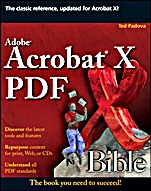
Adobe Acrobat X PDF Bible
ISBN 9780470612910
Autor: Ted Padova
Wydawca: Wiley
Dostępność: 3-6 tygodni
Cena: 233,10 zł
Przed złożeniem zamówienia prosimy o kontakt mailowy celem potwierdzenia ceny.
ISBN13: |
9780470612910 |
ISBN10: |
0470612916 |
Autor: |
Ted Padova |
Oprawa: |
Paperback |
Rok Wydania: |
2011-02-04 |
Ilość stron: |
936 |
Wymiary: |
233x187 |
Tematy: |
US |
Acrobat keeps getting better and better and so does this book
Discover the best ways to incorporate PDFs into your daily deadlines with the latest version of this classic Acrobat reference. Written by bestselling author and Adobe guru Ted Padova, this new edition is packed with insights and practical techniques drawn from the author′s extensive experience. You′ll get up to speed on Acrobat X′s new features, such as its all–new user interface, and thoroughly master how to create and use PDFs for print prepress, the Internet, CD–ROMs, and other media.
Get up to speed on Acrobat X Standard and Acrobat X Pro
Learn how to view, navigate, and search PDF files
Convert or export files to PDF from Office, Macs, Web pages, or Adobe CS
Set up, save, and repurpose PDF files for print, Web, or CDs
Preflight your PDFs for high–res color commercial printing
Understand form data and JavaScript
Sign, certify, and secure your PDFs
Create Actions with the new Actions Wizard
Organize tools with the new QuickTools Wizard
Use the Tools panel for your editing tasks
Discover the latest tools and features
Repurpose content for print, Web, or CDs
Understand all PDF standards
Preface.
Acknowledgments.
Introduction.
Part I: Introducing Adobe Acrobat.
Chapter 1: Getting to Know Adobe Acrobat.
Chapter 2: Using Acrobat Viewers.
Chapter 3: Using Help and Resources.
Chapter 4: Getting Familiar with Adobe Reader.
Chapter 5: Viewing and Navigating PDF Files.
Chapter 6: Searching PDF Files.
Part II: Converting Documents to PDF.
Chapter 7: Converting Files to PDF.
Chapter 8: Using Acrobat PDFMaker with Microsoft Programs.
Chapter 9: Exporting to PDF from Authoring Applications.
Chapter 10: Exporting PDF Content.
Part III: Editing PDFs.
Chapter 11: Combining, Packaging, and Attaching PDFs.
Chapter 12: Editing Text.
Chapter 13: Redacting PDFs.
Chapter 14: Editing Images and Objects.
Chapter 15: Editing Pages.
Chapter 16: Scanning and OCR Conversion.
Chapter 17: Repurposing and Creating Actions.
Chapter 18: Enabling Features for Adobe Reader.
Part IV: Using PDF Interactivity.
Chapter 19: Annotating PDFs.
Chapter 20: Working with Review Sessions.
Chapter 21: Creating Links and Actions.
Chapter 22: Working with Multimedia and PDFs.
Chapter 23: Creating Accessibility and Tagging PDF Files.
Part V: Publishing PDF Files.
Chapter 24: Using Authentication and Security Methods.
Chapter 25: Working with PDFs and the Web.
Chapter 26: Using Acrobat.com for Online Collaboration.
Chapter 27: Working with eBooks.
Chapter 28: Printing to Desktop Color Printers.
Chapter 29: Using Commercial Printing and Prepress.
Part VI: Using Acrobat PDF Forms.
Chapter 30: Understanding Acrobat Form Tools.
Chapter 31: Working with Form Data.
Chapter 32: Understanding JavaScript.
Index.
Ted Padova is the author of all previous editions of the Adobe Acrobat PDF Bible, and he is one of the country′s top Adobe Acrobat experts. He has written for the Los Angeles Macintosh Users Group Digest and has published over 40 journal articles on digital prepress and application software methods. Padova has been featured in Macweek, Publish, and other industry magazines.
Koszyk
Książek w koszyku: 0 szt.
Wartość zakupów: 0,00 zł
Informacje


Kontakt
Gambit
Centrum Oprogramowania
i Szkoleń Sp. z o.o.
Al. Pokoju 29b/22-24
31-564 Kraków
Siedziba Księgarni
ul. Kordylewskiego 1
31-542 Kraków
+48 12 410 5991
+48 12 410 5987
+48 12 410 5989
Subskrypcje
Administratorem danych osobowych jest firma Gambit COiS Sp. z o.o. Na podany adres będzie wysyłany wyłącznie biuletyn informacyjny.
Autoryzacja płatności

Informacje na temat autoryzacji płatności poprzez PayU.

© Copyright 2012: GAMBIT COiS Sp. z o.o. Wszelkie prawa zastrzeżone.
Projekt i wykonanie: Alchemia Studio Reklamy