


Wydawcy
Katalog tematyczny
- Archeologia (109)
- Ekonomia, finanse, business (13704)
- Filozofia (1445)
- Historia (3040)
- Języki i językoznawstwo (2356)
- Lifestyle, hobby i rozrywka (475)
- Medycyna (9704)
- Nauki humanistyczne (4)
- Nauki o Ziemi i środowisku (2638)
- Nauki ścisłe (20412)
- Nauki społeczne (8486)
- Nauki techniczne (13450)
- Prawo (1696)
- Publikacje informacyjne i interdyscyplinarne (1288)
- Religia i wierzenia (917)
- Technika komputerowa (4067)
- Bazy danych (75)
- Bezpieczeństwo komputerowe (454)
- Certyfikacja komputerowa (1)
- Grafika i media cyfrowe (32)
- Informatyka (779)
- Komputery, ogólnie (74)
- Programowanie (351)
- Programy komercyjne (49)
- Sieci komputerowe (350)
- Sprzęt komputerowy (4)
- Systemy operacyjne (32)
- Technika cyfrowa na co dzień (7)
- Zdrowie, relacje międzyludzkie i rozwój osobisty (657)





Informacje szczegółowe o książce
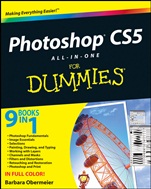
Photoshop CS5 All–in–One For Dummies
ISBN 9780470608210
Autor: Barbara Obermeier
Wydawca: Wiley
Dostępność: 3-6 tygodni
Cena: 197,40 zł
Przed złożeniem zamówienia prosimy o kontakt mailowy celem potwierdzenia ceny.
ISBN13: |
9780470608210 |
ISBN10: |
0470608218 |
Autor: |
Barbara Obermeier |
Oprawa: |
Paperback |
Rok Wydania: |
2010-06-04 |
Ilość stron: |
720 |
Wymiary: |
234x190 |
Tematy: |
US |
Everything you need to know about Photoshop is right in these friendly pages!
Photoshop is so powerful and has so many features that a handy one–stop guide is exactly what you need. Each minibook covers a particular aspect of Photoshop, so whether you′re new to Photoshop or wanting to learn more about a specific area like making selections, working with layers, creating type, or retouching and restoring photos, it′s all here!
Beginners start here — get familiar with the Photoshop environment — the desktop, menus, panels, tools, and the Mini Bridge
Of pens, paths, and paintbrushes — discover all the things you can do with the Brush, Pencil, and Pen tools and the Paths panel
The magic of masks — explore the use of channels, alpha channels, various types of masks, layer styles, opacity settings, and other essentials
Making it perfect — find out how to lighten, darken, soften, or sharpen your images, fix flaws, and heal damage
Print it — learn how to get the right resolution, image mode, and file format, and set up color separations
Open the book and find:
Directions for customizing your workspace
How to crop and resize images
Advice on correcting contrast, color, and clarity
Instructions for compositing images with layers and blending modes
How to make adjustments with levels and curves
Steps for creating top–notch selections
Cool things to do with filters
Options for creating and editing type
9 books in 1
Photoshop Fundamentals
Image Essentials
Selections
Painting, Drawing, and Typing
Working with Layers
Channels and Masks
Filters and Distortions
Retouching and Restoration
Photoshop and Print
IN FULL COLOR
!
Spis treści:
Introduction.
Book I: Photoshop Fundamentals.
Chapter 1: Examining the Photoshop Environment.
Chapter 2: Getting to Know the Tools Panel.
Chapter 3: Starting, Finishing, and Getting It on Paper.
Chapter 4: Viewing and Navigating Images.
Chapter 5: Customizing Your Workspace and Preferences.
Book II: Image Essentials.
Chapter 1: Specifying Size and Resolution.
Chapter 2: Choosing Color Modes and File Formats.
Chapter 3: Using and Managing Color.
Chapter 4: Time Travel — Undoing in Photoshop.
Chapter 5: Creating Actions for Productivity and Fun.
Book III: Selections.
Chapter 1: Making Selections.
Chapter 2: Creating and Working with Paths.
Chapter 3: Modifying and Transforming Selections and Paths.
Book IV: Painting, Drawing, and Typing.
Chapter 1: Painting and Drawing with Photoshop.
Chapter 2: Filling and Stroking.
Chapter 3: Creating and Editing Type.
Book V: Working with Layers.
Chapter 1: Creating Layers.
Chapter 2: Managing Layers.
Chapter 3: Playing with Opacity and Blend Modes.
Chapter 4: Getting Jazzy with Layer Styles and Clipping Groups.
Chapter 5: Working with Smart Objects.
Book VI: Channels and Masks.
Chapter 1: Using Channels.
Chapter 2: Quick–and–Dirty Masking.
Chapter 3: Getting Exact with Advanced Masking Techniques.
Book VII: Filters and Distortions.
Chapter 1: Making Corrections with Daily Filters.
Chapter 2: Applying Filters for Special Occasions.
Chapter 3: Distorting with the Liquify Command.
Book VIII: Retouching and Restoration.
Chapter 1: Enhancing Images with Adjustments.
Chapter 2: Repairing with Focus and Toning Tools.
Chapter 3: Fixing Flaws and Removing What’s Not Wanted.
Book IX: Photoshop and Print.
Chapter 1: Prepping Graphics for Print.
Chapter 2: Using Photomerge and Merge to HDR Pr
o.
Bonus Chapters.
Bonus Chapter 1: Prepping Web Graphics.
Bonus Chapter 2: Slicing Web Images.
Bonus Chapter 3: Other Sources of Information.
Index.
Nota biograficzna:
Barbara Obermeier is principal of Obermeier Design, a graphic design studio in California. She is currently a faculty member in the School of Design at Brooks Institute. She has authored or coauthored dozens of software books including Photoshop Elements For Dummies and Digital Photography Just the Steps For Dummies.
Okładka tylna:
Everything you need to know about Photoshop is right in these friendly pages!
Photoshop is so powerful and has so many features that a handy one–stop guide is exactly what you need. Each minibook covers a particular aspect of Photoshop, so whether you′re new to Photoshop or wanting to learn more about a specific area like making selections, working with layers, creating type, or retouching and restoring photos, it′s all here!
Beginners start here — get familiar with the Photoshop environment — the desktop, menus, panels, tools, and the Mini Bridge
Of pens, paths, and paintbrushes — discover all the things you can do with the Brush, Pencil, and Pen tools and the Paths panel
The magic of masks — explore the use of channels, alpha channels, various types of masks, layer styles, opacity settings, and other essentials
Making it perfect — find out how to lighten, darken, soften, or sharpen your images, fix flaws, and heal damage
Print it — learn how to get the right resolution, image mode, and file format, and set up color separations
Open the book and find:
Directions for customizing your workspace
How to crop and resize images
Advice on correcting contrast, color, and clarity
Instructions for compositing images with layers and b
lending modes
How to make adjustments with levels and curves
Steps for creating top–notch selections
Cool things to do with filters
Options for creating and editing type
9 books in 1
Photoshop Fundamentals
Image Essentials
Selections
Painting, Drawing, and Typing
Working with Layers
Channels and Masks
Filters and Distortions
Retouching and Restoration
Photoshop and Print
IN FULL COLOR!
Koszyk
Książek w koszyku: 0 szt.
Wartość zakupów: 0,00 zł
Informacje


Kontakt
Gambit
Centrum Oprogramowania
i Szkoleń Sp. z o.o.
Al. Pokoju 29b/22-24
31-564 Kraków
Siedziba Księgarni
ul. Kordylewskiego 1
31-542 Kraków
+48 12 410 5991
+48 12 410 5987
+48 12 410 5989
Subskrypcje
Administratorem danych osobowych jest firma Gambit COiS Sp. z o.o. Na podany adres będzie wysyłany wyłącznie biuletyn informacyjny.
Autoryzacja płatności

Informacje na temat autoryzacji płatności poprzez PayU.

© Copyright 2012: GAMBIT COiS Sp. z o.o. Wszelkie prawa zastrzeżone.
Projekt i wykonanie: Alchemia Studio Reklamy