


Wydawcy
Katalog tematyczny
- Archeologia (109)
- Ekonomia, finanse, business (13704)
- Filozofia (1445)
- Historia (3040)
- Języki i językoznawstwo (2356)
- Lifestyle, hobby i rozrywka (475)
- Medycyna (9704)
- Nauki humanistyczne (4)
- Nauki o Ziemi i środowisku (2638)
- Nauki ścisłe (20412)
- Nauki społeczne (8486)
- Nauki techniczne (13450)
- Prawo (1696)
- Publikacje informacyjne i interdyscyplinarne (1288)
- Religia i wierzenia (917)
- Technika komputerowa (4067)
- Bazy danych (75)
- Bezpieczeństwo komputerowe (454)
- Certyfikacja komputerowa (1)
- Grafika i media cyfrowe (32)
- Informatyka (779)
- Komputery, ogólnie (74)
- Programowanie (351)
- Programy komercyjne (49)
- Sieci komputerowe (350)
- Sprzęt komputerowy (4)
- Systemy operacyjne (32)
- Technika cyfrowa na co dzień (7)
- Zdrowie, relacje międzyludzkie i rozwój osobisty (657)





Informacje szczegółowe o książce
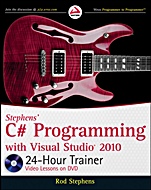
Stephens C# Programming with Visual Studio® 2010 24–Hour Trainer
ISBN 9780470596906
Autor: Rod Stephens
Wydawca: Wiley
Dostępność: 3-6 tygodni
Cena: 221,55 zł
Przed złożeniem zamówienia prosimy o kontakt mailowy celem potwierdzenia ceny.
ISBN13: |
9780470596906 |
ISBN10: |
0470596902 |
Autor: |
Rod Stephens |
Oprawa: |
Paperback |
Rok Wydania: |
2010-05-18 |
Ilość stron: |
552 |
Wymiary: |
236x189 |
Tematy: |
UP |
Get started programming C# with this versatile resource
Eager to learn Visual C# programming? This unique book–and–DVD package geared toward those with no programming experience presents easy–to–follow lessons, reinforced by step–by–step instructions, screencasts, and supplemental exercises to help you master Visual C# programming quickly. You′ll first discover how to write, debug, and run desktop applications that interact with the user and the computer. You′ll then progress to more advanced lessons that teach you how to apply object–oriented concepts, perform calculations, manipulate files and strings, interact with simple databases, and more. All of this will give you the skills to write your own customized Visual C# programs.
Stephens′ C# Programming with Visual Studio 2010 24–Hour Trainer:
Shows you how to use the Visual Studio integrated development environment (IDE) and the controls that make up a user interface
Demonstrates what variables are and how a program uses them to calculate results
Describes techniques for controlling a program′s flow, making decisions, and repeating operations
Explores how to create and use advanced class features such as generics and operator overloading
Highlights steps that enable a program to interact with the operating system
Walks you through the basics of database programming
Wrox guides are crafted to make learning programming languages and technologies easier than you think. Written by programmers for programmers, they provide a structured, tutorial format that will guide you through all the techniques involved.
On the DVD
Don′t just learn—do!
The lessons within the book are each accompanied by an instructional demonstration on the DVD.
You′ll learn to:
Build a simple word processor
Handle errors so your
programs don′t crash unexpectedly
Use methods to make your programs simpler and more robust
Make your code easier to modify and debug
Simplify how to initialize objects
Overload arithmetic operators to make a ComplexNumber class
Build a program that can copy and paste text and images from the clipboard
Please see the DVD appendix for details and complete system requirements.
Spis treści:
Introduction.
section I The Visual Studio IDE and Controls.
Chapter 1 Getting Started with the Visual Studio IDE.
Chapter 2 Creating Controls.
Chapter 3 Making Controls Arrange Themselves.
Chapter 4 Handling Events.
Chapter 5 Making Menus.
Chapter 6 Making Tool Strips and Status Strips.
Chapter 7 Using RichTextBoxes.
Chapter 8 Using Standard Dialogs.
Chapter 9 Creating and Displaying New Forms.
Chapter 10 Building Custom Dialogs.
Section II Variables and Calculations.
Chapter 11 Using Variables and Performing Calculations.
Chapter 12 Debugging Code.
Chapter 13 Understanding Scope.
Chapter 14 Working with Strings.
Chapter 15 Working with Dates and Times.
Chapter 16 Using Arrays and Collections.
Chapter 17 Using Enumerations and Structures.
Section III Program Statements.
Chapter 18 Making Choices.
Chapter 19 Repeating Program Steps.
Chapter 20 Reusing Code with Methods.
Chapter 21 Handling Errors.
Chapter 22 Preventing Bugs.
Section IV Classes.
Chapter 23 Defining Classes.
Chapter 24 Initializing Objects.
Chapter 25 Fine–Tuning Classes.
Chapter 26 Overloading Operators.
Chapter 27 Using Interfaces.
Chapter 28 Making Generic Classes.
Section V System Interactions.
Chapter 29 Reading and Writing Files.
Chapter 30 Using File System Classes.
Chapter 31 Printing.
Chapter 32 Using the Clipboard.
Chapter 33 Providing Drag and Drop.
Section VI Specialized Topics
.
Chapter 34 Localizing Programs.
Chapter 35 Programming Databases, Part 1.
Chapter 36 Programming Databases, Part 2.
Chapter 37 LINQ to Objects.
Chapter 38 LINQ to SQL.
Chapter 39 Drawing with GDI+.
Chapter 40 Making WPF Applications.
Chapter 41 Printing with WPF.
Appendix A Glossary.
Appendix B Control Summary.
Appendix C What’s on the DVD?
Index.
Nota biograficzna:
Rod Stephens is Microsoft MVP and the author of more than 20 books and 250 articles on C#, Visual Basic, Java, and other programming topics. He is a regular contributor to DevX (www.DevX.com) and also an ITT adjunct instructor.
Okładka tylna:
Get started programming C# with this versatile resource
Eager to learn Visual C# programming? This unique book–and–DVD package geared toward those with no programming experience presents easy–to–follow lessons, reinforced by step–by–step instructions, screencasts, and supplemental exercises to help you master Visual C# programming quickly. You′ll first discover how to write, debug, and run desktop applications that interact with the user and the computer. You′ll then progress to more advanced lessons that teach you how to apply object–oriented concepts, perform calculations, manipulate files and strings, interact with simple databases, and more. All of this will give you the skills to write your own customized Visual C# programs.
Stephens′ C# Programming with Visual Studio 2010 24–Hour Trainer:
Shows you how to use the Visual Studio integrated development environment (IDE) and the controls that make up a user interface
Demonstrates what variables are and how a program uses them to calculate results
Describes techniques for controlling a program′s flow, making decisions, and repeating operations
Explores how to create and use advanced class feat
ures such as generics and operator overloading
Highlights steps that enable a program to interact with the operating system
Walks you through the basics of database programming
Wrox guides are crafted to make learning programming languages and technologies easier than you think. Written by programmers for programmers, they provide a structured, tutorial format that will guide you through all the techniques involved.
On the DVD
Don′t just learn—do!
The lessons within the book are each accompanied by an instructional demonstration on the DVD.
You′ll learn to:
Build a simple word processor
Handle errors so your programs don′t crash unexpectedly
Use methods to make your programs simpler and more robust
Make your code easier to modify and debug
Simplify how to initialize objects
Overload arithmetic operators to make a ComplexNumber class
Build a program that can copy and paste text and images from the clipboard
Please see the DVD appendix for details and complete system requirements.
Koszyk
Książek w koszyku: 0 szt.
Wartość zakupów: 0,00 zł
Informacje


Kontakt
Gambit
Centrum Oprogramowania
i Szkoleń Sp. z o.o.
Al. Pokoju 29b/22-24
31-564 Kraków
Siedziba Księgarni
ul. Kordylewskiego 1
31-542 Kraków
+48 12 410 5991
+48 12 410 5987
+48 12 410 5989
Subskrypcje
Administratorem danych osobowych jest firma Gambit COiS Sp. z o.o. Na podany adres będzie wysyłany wyłącznie biuletyn informacyjny.
Autoryzacja płatności

Informacje na temat autoryzacji płatności poprzez PayU.

© Copyright 2012: GAMBIT COiS Sp. z o.o. Wszelkie prawa zastrzeżone.
Projekt i wykonanie: Alchemia Studio Reklamy