


Wydawcy
Katalog tematyczny
- Archeologia (109)
- Ekonomia, finanse, business (13704)
- Filozofia (1445)
- Historia (3040)
- Języki i językoznawstwo (2356)
- Lifestyle, hobby i rozrywka (475)
- Medycyna (9704)
- Nauki humanistyczne (4)
- Nauki o Ziemi i środowisku (2638)
- Nauki ścisłe (20412)
- Nauki społeczne (8486)
- Nauki techniczne (13450)
- Prawo (1696)
- Publikacje informacyjne i interdyscyplinarne (1288)
- Religia i wierzenia (917)
- Technika komputerowa (4067)
- Bazy danych (75)
- Bezpieczeństwo komputerowe (454)
- Certyfikacja komputerowa (1)
- Grafika i media cyfrowe (32)
- Informatyka (779)
- Komputery, ogólnie (74)
- Programowanie (351)
- Programy komercyjne (49)
- Sieci komputerowe (350)
- Sprzęt komputerowy (4)
- Systemy operacyjne (32)
- Technika cyfrowa na co dzień (7)
- Zdrowie, relacje międzyludzkie i rozwój osobisty (657)





Informacje szczegółowe o książce
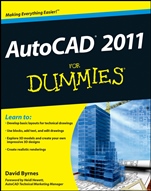
AutoCAD 2011 For Dummies
ISBN 9780470595398
Autor: David Byrnes
Wydawca: Wiley
Dostępność: 3-6 tygodni
Cena: 170,10 zł
Przed złożeniem zamówienia prosimy o kontakt mailowy celem potwierdzenia ceny.
ISBN13: |
9780470595398 |
ISBN10: |
0470595396 |
Autor: |
David Byrnes |
Oprawa: |
Paperback |
Rok Wydania: |
2010-05-11 |
Ilość stron: |
532 |
Wymiary: |
237x187 |
Tematy: |
US |
Design with precision, explore your ideas in 3D, and create spectacular drawings
If you′re new to AutoCAD 2011 or just a little rusty, this book will start the wheels turning and keep you rolling in the right direction. It includes practical advice, proven methods, and insider tips to get you up and running quickly. You′ll be setting up the AutoCAD environment to create complex technical drawings and realistic 3D models in no time!
Learn your way around — explore AutoCAD 2011 features as you set up a new drawing
Slow and steady — understand how the intense detail in setting up a drawing pays off as your work continues
It′s all about the geometry — discover how to draw objects, edit them, and zoom and pan to see them better
Add the essentials — incorporate text, dimensioning, and hatching to make it easier to build your amazing creation
Get more advanced — design symbols with changeable text or appearance and apply parametric rules to drawing objects
Play well with others — explore all the features that enable you to share drawings and data
Go on a 3D spree — take a trip into the 3D environment as you model in different ways and create spectacular results
Open the book and find:
Methods for setting up a layout in paper space
How to manage your properties and control your precision
Techniques for using your AutoCAD toolkit
Tips for drawing and editing dimensions
How to push the Hatch boundary
16 steps to follow for plotting success
Ways to create static and dynamic blocks
Secrets to 2D and 3D drawing
Learn to:
Develop basic layouts for technical drawings
Use blocks, add text, and edit drawings
Explore 3D models and create your own impressive 3D designs
Create realistic renderings
Spis treści:
Forewor
d.
Introduction.
Part I: AutoCAD 101.
Chapter 1: Introducing AutoCAD and AutoCAD LT.
Chapter 2: Le Tour de AutoCAD 2011.
Chapter 3: A Lap around the CAD Track.
Chapter 4: Setup for Success.Chapter 5: Planning for Paper.
Part II: Let There Be Lines.
Chapter 6: Manage Your Properties.
Chapter 7: Preciseliness Is Next to CADliness.
Chapter 8: Down the Straightaway.
Chapter 9: Dangerous Curves Ahead.
Chapter 10: Get a Grip on Object Selection.
Chapter 11: Edit for Credit.
Chapter 12: A Zoom with a View.
Part III: If Drawings Could Talk.
Chapter 13: Text with Character.
Chapter 14: Entering New Dimensions.
Chapter 15: Down the Hatch.
Chapter 16: The Plot Thickens.
Part IV: Advancing with AutoCAD.
Chapter 17: The ABCs of Blocks.
Chapter 18: Going Dynamic and External.
Chapter 19: Call the Parametrics!
Chapter 20: Drawing on the Internet.
Part V: On a 3D Spree.
Chapter 21: It′s a 3D World After All.
Chapter 22: From Drawings . . . to Models.
Chapter 23: On a Render Bender.
Part VI: The Part of Tens.
Chapter 24: Ten Great AutoCAD Resources.
Chapter 25: Ten Differences between AutoCAD and AutoCAD LT.
Chapter 26: Ten System Variables to Make Your Life Easier.
Index.
Nota biograficzna:
David Byrnes is a senior civil and structural drafter with a major international engineering company. He taught CAD and 3D modeling at Emily Carr University of Art & Design for 15 years and has contributed to or coauthored more than a dozen AutoCAD books.
Okładka tylna:
Design with precision, explore your ideas in 3D, and create spectacular drawings
If you′re new to AutoCAD 2011 or just a little rusty, this book will start the wheels turning and keep you rolling in the right direction. It includes practical advice, proven methods, and insider tips to get you up and ru
nning quickly. You′ll be setting up the AutoCAD environment to create complex technical drawings and realistic 3D models in no time!
Learn your way around — explore AutoCAD 2011 features as you set up a new drawing
Slow and steady — understand how the intense detail in setting up a drawing pays off as your work continues
It′s all about the geometry — discover how to draw objects, edit them, and zoom and pan to see them better
Add the essentials — incorporate text, dimensioning, and hatching to make it easier to build your amazing creation
Get more advanced — design symbols with changeable text or appearance and apply parametric rules to drawing objects
Play well with others — explore all the features that enable you to share drawings and data
Go on a 3D spree — take a trip into the 3D environment as you model in different ways and create spectacular results
Open the book and find:
Methods for setting up a layout in paper space
How to manage your properties and control your precision
Techniques for using your AutoCAD toolkit
Tips for drawing and editing dimensions
How to push the Hatch boundary
16 steps to follow for plotting success
Ways to create static and dynamic blocks
Secrets to 2D and 3D drawing
Learn to:
Develop basic layouts for technical drawings
Use blocks, add text, and edit drawings
Explore 3D models and create your own impressive 3D designs
Create realistic renderings
Koszyk
Książek w koszyku: 0 szt.
Wartość zakupów: 0,00 zł
Informacje


Kontakt
Gambit
Centrum Oprogramowania
i Szkoleń Sp. z o.o.
Al. Pokoju 29b/22-24
31-564 Kraków
Siedziba Księgarni
ul. Kordylewskiego 1
31-542 Kraków
+48 12 410 5991
+48 12 410 5987
+48 12 410 5989
Subskrypcje
Administratorem danych osobowych jest firma Gambit COiS Sp. z o.o. Na podany adres będzie wysyłany wyłącznie biuletyn informacyjny.
Autoryzacja płatności

Informacje na temat autoryzacji płatności poprzez PayU.

© Copyright 2012: GAMBIT COiS Sp. z o.o. Wszelkie prawa zastrzeżone.
Projekt i wykonanie: Alchemia Studio Reklamy