


Wydawcy
Katalog tematyczny
- Archeologia (109)
- Ekonomia, finanse, business (13704)
- Filozofia (1445)
- Historia (3040)
- Języki i językoznawstwo (2356)
- Lifestyle, hobby i rozrywka (475)
- Medycyna (9704)
- Nauki humanistyczne (4)
- Nauki o Ziemi i środowisku (2638)
- Nauki ścisłe (20412)
- Nauki społeczne (8486)
- Nauki techniczne (13450)
- Prawo (1696)
- Publikacje informacyjne i interdyscyplinarne (1288)
- Religia i wierzenia (917)
- Technika komputerowa (4067)
- Bazy danych (75)
- Bezpieczeństwo komputerowe (454)
- Certyfikacja komputerowa (1)
- Grafika i media cyfrowe (32)
- Informatyka (779)
- Komputery, ogólnie (74)
- Programowanie (351)
- Programy komercyjne (49)
- Sieci komputerowe (350)
- Sprzęt komputerowy (4)
- Systemy operacyjne (32)
- Technika cyfrowa na co dzień (7)
- Zdrowie, relacje międzyludzkie i rozwój osobisty (657)






Informacje szczegółowe o książce
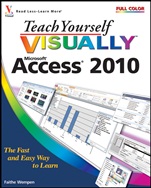
Teach Yourself VISUALLY Access 2010
ISBN 9780470577653
Autor: Faithe Wempen
Wydawca: Wiley
Dostępność: 3-6 tygodni
Cena: 174,30 zł
Przed złożeniem zamówienia prosimy o kontakt mailowy celem potwierdzenia ceny.
ISBN13: |
9780470577653 |
ISBN10: |
0470577657 |
Autor: |
Faithe Wempen |
Oprawa: |
Paperback |
Rok Wydania: |
2010-05-11 |
Ilość stron: |
352 |
Wymiary: |
242x183 |
Tematy: |
US |
Teach Yourself Visually
Are you a visual learner? Do you prefer instructions that show you how to do something — and skip the long–winded explanations? If so, then this book is for you. Open it up and you′ll find clear, step–by–step screen shots that show you how to tackle more than 185 Access 2010 tasks. Each task–based spread covers a single technique, sure to help you get up and running with Access 2010 in no time.
You′ll learn to:
Create databases
Build tables to store information
Find and filter data
Develop forms and reports
Create queries
Back up and repair a database
Two–page lessons break big topics into bite–sized modules
Succinct explanations walk you through step by step
Full–color screen shots demonstrate each task
Helpful sidebars offer practical tips and tricks
Spis treści:
Chapter 1: Getting Started with Access 2010.
An Introduction to Access 2010.
Start and Exit Access.
Create a Blank Database.
Close a Database.
Create a Database by Using a Template.
Open a Database File.
Understanding the Access 2010 Interface.
Change the Navigation Pane View.
Open and Close an Object.
View an Object.
Chapter 2: Entering and Editing Data.
Enter New Records.
Navigate between Records.
Edit Records.
Attach Files to Records.
Open, Save, and Remove File Attachments.
Insert an OLE Object.
Open, Edit, and Remove OLE Objects.
Enter Data in a Multivalued Field.
Delete Records.
Resize Datasheet Columns and Rows.
Sort Records.
Display Summary Statistics.
Print a Datasheet or Form.
Chapter 3: Working with Tables.
Plan Effective Tables.
Create a Table in Datasheet View.
Save a Table.
Create a Table in Design View.
Open a Table in Design View
.
Rearrange Fields.
Insert and Delete Fields.
Understanding Data Types.
Change a Field’s Data Type.
Understanding Primary and Composite Keys.
Set the Primary or Composite Key.
Rename a Table.
Delete a Table.
Copy a Table.
Chapter 4: Working with Fields.
Understanding Field Properties.
Understanding Field Sizes.
Change a Field Size.
Set a Field Caption.
Set a Field’s Format.
Set a Default Value.
Make a Field Required.
Index a Field.
Apply Smart Tags.
Create an Input Mask.
Create a Validation Rule.
Create a Record–Level Validation Rule.
Chapter 5: Working with Relationships and Lookups.
Understanding Relationships.
Create a Relationship between Two Tables.
Edit a Relationship.
Remove a Relationship.
Arrange the Relationships Window.
Print a Relationship Report.
View Object Dependencies.
Document the Database.
Understanding Lookups.
Create a Table for Use as a Field Lookup.
Create a Field Lookup Based on a Table.
Create a Field Lookup with Values That You Specify.
Set Up a Multivalued Field.
Chapter 6: Finding and Filtering Data.
Understanding Find and Replace.
Find Data by Using Find and Replace.
Replace Data by Using Find and Replace.
Filter to Show Only Blank or Nonblank Entries.
Filter by Selection.
Filter for Multiple Values.
Using Text Filters.
Filter by Form.
Save a Filter As a Query.
Chapter 7: Creating Simple Queries.
Understanding Queries.
Create a Query with the Simple Query Wizard.
Start a New Query in Query Design View.
Insert, Arrange, and Remove Query Fields.
Set Field Sorting.
Add an Alias to a Query Field.
Understanding Criteria.
Filter a Query for a Specific Value.
Specify a Range of Values.
Specify a List of Values.
Hide a Field in the Query Results.
Combine Criteria.
Limit the Records Returned.
Chapter 8: Creating More C
omplex Queries.
Understanding Summary Queries.
Create a Summary Query with the Simple Query Wizard.
Create a Summary Query in Query Design View.
Understanding Calculated Fields.
Create a Calculated Field.
Understanding Action Queries.
Run a Make Table Query.
Run a Delete Query.
Run an Append Query.
Run an Update Query.
Prompt the User for a Parameter.
Understanding Parameter Syntax.
Chapter 9: Creating Forms.
Understanding Forms.
Create and Save a Form.
Create a Form with the Form Wizard.
Create a Form in Layout View.
Create a Form in Design View.
Delete a Field from Design View.
Arrange Fields on a Form.
Group Fields.
Define the Tab Order on a Form.
Chapter 10: Modifying and Formatting Forms.
Display the Header and Footer.
Resize Sections of a Form.
Select Sections of a Form.
Add a Form Title.
Apply a Theme.
Apply a Font Theme or Color Theme.
Create a Custom Font Theme.
Create a Custom Color Theme.
Create a Custom Theme.
Browse for a Theme to Apply.
Adjust Internal Margins and Padding.
Add a Label.
Format Label Text.
Change the Background Color.
Use a Background Image.
Add a Hyperlink.
Add a Tabbed Section.
Insert a Logo or Image.
Set Conditional Formatting.
Chapter 11: Creating and Formatting Reports.
Understanding Report Views.
Create a Simple Report.
Apply a Theme to a Report.
Preview and Print a Report.
Create a Report with the Report Wizard.
Create a Report in Layout View.
Set the Page Size and Orientation.
Change the Report Layout Type.
Set Page Margins.
Set Control Margins and Padding.
Format Report Text.
Size and Align Report Fields.
Insert a Page–Numbering Code.
Chapter 12: Grouping and Summarizing Data.
Understanding Grouping and Summarizing.
Group Report Results.
Sort Report Results.
Count Records.
Add an Aggregate Function.
Summa
rize a Datasheet with a PivotTable.
Add and Delete Aggregate Functions in a PivotTable.
Group and Ungroup PivotTable Content.
Clear a PivotTable Grid.
Switch a PivotTable to a PivotChart.
Chapter 13: Creating Mailing Labels.
Create Labels.
Add a Field to an Existing Line.
Add a Field to a Label as a Separate Line.
Color the Label Background.
Color the Label Text.
Apply Font Formatting to Label Text.
Export Labels to Word.
Chapter 14: Creating Charts.
Understanding Charts in Access.
Open a PivotChart View.
Start a PivotChart Form.
Construct a PivotChart.
Group Data in a PivotChart.
Change the PivotChart Type.
Change Chart Colors.
Create an Embedded Chart Object.
Chapter 15: Working with External Data.
Import an Excel Worksheet.
Link to an Excel Worksheet.
Link to an Outlook Folder.
Manage Linked Tables.
Import a Table from Another Access Database.
Import Data from a Delimited Text File.
Export Data to Excel.
Export Data as HTML.
Export Data to a Plain Text File.
Save Import or Export Specifications.
Using Saved Import or Export Specifications.
Chapter 16: Performing a Mail Merge with Microsoft Word.
Begin a Mail Merge.
Create the Main Document in Word.
Insert an Address Block.
Insert a Greeting Line.
Match Fields.
Insert Individual Fields.
Preview the Merge Results.
Filter the Recipient List.
Sort the Recipient List.
Merge to a New Document.
Merge Directly to a Printer.
Save the Merge for Later Use.
Chapter 17: Maintaining a Database.
Set a Trusted Location.
Save in a Previous Version Format.
Convert to the Access 2007/2010 Format.
Back Up a Database.
Document a Database.
Compact and Repair a Database.
Password–Protect a Database.
Create a Switchboard.
Set Switchboard Startup Options.
Nota biograficzna:
Faithe Wempen, M.A., is a Microsof
t Office Specialist Master Instructor and the author of over 100 books on computer hardware and software, including the PowerPoint 2010 Bible, Microsoft Office 2010 for Seniors for Dummies, and A+ Certification Workbook for Dummies.
Faithe is currently an adjunct instructor of computer information technology at IUPUI, where she teaches PC hardware and software architecture and A+ certification. Her online courses for corporate clients, including Hewlett Packard, Sony, and CNET, have educated over a quarter of a million students all over the world.
Okładka tylna:
Teach Yourself Visually
Are you a visual learner? Do you prefer instructions that show you how to do something — and skip the long–winded explanations? If so, then this book is for you. Open it up and you′ll find clear, step–by–step screen shots that show you how to tackle more than 185 Access 2010 tasks. Each task–based spread covers a single technique, sure to help you get up and running with Access 2010 in no time.
You′ll learn to:
Create databases
Build tables to store information
Find and filter data
Develop forms and reports
Create queries
Back up and repair a database
Two–page lessons break big topics into bite–sized modules
Succinct explanations walk you through step by step
Full–color screen shots demonstrate each task
Helpful sidebars offer practical tips and tricks
Koszyk
Książek w koszyku: 0 szt.
Wartość zakupów: 0,00 zł
Informacje


Kontakt
Gambit
Centrum Oprogramowania
i Szkoleń Sp. z o.o.
Al. Pokoju 29b/22-24
31-564 Kraków
Siedziba Księgarni
ul. Kordylewskiego 1
31-542 Kraków
+48 12 410 5991
+48 12 410 5987
+48 12 410 5989
Subskrypcje
Administratorem danych osobowych jest firma Gambit COiS Sp. z o.o. Na podany adres będzie wysyłany wyłącznie biuletyn informacyjny.
Autoryzacja płatności

Informacje na temat autoryzacji płatności poprzez PayU.

© Copyright 2012: GAMBIT COiS Sp. z o.o. Wszelkie prawa zastrzeżone.
Projekt i wykonanie: Alchemia Studio Reklamy