


Wydawcy
Katalog tematyczny
- Archeologia (109)
- Ekonomia, finanse, business (13704)
- Filozofia (1445)
- Historia (3040)
- Języki i językoznawstwo (2356)
- Lifestyle, hobby i rozrywka (475)
- Medycyna (9704)
- Nauki humanistyczne (4)
- Nauki o Ziemi i środowisku (2638)
- Nauki ścisłe (20412)
- Nauki społeczne (8486)
- Nauki techniczne (13450)
- Prawo (1696)
- Publikacje informacyjne i interdyscyplinarne (1288)
- Religia i wierzenia (917)
- Technika komputerowa (4067)
- Bazy danych (75)
- Bezpieczeństwo komputerowe (454)
- Certyfikacja komputerowa (1)
- Grafika i media cyfrowe (32)
- Informatyka (779)
- Komputery, ogólnie (74)
- Programowanie (351)
- Programy komercyjne (49)
- Sieci komputerowe (350)
- Sprzęt komputerowy (4)
- Systemy operacyjne (32)
- Technika cyfrowa na co dzień (7)
- Zdrowie, relacje międzyludzkie i rozwój osobisty (657)





Informacje szczegółowe o książce
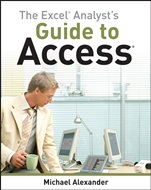
The Excel Analysts Guide to Access
ISBN 9780470567012
Autor: Michael Alexander
Wydawca: Wiley
Dostępność: 3-6 tygodni
Cena: 214,20 zł
Przed złożeniem zamówienia prosimy o kontakt mailowy celem potwierdzenia ceny.
ISBN13: |
9780470567012 |
ISBN10: |
0470567015 |
Autor: |
Michael Alexander |
Oprawa: |
Paperback |
Rok Wydania: |
2010-04-06 |
Ilość stron: |
624 |
Wymiary: |
234x193 |
Tematy: |
US |
Use the right tool for the job
Like many managers, accountants, and analysts, you′ve been using Excel for data analysis. It′s a good tool, but you′re beginning to find its limitations frustrating. You′re looking for more scalability. More transparency of analytical processes. The ability to separate data from presentation.
Access makes it all possible, and this guide helps you add Access to your analytical toolbox. Learn the essentials of using Access, basic and advanced analysis techniques, how to build reports, and much more. Then you can choose the right tool for every job.
Easily move data between Excel and Access
Normalize and store Excel data in a structured relational database
Use Access to analyze large amounts of data
Use Excel pivot tables with Access data
Build reports and implement dashboard–style visualizations
Report Access data using Excel′s presentation layer
Automate redundant reporting and analysis using Excel and Access macros
Save time and increase productivity by automating redundant processes using VBA
Get external data using SQL, ADO, and XML
Spis treści:
Introduction.
Part I Fundamentals of Data Analysis in Access.
Chapter 1 The Case for Data Analysis in Access.
Chapter 3 Beyond Select Queries.
Part II Basic Analysis Techniques.
Chapter 4 Transforming Your Data with Access.
Chapter 5 Working with Calculations and Dates.
Chapter 6 Performing Conditional Analysis.
Part III Advanced Analysis Techniques.
Chapter 7 Adding Dimension with Subqueries and Domain Aggregate Functions.
Chapter 8 Running Descriptive Statistics in Access.
Chapter 9 Scheduling and Running Batch Analysis.
Chapter 10 Leveraging VBA to Enhance Data Analysis.
Part IV Reports, Dashboards, and Visualization in Access.
Chapter 1
1 Presenting Data with Access Reports.
Chapter 12 Using Pivot Tables and Pivot Charts in Access.
Chapter 13 Enhancing Queries and Reports with Visualizations.
Part V Advanced Excel and Access Integration Techniques.
Chapter 14 Getting Access Data into Excel.
Chapter 15 Using VBA to Move Data between Excel and Access.
Chapter 16 Exploring Excel and Access Automation.
Chapter 17 Integrating Excel and Access with XML.
Chapter 18 Integrating Excel and Other Office Applications.
Part VI Appendixes.
Appendix A Access VBA Fundamentals.
Appendix B Understanding and Using SQL.
Appendix C Query Performance, Database Corruption, and Other Thoughts.
Appendix D Data Analyst’s Function Reference.
Index.
Nota biograficzna:
Michael Alexander is a Microsoft MVP and a veteran consultant. He creates and shares video tutorials with the Microsoft Excel and Access communities via www.datapigtechnologies.com. Mike has written several books on advanced business analysis, including Microsoft Access 2007 Data Analysis, also from Wiley.
Okładka tylna:
Use the right tool for the job
Like many managers, accountants, and analysts, you′ve been using Excel for data analysis. It′s a good tool, but you′re beginning to find its limitations frustrating. You′re looking for more scalability. More transparency of analytical processes. The ability to separate data from presentation.
Access makes it all possible, and this guide helps you add Access to your analytical toolbox. Learn the essentials of using Access, basic and advanced analysis techniques, how to build reports, and much more. Then you can choose the right tool for every job.
Easily move data between Excel and Access
Normalize and store Excel data in a structured relational database
Use Access to analyze large amounts of data
Use Excel pivot tables with Access
data
Build reports and implement dashboard–style visualizations
Report Access data using Excel′s presentation layer
Automate redundant reporting and analysis using Excel and Access macros
Save time and increase productivity by automating redundant processes using VBA
Get external data using SQL, ADO, and XML
Koszyk
Książek w koszyku: 0 szt.
Wartość zakupów: 0,00 zł
Informacje


Kontakt
Gambit
Centrum Oprogramowania
i Szkoleń Sp. z o.o.
Al. Pokoju 29b/22-24
31-564 Kraków
Siedziba Księgarni
ul. Kordylewskiego 1
31-542 Kraków
+48 12 410 5991
+48 12 410 5987
+48 12 410 5989
Subskrypcje
Administratorem danych osobowych jest firma Gambit COiS Sp. z o.o. Na podany adres będzie wysyłany wyłącznie biuletyn informacyjny.
Autoryzacja płatności

Informacje na temat autoryzacji płatności poprzez PayU.

© Copyright 2012: GAMBIT COiS Sp. z o.o. Wszelkie prawa zastrzeżone.
Projekt i wykonanie: Alchemia Studio Reklamy