


Wydawcy
Katalog tematyczny
- Archeologia (109)
- Ekonomia, finanse, business (13704)
- Filozofia (1445)
- Historia (3040)
- Języki i językoznawstwo (2356)
- Lifestyle, hobby i rozrywka (475)
- Medycyna (9704)
- Nauki humanistyczne (4)
- Nauki o Ziemi i środowisku (2638)
- Nauki ścisłe (20412)
- Nauki społeczne (8486)
- Nauki techniczne (13450)
- Prawo (1696)
- Publikacje informacyjne i interdyscyplinarne (1288)
- Religia i wierzenia (917)
- Technika komputerowa (4067)
- Bazy danych (75)
- Bezpieczeństwo komputerowe (454)
- Certyfikacja komputerowa (1)
- Grafika i media cyfrowe (32)
- Informatyka (779)
- Komputery, ogólnie (74)
- Programowanie (351)
- Programy komercyjne (49)
- Sieci komputerowe (350)
- Sprzęt komputerowy (4)
- Systemy operacyjne (32)
- Technika cyfrowa na co dzień (7)
- Zdrowie, relacje międzyludzkie i rozwój osobisty (657)





Informacje szczegółowe o książce
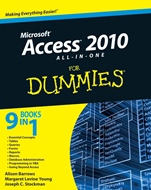
Access 2010 All–in–One For Dummies
ISBN 9780470532188
Autor: Alison Barrows, Margaret Levine Young, Joseph C. Stockman
Wydawca: Wiley
Dostępność: 3-6 tygodni
Cena: 197,40 zł
Przed złożeniem zamówienia prosimy o kontakt mailowy celem potwierdzenia ceny.
ISBN13: |
9780470532188 |
ISBN10: |
0470532181 |
Autor: |
Alison Barrows, Margaret Levine Young, Joseph C. Stockman |
Oprawa: |
Paperback |
Rok Wydania: |
2010-05-11 |
Ilość stron: |
792 |
Wymiary: |
236x191 |
Tematy: |
US |
Build powerful custom database solutions to keep your data organized and accessible
What kind of golden nuggets are in your data? This reference shows how to take advantage of Microsoft Access 2010′s new features and capabilities so you can, well, access the information you need. You′ll breeze through everything from tables, queries, and forms to database administration and Visual Basic for Applications as you learn this program.
Set the table — follow easy ways to make new tables, create table templates, and utilize the Table Wizard
Pick and choose your data — learn how to find the information you want and organize it in a way that′s more useful
Get creative with forms — build your own forms using the Form Wizard
Cut your workload — find out how to write simple instructions that tell Access how to automate steps instead of doing it yourself
Show it off — see the best ways to design reports and print form letters, mailing labels, numbers with totals and subtotals, and more
Keep your database clean — discover what you need to do to ensure that your data is neat and tidy
Go beyond Access — interact with and move data to and from other programs on your computer or computers all over the world
Open the book and find:
How to easily design your relational database
Ways to create select queries
How to design and use forms for editing data
Techniques for spiffing up reports with charts and graphs
Methods for making macros smarter
Steps for securing your database
Tips for programming in VBA
How to use Access with SharePoint and SQL Server
9 Books in 1
Essential Concepts
Tables
Queries
Forms
Reports
Macros
Database Administration
Programming in VBA
Going Beyond Access
Spis treści:
Introduction.
Book I: Essential Concepts.
Chapter 1: Introducing Access 2010.
Chapter 2: Getting Started, Getting Around.
Chapter 3: Designing Your Database the Relational Way.
Book II: Tables for Storing Your Data.
Chapter 1: Creating and Modifying Tables.
Chapter 2: Refi ning Your Table in Design View.
Chapter 3: Sorting, Finding, and Filtering Data in a Datasheet.
Chapter 4: Importing and Exporting Data.
Chapter 5: Avoiding "Garbage In, Garbage Out".
Chapter 6: Relating Your Tables and Protecting Your Data.
Book III: Queries (or Getting Information from Your Data).
Chapter 1: Creating Select Queries.
Chapter 2: Letting Queries Do the Math.
Chapter 3: Doing Neat Things with Action Queries and Query Wizards.
Chapter 4: Viewing Your Data from All Angles Using Crosstabs and PivotTables.
Book IV: Forms for Editing Data.
Chapter 1: Designing and Using Forms (and Reports).
Chapter 2: Jazzing Up Your Forms (and Reports).
Chapter 3: Creating Smarter Forms.
Chapter 4: Doing Calculations in Forms and Subforms (and Reports).
Book V: Reporting in Words and Pictures.
Chapter 1: Creating and Spiffi ng Up Reports.
Chapter 2: Printing Beautiful Reports.
Chapter 3: Creating Charts and Graphs from Your Data.
Book VI: Automation with Macros.
Chapter 1: Making Macros Do the Work.
Chapter 2: Making Macros Smarter.
Book VII: Database Administration.
Chapter 1: Database Housekeeping.
Chapter 2: Sharing the Fun: Managing Multiuser Access.
Chapter 3: Securing Your Access Database.
Book VIII: Programming in VBA.
Chapter 1: What the Heck Is VBA?
Chapter 2: Writing Code.
Chapter 3: Writing Smarter Code.
Chapter 4: Controlling Forms with VBA.
Chapter 5: Using SQL and Recordsets.
Chapter 6: Debugging Your Code.
Book IX: Going Beyond Access.
Chapter 1: Automation with Other Offi ce Programs.
C
hapter 2: Using Access as a Front–End to SQL Server.
Chapter 3: Using Access with SharePoint.
Appendix: Installing Microsoft Access.
Index.
Nota biograficzna:
Alison Barrows has written books on Access, Windows, and the Internet, including Access For Dummies Quick Reference.
Margaret Levine Young is coauthor of over two dozen books, including The Internet For Dummies.
Joseph C. Stockman is an independent consultant, software designer, and author.
Okładka tylna:
Build powerful custom database solutions to keep your data organized and accessible
What kind of golden nuggets are in your data? This reference shows how to take advantage of Microsoft Access 2010′s new features and capabilities so you can, well, access the information you need. You′ll breeze through everything from tables, queries, and forms to database administration and Visual Basic for Applications as you learn this program.
Set the table — follow easy ways to make new tables, create table templates, and utilize the Table Wizard
Pick and choose your data — learn how to find the information you want and organize it in a way that′s more useful
Get creative with forms — build your own forms using the Form Wizard
Cut your workload — find out how to write simple instructions that tell Access how to automate steps instead of doing it yourself
Show it off — see the best ways to design reports and print form letters, mailing labels, numbers with totals and subtotals, and more
Keep your database clean — discover what you need to do to ensure that your data is neat and tidy
Go beyond Access — interact with and move data to and from other programs on your computer or computers all over the world
Open the book and find:
How to easily design your relational datab
ase
Ways to create select queries
How to design and use forms for editing data
Techniques for spiffing up reports with charts and graphs
Methods for making macros smarter
Steps for securing your database
Tips for programming in VBA
How to use Access with SharePoint and SQL Server
9 Books in 1
Essential Concepts
Tables
Queries
Forms
Reports
Macros
Database Administration
Programming in VBA
Going Beyond Access
Koszyk
Książek w koszyku: 0 szt.
Wartość zakupów: 0,00 zł
Informacje


Kontakt
Gambit
Centrum Oprogramowania
i Szkoleń Sp. z o.o.
Al. Pokoju 29b/22-24
31-564 Kraków
Siedziba Księgarni
ul. Kordylewskiego 1
31-542 Kraków
+48 12 410 5991
+48 12 410 5987
+48 12 410 5989
Subskrypcje
Administratorem danych osobowych jest firma Gambit COiS Sp. z o.o. Na podany adres będzie wysyłany wyłącznie biuletyn informacyjny.
Autoryzacja płatności

Informacje na temat autoryzacji płatności poprzez PayU.

© Copyright 2012: GAMBIT COiS Sp. z o.o. Wszelkie prawa zastrzeżone.
Projekt i wykonanie: Alchemia Studio Reklamy