


Wydawcy
Katalog tematyczny
- Archeologia (109)
- Ekonomia, finanse, business (13704)
- Filozofia (1445)
- Historia (3040)
- Języki i językoznawstwo (2356)
- Lifestyle, hobby i rozrywka (475)
- Medycyna (9704)
- Nauki humanistyczne (4)
- Nauki o Ziemi i środowisku (2638)
- Nauki ścisłe (20412)
- Nauki społeczne (8486)
- Nauki techniczne (13450)
- Prawo (1696)
- Publikacje informacyjne i interdyscyplinarne (1288)
- Religia i wierzenia (917)
- Technika komputerowa (4067)
- Bazy danych (75)
- Bezpieczeństwo komputerowe (454)
- Certyfikacja komputerowa (1)
- Grafika i media cyfrowe (32)
- Informatyka (779)
- Komputery, ogólnie (74)
- Programowanie (351)
- Programy komercyjne (49)
- Sieci komputerowe (350)
- Sprzęt komputerowy (4)
- Systemy operacyjne (32)
- Technika cyfrowa na co dzień (7)
- Zdrowie, relacje międzyludzkie i rozwój osobisty (657)





Informacje szczegółowe o książce
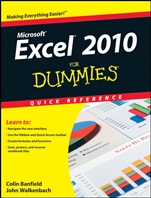
Excel 2010 For Dummies Quick Reference
ISBN 9780470527559
Autor: Colin Banfield, John Walkenbach
Wydawca: Wiley
Dostępność: 3-6 tygodni
Cena: 124,95 zł
Przed złożeniem zamówienia prosimy o kontakt mailowy celem potwierdzenia ceny.
ISBN13: |
9780470527559 |
ISBN10: |
0470527552 |
Autor: |
Colin Banfield, John Walkenbach |
Oprawa: |
Paperback |
Rok Wydania: |
2010-05-18 |
Ilość stron: |
240 |
Wymiary: |
214x175 |
Tematy: |
US |
Straightforward and up–to–date — the nitty–gritty on working with Excel
Want to spend more time on your projects and less time trying to figure out Excel? This handy, portable guide gives you the facts in an easy–to–use format. Two Excel gurus bring you quickly up to speed on the 2010 version and then lay out the stuff you need to know: how to compare workbooks, manage worksheets, enter dates, work with formulas and functions, and much more.
New for 2010 — learn to use the slicer report filter for PivotTables, in–cell charts (called Sparklines), table and PivotTable search filters, interactive PivotChart filters, and PivotTable custom calculations
More than one — share workbooks, protect them from unauthorized use, or compare two side–by–side
It′s relative — use relative, absolute, and mixed references, and convert formulas to values
Cell development — edit cell contents, copy cells and ranges, and enter dates, formulas, text, and values
Chart your progress — choose a chart, modify its axis, create and add elements, and add context to numbers
Tables and more — use tables, PivotTables, and PivotCharts effectively
Open the book and find:
A tour of the Excel 2010 window
Keyboard shortcuts that save you time
How to undo changes and correct mistakes
All you need to know about naming constants and formulas
Advice on formatting numbers and ranges
How to adjust settings and print your worksheet
The different types of charts and how to change them
What to do with the slicer report filter
Learn to:
Navigate the new interface
Use the Ribbon and Quick Access toolbar
Create formulas and functions
Save, protect, and recover workbook files
Spis treści:
Part 1: Getting to Know Excel 20
10.
Part 2: Managing Workbooks.
Part 3: Working with Worksheets.
Part 4: Entering and Editing Worksheet Data.
Part 5: Using Formulas and Functions.
Part 6: Creating and Using Names.
Part 7: Auditing Your Work.
Part 8: Formatting Your Data.
Part 9: Previewing and Printing Your Work.
Part 10: Charting Your Data.
Part 11: Working with Tables.
Part 12: Analyzing Data with PivotTables.
Part 13: Sorting and Filtering Your Data.
Index.
Nota biograficzna:
Colin Banfield is an Excel expert with more than 20 years in the telecommunications field.
John Walkenbach, aka Mr. Spreadsheet, has written more than 50 books on Excel and spreadsheet use. Visit his popular Spreadsheet Page at spreadsheetpage.com.
Okładka tylna:
Straightforward and up–to–date — the nitty–gritty on working with Excel
Want to spend more time on your projects and less time trying to figure out Excel? This handy, portable guide gives you the facts in an easy–to–use format. Two Excel gurus bring you quickly up to speed on the 2010 version and then lay out the stuff you need to know: how to compare workbooks, manage worksheets, enter dates, work with formulas and functions, and much more.
New for 2010 — learn to use the slicer report filter for PivotTables, in–cell charts (called Sparklines), table and PivotTable search filters, interactive PivotChart filters, and PivotTable custom calculations
More than one — share workbooks, protect them from unauthorized use, or compare two side–by–side
It′s relative — use relative, absolute, and mixed references, and convert formulas to values
Cell development — edit cell contents, copy cells and ranges, and enter dates, formulas, text, and values
Chart your progress — choose a chart, modify its axis, create and add elements, and add context t
o numbers
Tables and more — use tables, PivotTables, and PivotCharts effectively
Open the book and find:
A tour of the Excel 2010 window
Keyboard shortcuts that save you time
How to undo changes and correct mistakes
All you need to know about naming constants and formulas
Advice on formatting numbers and ranges
How to adjust settings and print your worksheet
The different types of charts and how to change them
What to do with the slicer report filter
Learn to:
Navigate the new interface
Use the Ribbon and Quick Access toolbar
Create formulas and functions
Save, protect, and recover workbook files
Koszyk
Książek w koszyku: 0 szt.
Wartość zakupów: 0,00 zł
Informacje


Kontakt
Gambit
Centrum Oprogramowania
i Szkoleń Sp. z o.o.
Al. Pokoju 29b/22-24
31-564 Kraków
Siedziba Księgarni
ul. Kordylewskiego 1
31-542 Kraków
+48 12 410 5991
+48 12 410 5987
+48 12 410 5989
Subskrypcje
Administratorem danych osobowych jest firma Gambit COiS Sp. z o.o. Na podany adres będzie wysyłany wyłącznie biuletyn informacyjny.
Autoryzacja płatności

Informacje na temat autoryzacji płatności poprzez PayU.

© Copyright 2012: GAMBIT COiS Sp. z o.o. Wszelkie prawa zastrzeżone.
Projekt i wykonanie: Alchemia Studio Reklamy