


Wydawcy
Katalog tematyczny
- Archeologia (109)
- Ekonomia, finanse, business (13704)
- Filozofia (1445)
- Historia (3040)
- Języki i językoznawstwo (2356)
- Lifestyle, hobby i rozrywka (475)
- Medycyna (9704)
- Nauki humanistyczne (4)
- Nauki o Ziemi i środowisku (2638)
- Nauki ścisłe (20412)
- Nauki społeczne (8486)
- Nauki techniczne (13450)
- Prawo (1696)
- Publikacje informacyjne i interdyscyplinarne (1288)
- Religia i wierzenia (917)
- Technika komputerowa (4067)
- Bazy danych (75)
- Bezpieczeństwo komputerowe (454)
- Certyfikacja komputerowa (1)
- Grafika i media cyfrowe (32)
- Informatyka (779)
- Komputery, ogólnie (74)
- Programowanie (351)
- Programy komercyjne (49)
- Sieci komputerowe (350)
- Sprzęt komputerowy (4)
- Systemy operacyjne (32)
- Technika cyfrowa na co dzień (7)
- Zdrowie, relacje międzyludzkie i rozwój osobisty (657)





Informacje szczegółowe o książce
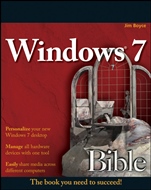
Windows 7 Bible
ISBN 9780470509098
Autor: Jim Boyce
Wydawca: Wiley
Dostępność: 3-6 tygodni
Cena: 214,20 zł
Przed złożeniem zamówienia prosimy o kontakt mailowy celem potwierdzenia ceny.
ISBN13: |
9780470509098 |
ISBN10: |
0470509090 |
Autor: |
Jim Boyce |
Oprawa: |
Paperback |
Rok Wydania: |
2009-09-04 |
Ilość stron: |
1248 |
Wymiary: |
228x188 |
Tematy: |
UH |
The book you need to succeed!
Get the most out of Windows 7 with this complete guide
Whether you′re new to Windows or moving from XP or Vista, this comprehensive book from a Microsoft expert will get you thoroughly up to speed on the much–anticipated new Windows 7. Covering all three parts of the new platform—the core OS, Windows Live Essentials, and Windows Live Services—this step–by–step guide is packed with practical techniques and tips. Get set up, manage files, blog, add Bluetooth, build a home network, and more.
Set up user accounts, security, parental controls, and printing
Get quick access to your programs with new Jump lists
Explore Windows Live Services such as Desktop Gadgets Gallery and Hotmail
Make movies, play music, share photos, and more with Windows Live Essentials
Manage files, understand metadata, and conduct power searches
Sync your hardware devices and performance tune everything
Keep track of your favorite Internet content with Web Slices
Create a home network or share files with HomeGroup
Personalize your new Windows 7 desktop
Manage all hardware devices with one tool
Easily share media across different computers
Spis treści:
Introduction.
Part I: Getting Started, Getting Secure.
Chapter 1: What’s New in Windows 7.
Chapter 2: Getting Around.
Chapter 3: Sharing and Securing with User Accounts.
Chapter 4: Parental Controls and Family Safety.
Chapter 5: Help, Support, and Troubleshooting.
Chapter 6: Troubleshooting Startup Problems.
Part II: Batten Down the Security Hatches.
Chapter 7: Blocking Hackers with Windows Firewall.
Chapter 8: Conquering Malicious Software.
Chapter 9: Automatic Updates as Security.
Part III: Personalizing Windows 7.
Chapter 10: Personalizing Your Work Environment.
Chapter 11: Ease o
f Access, Speech, and Language.
Chapter 12: Transferring Files from Another Computer.
Chapter 13: Customizing Startup Options.
Chapter 14: Using Windows 7 Programs and Accessories.
Chapter 15: Troubleshooting Customization Problems.
Part IV: Using the Internet.
Chapter 16: Using Internet Explorer.
Chapter 17: Blogging with Writer.
Chapter 18: Using Windows Live Mail.
Chapter 19: Chatting and Texting with Windows Live Messenger.
Chapter 20: Beyond E–Mail and the Web.
Chapter 21: Managing Names and Addresses.
Chapter 22: Troubleshooting Internet Problems.
Part V: Pictures, Music, and Movies.
Chapter 23: Working with Pictures.
Chapter 24: Making Music with Media Player.
Chapter 25: DVD, Video, and More.
Chapter 26: Fun with Media Center.
Chapter 27: Troubleshooting Multimedia.
Part VI: Managing Files and Folders.
Chapter 28: Understanding Drives, Folders, and Files.
Chapter 29: Managing Files and Folders.
Chapter 30: Searching for Files and Messages on Your Computer.
Chapter 31: Metadata and Power Searches.
Chapter 32: Using CDs and DVDs.
Chapter 33: Protecting Your Files.
Chapter 34: Troubleshooting Files and Folders.
Part VII: Printing, Faxing, and Scanning.
Chapter 35: Installing and Managing Printers.
Chapter 36: Printing Documents and Screenshots.
Chapter 37: Managing Print Jobs.
Chapter 38: Faxing and Scanning.
Chapter 39: Troubleshooting Printing and Faxing.
Part VIII: Installing and Removing Programs.
Chapter 40: Installing and Upgrading Programs.
Chapter 41: Getting Older Programs to Run.
Chapter 42: Repairing and Removing Programs.
Chapter 43: Setting Default Programs.
Chapter 44: Managing Programs and Processes.
Chapter 45: Troubleshooting Software Problems.
Part IX: Hardware and Performance Tuning.
Chapter 46: Installing and Removing Hardware.
Chapter 47: Using Wireless Bluetooth Devic
es.
Chapter 48: Syncing Devices.
Chapter 49: Performance Tuning Your System.
Chapter 50: Troubleshooting Hardware and Performance.
Part X: Networking and Sharing.
Chapter 51: Creating a Home Network.
Chapter 52: Sharing Resources on a Network.
Chapter 53: Using Shared Resources.
Chapter 54: Troubleshooting Networks.
Part XI: Appendixes.
Appendix A: Upgrading to Windows 7.
Appendix B: Installing Windows 7 on a New System.
Appendix C: Universal Shortcut Keys.
Index.
Nota biograficzna:
Jim Boyce has been a Microsoft MVP, and has authored or coauthored over 50 books and hundreds of articles and white papers on computer topics including Windows, Windows Server, Office applications, and programming. He regularly contributes to several online sites and publications.
Okładka tylna:
The book you need to succeed!
Get the most out of Windows 7 with this complete guide
Whether you′re new to Windows or moving from XP or Vista, this comprehensive book from a Microsoft expert will get you thoroughly up to speed on the much–anticipated new Windows 7. Covering all three parts of the new platform—the core OS, Windows Live Essentials, and Windows Live Services—this step–by–step guide is packed with practical techniques and tips. Get set up, manage files, blog, add Bluetooth, build a home network, and more.
Set up user accounts, security, parental controls, and printing
Get quick access to your programs with new Jump lists
Explore Windows Live Services such as Desktop Gadgets Gallery and Hotmail
Make movies, play music, share photos, and more with Windows Live Essentials
Manage files, understand metadata, and conduct power searches
Sync your hardware devices and performance tune everything
Keep track of your favorite Internet content with Web Slices
Create a home network or
share files with HomeGroup
Personalize your new Windows 7 desktop
Manage all hardware devices with one tool
Easily share media across different computers
Koszyk
Książek w koszyku: 0 szt.
Wartość zakupów: 0,00 zł
Informacje


Kontakt
Gambit
Centrum Oprogramowania
i Szkoleń Sp. z o.o.
Al. Pokoju 29b/22-24
31-564 Kraków
Siedziba Księgarni
ul. Kordylewskiego 1
31-542 Kraków
+48 12 410 5991
+48 12 410 5987
+48 12 410 5989
Subskrypcje
Administratorem danych osobowych jest firma Gambit COiS Sp. z o.o. Na podany adres będzie wysyłany wyłącznie biuletyn informacyjny.
Autoryzacja płatności

Informacje na temat autoryzacji płatności poprzez PayU.

© Copyright 2012: GAMBIT COiS Sp. z o.o. Wszelkie prawa zastrzeżone.
Projekt i wykonanie: Alchemia Studio Reklamy