


Wydawcy
Katalog tematyczny
- Archeologia (109)
- Ekonomia, finanse, business (13704)
- Filozofia (1445)
- Historia (3040)
- Języki i językoznawstwo (2356)
- Lifestyle, hobby i rozrywka (475)
- Medycyna (9704)
- Nauki humanistyczne (4)
- Nauki o Ziemi i środowisku (2638)
- Nauki ścisłe (20412)
- Nauki społeczne (8486)
- Nauki techniczne (13450)
- Prawo (1696)
- Publikacje informacyjne i interdyscyplinarne (1288)
- Religia i wierzenia (917)
- Technika komputerowa (4067)
- Bazy danych (75)
- Bezpieczeństwo komputerowe (454)
- Certyfikacja komputerowa (1)
- Grafika i media cyfrowe (32)
- Informatyka (779)
- Komputery, ogólnie (74)
- Programowanie (351)
- Programy komercyjne (49)
- Sieci komputerowe (350)
- Sprzęt komputerowy (4)
- Systemy operacyjne (32)
- Technika cyfrowa na co dzień (7)
- Zdrowie, relacje międzyludzkie i rozwój osobisty (657)





Informacje szczegółowe o książce
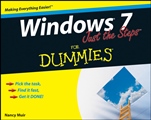
Windows 7 Just the Steps For Dummies
ISBN 9780470499818
Autor: Nancy C. Muir
Wydawca: Wiley
Dostępność: 3-6 tygodni
Cena: 120,75 zł
Przed złożeniem zamówienia prosimy o kontakt mailowy celem potwierdzenia ceny.
ISBN13: |
9780470499818 |
ISBN10: |
0470499818 |
Autor: |
Nancy C. Muir |
Oprawa: |
Paperback |
Rok Wydania: |
2009-09-15 |
Ilość stron: |
240 |
Wymiary: |
235x187 |
Tematy: |
UH |
Easy steps for getting up to speed with Windows 7 — fast
Simple steps...
Create and Play a Slide Show
1. Choose Start? Pictures. Double–click the Pictures Library folder to display all pictures within it.
2. Click the check box next to an image to select it. Repeat this to select all the photos you want to appear in the slide show (see Figure 22–10).
3. Click the Slide Show button. The first image appears in a separate full–screen display (click Alt+Tab to go to this display). The slides move forward automatically, cycling among the photos repeatedly (see Figure 22–11).
4. Press Esc to stop the slide show.
If you want a more sophisticated slide show feature, check out Windows Media Center. Here you can create and save any number of custom slide shows, reorganize slides, and edit slide shows to add or delete photos. You might also consider a commercial slide show program, such as PowerPoint, if you want to create more complex slide shows.
Open the book and find:
What to do with the Gadget Gallery
Built–in apps and how to use them
New features in Internet Explorer 8
Fast ways to find files and folders
How to repair an Internet connection
An e–mail setup guide
Security advice
Troubleshooting tips
The Dummies WayConcise, step–by–step instructions"Get in, get out" informationEasy–to–recognize tasks and topicsQuick solutions to get it doneA dash of humor and fun
Spis treści:
Introduction.
Part I: Working in Windows 7.
Chapter 1: Exploring the Windows 7 Desktop.
Chapter 2: Controlling Applications with Windows 7.
Chapter 3: Working with Files and Folders.
Chapter 4: Using Built–In Windows Applications.
Chapter 5: Using the Windows Gadget Gallery and Gadgets.
Part II: Getting on the Internet.
Chapter 6:
Accessing the Internet.
Chapter 7: Browsing the Web with Internet Explorer.
Chapter 8: Exchanging E–Mail with Windows Live Mail.
Chapter 9: Working Remotely.
Part III: Setting Up Hardware and Networks.
Chapter 10: Setting Up New Hardware.
Chapter 11: Setting Up a Network.
Part IV: Customizing Windows.
Chapter 12: Setting Up Your Display.
Chapter 13: Customize Windows Ease of Access.
Part V: Using Security and Maintenance Features.
Chapter 14: Setting Passwords and File Access.
Chapter 15: Protecting Windows.
Chapter 16: Maintaining Windows.
Part VI: Fixing Common Problems.
Chapter 17: Troubleshooting Hardware Problems.
Chapter 18: Troubleshooting Software Problems.
Chapter 19: Getting Help.
Part VII: Fun and Games.
Chapter 20: Playing Games in Windows 7.
Chapter 21: Playing Music in Windows 7.
Chapter 22: Working with Photos.
Index.
Okładka tylna:
Easy steps for getting up to speed with Windows 7 — fast
Simple steps...
Create and Play a Slide Show
1. Choose Start? Pictures. Double–click the Pictures Library folder to display all pictures within it.
2. Click the check box next to an image to select it. Repeat this to select all the photos you want to appear in the slide show (see Figure 22–10).
3. Click the Slide Show button. The first image appears in a separate full–screen display (click Alt+Tab to go to this display). The slides move forward automatically, cycling among the photos repeatedly (see Figure 22–11).
4. Press Esc to stop the slide show.
If you want a more sophisticated slide show feature, check out Windows Media Center. Here you can create and save any number of custom slide shows, reorganize slides, and edit slide shows to add or delete photos. You might also consider a commercial slide show program, such as PowerPoint, if you want to create more complex
slide shows.
Open the book and find:
What to do with the Gadget Gallery
Built–in apps and how to use them
New features in Internet Explorer 8
Fast ways to find files and folders
How to repair an Internet connection
An e–mail setup guide
Security advice
Troubleshooting tips
The Dummies WayConcise, step–by–step instructions"Get in, get out" informationEasy–to–recognize tasks and topicsQuick solutions to get it doneA dash of humor and fun
Koszyk
Książek w koszyku: 0 szt.
Wartość zakupów: 0,00 zł
Informacje


Kontakt
Gambit
Centrum Oprogramowania
i Szkoleń Sp. z o.o.
Al. Pokoju 29b/22-24
31-564 Kraków
Siedziba Księgarni
ul. Kordylewskiego 1
31-542 Kraków
+48 12 410 5991
+48 12 410 5987
+48 12 410 5989
Subskrypcje
Administratorem danych osobowych jest firma Gambit COiS Sp. z o.o. Na podany adres będzie wysyłany wyłącznie biuletyn informacyjny.
Autoryzacja płatności

Informacje na temat autoryzacji płatności poprzez PayU.

© Copyright 2012: GAMBIT COiS Sp. z o.o. Wszelkie prawa zastrzeżone.
Projekt i wykonanie: Alchemia Studio Reklamy