


Wydawcy
Katalog tematyczny
- Archeologia (109)
- Ekonomia, finanse, business (13704)
- Filozofia (1445)
- Historia (3040)
- Języki i językoznawstwo (2356)
- Lifestyle, hobby i rozrywka (475)
- Medycyna (9704)
- Nauki humanistyczne (4)
- Nauki o Ziemi i środowisku (2638)
- Nauki ścisłe (20412)
- Nauki społeczne (8486)
- Nauki techniczne (13450)
- Prawo (1696)
- Publikacje informacyjne i interdyscyplinarne (1288)
- Religia i wierzenia (917)
- Technika komputerowa (4067)
- Bazy danych (75)
- Bezpieczeństwo komputerowe (454)
- Certyfikacja komputerowa (1)
- Grafika i media cyfrowe (32)
- Informatyka (779)
- Komputery, ogólnie (74)
- Programowanie (351)
- Programy komercyjne (49)
- Sieci komputerowe (350)
- Sprzęt komputerowy (4)
- Systemy operacyjne (32)
- Technika cyfrowa na co dzień (7)
- Zdrowie, relacje międzyludzkie i rozwój osobisty (657)





Informacje szczegółowe o książce
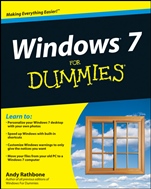
Windows 7 For Dummies
ISBN 9780470497432
Autor: Andy Rathbone
Wydawca: Wiley
Dostępność: 3-6 tygodni
Cena: 140,70 zł
Przed złożeniem zamówienia prosimy o kontakt mailowy celem potwierdzenia ceny.
ISBN13: |
9780470497432 |
ISBN10: |
0470497432 |
Autor: |
Andy Rathbone |
Oprawa: |
Paperback |
Rok Wydania: |
2009-08-21 |
Ilość stron: |
432 |
Wymiary: |
234x188 |
Tematy: |
UH |
Learn to:
Personalize your Windows 7 desktop with your own photos
Speed up Windows with built–in shortcuts
Customize Windows warnings to only give the notices you want
Move your files from your old PC to a Windows 7 computer
Windows 7 is loaded with features, tools, and shortcuts designed to make life easier for all users. To learn how they all work, you need this latest version of the book that′s been making Windows clear for years! It starts at Square One, helping you set up Windows 7, use folders and files, get online, play with media, and keep Windows happy.
New to Windows? — Part I is full of stuff everybody thinks you already know, like how to use the Start menu, taskbars, and files
What′s new in Windows 7 — control the number of prompts and warnings, enjoy plentiful shortcuts, and explore interactive previews
Lost and found — use the Search function to locate anything: missing windows, programs, e–mails, songs, photos, files, even other computers on your network
Cruisin′ with the new Internet Explorer — set up and customize Internet Explorer, understand plug–ins, and navigate the Web
Move your stuff — transfer your files from an old PC to your Windows 7 system
Where the fun starts — play music and movies with Media Player, organize photos, and create slideshows you can put on DVD
Keep your files safe — make backups and create a system repair disk
Open the book and find:
Shortcuts for finding photos, music, and video on your PC
Steps to setting up separate user accounts for a whole family
Tips for laptop users
How to get photos from your digital camera to your computer
Advice on managing e–mail with Windows 7
Common Windows 7 headaches and how to avoid them
How to create a simple home network
Windows 7′s tools fo
r safe computing
Spis treści:
Introduction.
Part I: Windows 7 Stuff Everybody Thinks You Already Know.
Chapter 1: What Is Windows 7?
Chapter 2: The Desktop, Start Menu, Taskbar, Gadgets, and Other Windows 7 Mysteries.
Chapter 3: Basic Windows Mechanics.
Chapter 4: Flipping Through Files, Folders, Flash Drives, Libraries, and CDs.
Part II: Working with Programs and Files.
Chapter 5: Playing with Programs and Documents.
Chapter 6: Briefly Lost, but Quickly Found.
Chapter 7: Printing Your Work.
Part III: Getting Things Done on the Internet.
Chapter 8: Cruising the Web.
Chapter 9: Sending and Receiving E–Mail.
Chapter 10: Safe Computing.
Part IV: Customizing and Upgrading Windows 7.
Chapter 11: Customizing Windows 7 with the Control Panel.
Chapter 12: Keeping Windows from Breaking.
Chapter 13: Sharing One Computer with Several People.
Chapter 14: Connecting Computers with a Network.
Part V: Music, Movies, Memories (And Photos, Too).
Chapter 15: Playing and Copying Music in Media Player.
Chapter 16: Fiddling with Photos and Movies.
Part VI: Help!
Chapter 17: The Case of the Broken Window.
Chapter 18: Strange Messages: What You Did Does Not Compute.
Chapter 19: Moving from an Old Computer to a New Windows 7 PC.
Chapter 20: Help on the Windows 7 Help System.
Part VII: The Part of Tens.
Chapter 21: Ten or So Things You’ll Hate about Windows 7 (And How to Fix Them).
Chapter 22: Ten or So Tips for Laptop Owners.
Appendix A: Upgrading to Windows 7.
Index.
Nota biograficzna:
Andy Rathbone has written all previous editions of Windows For Dummies, the bestselling computer reference book of all time. Andy′s helpful tips and easy–to–understand directions have helped millions of people run Windows on their home and business computers.
Okładka tylna:
Learn to:
Personalize your Windows 7 desktop with your own photos
Speed up Windows with built–in shortcuts
Customize Windows warnings to only give the notices you want
Move your files from your old PC to a Windows 7 computer
Windows 7 is loaded with features, tools, and shortcuts designed to make life easier for all users. To learn how they all work, you need this latest version of the book that′s been making Windows clear for years! It starts at Square One, helping you set up Windows 7, use folders and files, get online, play with media, and keep Windows happy.
New to Windows? — Part I is full of stuff everybody thinks you already know, like how to use the Start menu, taskbars, and files
What′s new in Windows 7 — control the number of prompts and warnings, enjoy plentiful shortcuts, and explore interactive previews
Lost and found — use the Search function to locate anything: missing windows, programs, e–mails, songs, photos, files, even other computers on your network
Cruisin′ with the new Internet Explorer — set up and customize Internet Explorer, understand plug–ins, and navigate the Web
Move your stuff — transfer your files from an old PC to your Windows 7 system
Where the fun starts — play music and movies with Media Player, organize photos, and create slideshows you can put on DVD
Keep your files safe — make backups and create a system repair disk
Open the book and find:
Shortcuts for finding photos, music, and video on your PC
Steps to setting up separate user accounts for a whole family
Tips for laptop users
How to get photos from your digital camera to your computer
Advice on managing e–mail with Windows 7
Common Windows 7 headaches and how to avoid them
How to create a simple home network
Windows 7′s tools for safe computing
Koszyk
Książek w koszyku: 0 szt.
Wartość zakupów: 0,00 zł
Informacje


Kontakt
Gambit
Centrum Oprogramowania
i Szkoleń Sp. z o.o.
Al. Pokoju 29b/22-24
31-564 Kraków
Siedziba Księgarni
ul. Kordylewskiego 1
31-542 Kraków
+48 12 410 5991
+48 12 410 5987
+48 12 410 5989
Subskrypcje
Administratorem danych osobowych jest firma Gambit COiS Sp. z o.o. Na podany adres będzie wysyłany wyłącznie biuletyn informacyjny.
Autoryzacja płatności

Informacje na temat autoryzacji płatności poprzez PayU.

© Copyright 2012: GAMBIT COiS Sp. z o.o. Wszelkie prawa zastrzeżone.
Projekt i wykonanie: Alchemia Studio Reklamy