


Wydawcy
Katalog tematyczny
- Archeologia (109)
- Ekonomia, finanse, business (13704)
- Filozofia (1445)
- Historia (3040)
- Języki i językoznawstwo (2356)
- Lifestyle, hobby i rozrywka (475)
- Medycyna (9704)
- Nauki humanistyczne (4)
- Nauki o Ziemi i środowisku (2638)
- Nauki ścisłe (20412)
- Nauki społeczne (8486)
- Nauki techniczne (13450)
- Prawo (1696)
- Publikacje informacyjne i interdyscyplinarne (1288)
- Religia i wierzenia (917)
- Technika komputerowa (4067)
- Bazy danych (75)
- Bezpieczeństwo komputerowe (454)
- Certyfikacja komputerowa (1)
- Grafika i media cyfrowe (32)
- Informatyka (779)
- Komputery, ogólnie (74)
- Programowanie (351)
- Programy komercyjne (49)
- Sieci komputerowe (350)
- Sprzęt komputerowy (4)
- Systemy operacyjne (32)
- Technika cyfrowa na co dzień (7)
- Zdrowie, relacje międzyludzkie i rozwój osobisty (657)





Informacje szczegółowe o książce
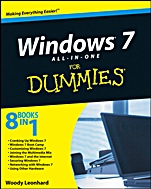
Windows 7 All–in–One For Dummies
ISBN 9780470487631
Autor: Woody Leonhard
Wydawca: Wiley
Dostępność: 3-6 tygodni
Cena: 181,65 zł
Przed złożeniem zamówienia prosimy o kontakt mailowy celem potwierdzenia ceny.
ISBN13: |
9780470487631 |
ISBN10: |
0470487631 |
Autor: |
Woody Leonhard |
Oprawa: |
Paperback |
Rok Wydania: |
2009-09-11 |
Ilość stron: |
888 |
Wymiary: |
235x190 |
Tematy: |
UH |
What you want to know about Windows 7 is in one of these handy minibooks
When you′re looking for a Windows 7 guide that goes above and beyond anything you get from Microsoft, start here. With detailed coverage of all of Windows 7, the best Windows add–on programs, in–depth troubleshooting, and much more, this book offers everything from the basics to the secrets of the pros.
What Windows 7 can and can′t do — get an honest rundown of the good and not–so–good qualities
Making it work — set up and customize Windows 7, know what to do about security, and make the system work for you
Control the controls — manage user account controls, know when to automatically update and when not to, and handle the Firewall
Have some fun — explore Windows games, capture Windows Media streams, set up the Media Center, and make your iPod happy
Safety first — learn what the Action Center does and how to show filename extensions, scan for rootkits, and protect your network
Get the best Windows add–ons — discover fabulous free tools, from browsers to antivirus protection to picture editors and music players
Hardware options — the scoop on cameras, printers, scanners, memory, USB key drives, and what DeviceStage does
Open the book and find:
Where to get Windows Live Mail and Messenger tools
Desktop details the way you want them
How to dodge problems and protect your PC
Tips on improved search features
Steps for sharing files on a home network
Web surfing advice for Internet Explorer®, Firefox®, or Google Chrome
Troubleshooting advice
How to avoid zombies, botnets, phishers, and 0day exploits
Spis treści:
Introduction.
Book I: Cranking Up Windows 7.
Chapter 1: Windows 7 4 N00bs.
Chapter 2: Windows 7 for the Experienced.
Chapter 3: Which Version? Pick a 7, Any 7.
Chapter 4: Upgrades, Clean Installs, Transfers.
Chapter 5: Getting Essentials: The Rest of Windows 7.
Book II: Windows 7 Boot Camp.
Chapter 1: Running Windows from Start to Finish.
Chapter 2: Controlling Users.
Chapter 3: Maintaining Your System.
Chapter 4: Getting the Basic Stuff Done.
Chapter 5: Troubleshooting and Getting Help.
Book III: Customizing Windows 7.
Chapter 1: Personalizing Your Desktop.
Chapter 2: Organizing Your Interface.
Chapter 3: Searching Your Computer.
Chapter 4: Beating and Cheating Windows 7 Games.
Book IV: Joining the Multimedia Mix.
Chapter 1: Jammin’ with Windows Media Player.
Chapter 2: iPod and iTunes in Windows 7.
Chapter 3: Discovering Digital Cameras and Recorders.
Chapter 4: Managing Pics with Windows Live Photo Gallery.
Chapter 5: Lights! Action! Windows Live Movie Maker.
Chapter 6: Setting Up Media Center.
Book V: Windows 7 and the Internet.
Chapter 1: Getting the Most from the Internet.
Chapter 2: Finding Your Way Around Browsers.
Chapter 3: Making Internet Explorer Your Own.
Chapter 4: Using Firefox: The Advanced Course.
Chapter 5: Searching on the Internet.
Chapter 6: Sending Windows Mail Live.
Chapter 7: Chatting with Windows Live Messenger.
Book VI: Securing Windows 7.
Chapter 1: Lock Down: Spies, Spams, Scams, and Slams.
Chapter 2: Action Center Overview.
Chapter 3: Windows Firewall.
Chapter 4: Patching and Plugging.
Chapter 5: Fighting Viruses and Other Scum.
Book VII: Networking with Windows 7.
Chapter 1: Attaching to a Network.
Chapter 2: Setting Up Your Own Network.
Chapter 3: Building Your Network.
Chapter 4: Putting the Why in Wi–Fi.
Book VIII: Using Other Hardware.
Chapter 1: Finding and Installing the Hardware You Ne
ed.
Chapter 2: Using Device Stage.
Chapter 3: Printing (Almost) Effortlessly.
Index.
Nota biograficzna:
Woody Leonhard describes himself as a "Windows victim." Since 1992, he′s been sharing the solutions to his own tech problems with millions of readers. In addition to writing several books in the For Dummies series, Woody is a Contributing Editor for Windows Secrets newsletter. He also runs his own blog at AskWoody.com.
Okładka tylna:
What you want to know about Windows 7 is in one of these handy minibooks
When you′re looking for a Windows 7 guide that goes above and beyond anything you get from Microsoft, start here. With detailed coverage of all of Windows 7, the best Windows add–on programs, in–depth troubleshooting, and much more, this book offers everything from the basics to the secrets of the pros.
What Windows 7 can and can′t do — get an honest rundown of the good and not–so–good qualities
Making it work — set up and customize Windows 7, know what to do about security, and make the system work for you
Control the controls — manage user account controls, know when to automatically update and when not to, and handle the Firewall
Have some fun — explore Windows games, capture Windows Media streams, set up the Media Center, and make your iPod happy
Safety first — learn what the Action Center does and how to show filename extensions, scan for rootkits, and protect your network
Get the best Windows add–ons — discover fabulous free tools, from browsers to antivirus protection to picture editors and music players
Hardware options — the scoop on cameras, printers, scanners, memory, USB key drives, and what DeviceStage does
Open the book and find:
Where to get Windows Live Mail and Messenger toolsDesktop details the way you want them
How to dodge problems and protect your PC
Tips on improved search features
Steps for sharing files on a home network
Web surfing advice for Internet Explorer®, Firefox®, or Google Chrome
Troubleshooting advice
How to avoid zombies, botnets, phishers, and 0day exploits
Koszyk
Książek w koszyku: 0 szt.
Wartość zakupów: 0,00 zł
Informacje


Kontakt
Gambit
Centrum Oprogramowania
i Szkoleń Sp. z o.o.
Al. Pokoju 29b/22-24
31-564 Kraków
Siedziba Księgarni
ul. Kordylewskiego 1
31-542 Kraków
+48 12 410 5991
+48 12 410 5987
+48 12 410 5989
Subskrypcje
Administratorem danych osobowych jest firma Gambit COiS Sp. z o.o. Na podany adres będzie wysyłany wyłącznie biuletyn informacyjny.
Autoryzacja płatności

Informacje na temat autoryzacji płatności poprzez PayU.

© Copyright 2012: GAMBIT COiS Sp. z o.o. Wszelkie prawa zastrzeżone.
Projekt i wykonanie: Alchemia Studio Reklamy