


Wydawcy
Katalog tematyczny
- Archeologia (109)
- Ekonomia, finanse, business (13704)
- Filozofia (1445)
- Historia (3040)
- Języki i językoznawstwo (2356)
- Lifestyle, hobby i rozrywka (475)
- Medycyna (9704)
- Nauki humanistyczne (4)
- Nauki o Ziemi i środowisku (2638)
- Nauki ścisłe (20412)
- Nauki społeczne (8486)
- Nauki techniczne (13450)
- Prawo (1696)
- Publikacje informacyjne i interdyscyplinarne (1288)
- Religia i wierzenia (917)
- Technika komputerowa (4067)
- Bazy danych (75)
- Bezpieczeństwo komputerowe (454)
- Certyfikacja komputerowa (1)
- Grafika i media cyfrowe (32)
- Informatyka (779)
- Komputery, ogólnie (74)
- Programowanie (351)
- Programy komercyjne (49)
- Sieci komputerowe (350)
- Sprzęt komputerowy (4)
- Systemy operacyjne (32)
- Technika cyfrowa na co dzień (7)
- Zdrowie, relacje międzyludzkie i rozwój osobisty (657)





Informacje szczegółowe o książce
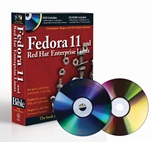
Fedora 11 and Red Hat Enterprise Linux Bible
ISBN 9780470485040
Autor: Christopher Negus
Wydawca: Wiley
Dostępność: 3-6 tygodni
Cena: 263,55 zł
Przed złożeniem zamówienia prosimy o kontakt mailowy celem potwierdzenia ceny.
ISBN13: |
9780470485040 |
ISBN10: |
0470485043 |
Autor: |
Christopher Negus |
Oprawa: |
Paperback |
Rok Wydania: |
2009-07-21 |
Ilość stron: |
1128 |
Wymiary: |
234x189 |
Tematy: |
UH |
Get tomorrow′s Linux technology today in Fedora 11
Fedora is the best cutting–edge Linux operating system available. Install it on your own desktop or personal server and you′ll have your hands on the latest Linux technology. Learn to use it today and you′ll be ready for upcoming enterprise Linux systems when they arrive. Install, configure, and use Fedora as anything from a desktop to an Internet server. Use this book as a guide to installing or running Fedora from the included DVD and Live CD.
Set up Fedora or Red Hat Enterprise Linux to:
Create encrypted file systems, use lightweight desktops, and try online games with new features in Fedora
Navigate your computer with GNOME®, KDE®, Xfce, or Sugar (One Laptop Per Child) Desktops
Manage and use documents, spreadsheets, presentations, music, and images
Connect easily to your network with NetworkManager
Draw from massive online Fedora and third–party software repositories
Build an Internet server with e–mail, Web, DNS, FTP, and database services
What′s on the DVD and CD–ROM?
Official Fedora 11 install DVD
Official Fedora 11 GNOME desktop live/install CD
System Requirements: Please see the Preface and Appendix A for details and complete system requirements.
New in Fedora 11
Ext4 file systems
RPM 4.6
Cortado streaming video
Improved webcam support
Connection sharing with NetworkManager
Better printer support
Graphical administration tools make configuration easy
Spin, wobble, or twist with desktop effects
Choose from hundreds of desktop and online games
Spis treści:
Part I: Getting Started in Fedora and RHEL.
Chapter 1: An Overview of Fedora and Red Hat Enterprise Linux.
Chapter 2: Installing Fedora.
Chapter 3: Getting Started with the Desktop.
Chapter 4: Using Linux Commands.
Part II: Using Fedora and RHEL.
Chapter 5: Accessing and Running Applications.
Chapter 6: Publishing with Fedora and RHEL.
Chapter 7: Gaming in Fedora and RHEL.
Chapter 8: Music, Video, and Images in Linux.
Chapter 9: Using the Internet and the Web.
Part III: Administering Fedora and RHEL.
Chapter 10: Understanding System Administration.
Chapter 11: Setting Up and Supporting Users.
Chapter 12: Automating System Tasks.
Chapter 13: Backing Up and Restoring Files.
Chapter 14: Computer Security Issues.
Part IV: Fedora and RHEL Network and Server Setup.
Chapter 15: Setting Up a Local Area Network.
Chapter 16: Connecting to the Internet.
Chapter 17: Setting Up a Print Server.
Chapter 18: Setting Up a File Server.
Chapter 19: Setting Up a Mail Server.
Chapter 20: Setting Up an FTP Server.
Chapter 21: Setting Up a Web Server.
Chapter 22: Setting Up an LDAP Address Book Server.
Chapter 23: Setting Up a DHCP Boot Server.
Chapter 24: Setting Up a MySQL Database Server.
Chapter 25: Making Servers Public with DNS.
Chapter 26: Integrating Fedora with Apple Macs.
Appendix A: About the Media.
Appendix B: Running Network Services.
Appendix C: Red Hat Enterprise Linux 5 Features.
Index.
Nota biograficzna:
Christopher Negus has been working with UNIX systems, the Internet, and (most recently) Linux systems for more than two decades. During that time, Chris worked at AT&T Bell Laboratories, UNIX System Laboratories, and Novell, helping to develop the UNIX operating system. Features from many of the UNIX projects Chris worked on at AT&T have found their way into Red Hat Enterprise Linux, Fedora, and other Linux systems.
Chris is the author of all editions of what started out as Red Hat Linux Bible, which because of the name changes of Red Hat’s Linux projects has evolved into the book you are holding. Most recently, Chris c
o–authored multiple books in the Linux Toolbox series: Fedora Linux Toolbox, Ubuntu Linux Toolbox, Mac OS X UNIX Toolbox, SUSE Linux Toolbox, and BSD UNIX Toolbox (Wiley Publishing). Besides that, Chris authored Linux Bible 2009 Edition and co–wrote CentOS Bible, Linux Troubleshooting Bible and Linux Toys II for Wiley Publishing. Chris also authored Live Linux CDs and co–authored the Official Damn Small Linux Book, as part of the Negus Software Solutions Series.
Today, Chris works as a Linux instructor for Red Hat, Inc. and has achieved certification as a Red Hat Certified Engineer (RHCE) and Red Hat Certified Examiner (RHCX). At home, Chris enjoys spending time with his wife, Sheree, and his boys, Caleb and Seth. His hobbies include soccer, singing, and exercising with Sheree.
Eric Foster–Johnson is a veteran programmer who works daily with Linux, Unix, and Windows and other operating systems. By day, he writes enterprise Java software for ObjectPartners, a Minnesota consulting firm. He has authored and co–authored a number of Linux and Unix titles including Red Hat RPM Guide, Teach Yourself Linux, Teach Yourself Unix, and Perl Modules.
Okładka tylna:
Get tomorrow′s Linux technology today in Fedora 11
Fedora is the best cutting–edge Linux operating system available. Install it on your own desktop or personal server and you′ll have your hands on the latest Linux technology. Learn to use it today and you′ll be ready for upcoming enterprise Linux systems when they arrive. Install, configure, and use Fedora as anything from a desktop to an Internet server. Use this book as a guide to installing or running Fedora from the included DVD and Live CD.
Set up Fedora or Red Hat Enterprise Linux to:
Create encrypted file systems, use lightweight desktops, and tr
y online games with new features in Fedora
Navigate your computer with GNOME®, KDE®, Xfce, or Sugar (One Laptop Per Child) Desktops
Manage and use documents, spreadsheets, presentations, music, and images
Connect easily to your network with NetworkManager
Draw from massive online Fedora and third–party software repositories
Build an Internet server with e–mail, Web, DNS, FTP, and database services
What′s on the DVD and CD–ROM?
Official Fedora 11 install DVD
Official Fedora 11 GNOME desktop live/install CD
System Requirements: Please see the Preface and Appendix A for details and complete system requirements.
New in Fedora 11
Ext4 file systems
RPM 4.6
Cortado streaming video
Improved webcam support
Connection sharing with NetworkManager
Better printer support
Graphical administration tools make configuration easy
Spin, wobble, or twist with desktop effects
Choose from hundreds of desktop and online games
Koszyk
Książek w koszyku: 0 szt.
Wartość zakupów: 0,00 zł
Informacje


Kontakt
Gambit
Centrum Oprogramowania
i Szkoleń Sp. z o.o.
Al. Pokoju 29b/22-24
31-564 Kraków
Siedziba Księgarni
ul. Kordylewskiego 1
31-542 Kraków
+48 12 410 5991
+48 12 410 5987
+48 12 410 5989
Subskrypcje
Administratorem danych osobowych jest firma Gambit COiS Sp. z o.o. Na podany adres będzie wysyłany wyłącznie biuletyn informacyjny.
Autoryzacja płatności

Informacje na temat autoryzacji płatności poprzez PayU.

© Copyright 2012: GAMBIT COiS Sp. z o.o. Wszelkie prawa zastrzeżone.
Projekt i wykonanie: Alchemia Studio Reklamy