


Wydawcy
Katalog tematyczny
- Archeologia (94)
- Ekonomia, finanse, business (11664)
- Filozofia (1411)
- Historia (2972)
- Języki i językoznawstwo (2311)
- Lifestyle, hobby i rozrywka (411)
- Medycyna (5054)
- Nauki humanistyczne (2)
- Nauki o Ziemi i środowisku (1033)
- Nauki ścisłe (10005)
- Nauki społeczne (6049)
- Nauki techniczne (5313)
- Prawo (160)
- Publikacje informacyjne i interdyscyplinarne (706)
- Religia i wierzenia (900)
- Technika komputerowa (2101)
- Bazy danych (10)
- Bezpieczeństwo komputerowe (36)
- Certyfikacja komputerowa (1)
- Grafika i media cyfrowe (1)
- Informatyka (14)
- Komputery, ogólnie (19)
- Programowanie (8)
- Sieci komputerowe (188)
- Sprzęt komputerowy (1)
- Zdrowie, relacje międzyludzkie i rozwój osobisty (632)





Informacje szczegółowe o książce
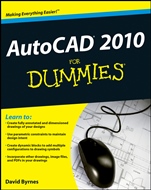
AutoCAD 2010 For Dummies
ISBN 9780470433454
Autor: David Byrnes
Wydawca: Wiley
Dostępność: 3-6 tygodni
Cena: 168,00 zł
Przed złożeniem zamówienia prosimy o kontakt mailowy celem potwierdzenia ceny.
ISBN13: |
9780470433454 |
ISBN10: |
0470433450 |
Autor: |
David Byrnes |
Oprawa: |
Paperback |
Rok Wydania: |
2009-05-08 |
Ilość stron: |
456 |
Wymiary: |
232x190 |
Tematy: |
US |
Build complex drawings, edit like a pro, enter new dimensions, and plot with style
With AutoCAD, the only limit is your imagination! This powerful software gives you the tools to design and document your ideas, and here′s the bestselling guide to show you how. You′ll soon be setting up the AutoCAD environment, using the AutoCAD Ribbon, creating annotation and dimension drawings, and more!
Manage your properties — from stacking up and manipulating layers to using named objects and the AutoCAD DesignCenter
Get a grip on object selection — learn all about commanding and selecting, one–by–one selection, and perfecting selecting
Take advantage of the AutoCAD tool kit — discover how to copy between drawings, manipulate images, and polish your properties
Create text with character — find out how to turn on your annotative objects and say more in multiline text
Explore new dimensions — understand the anatomy of a dimension and then draw and edit your own
Build your blocks — get up to speed on creating static and dynamic blocks, defining attributes, inserting blocks, and more
Bring it to the Web — gain a better understanding of the Internet and AutoCAD so you can share your work
Open the book and find:
Techniques for setting up a layout in paper space
Tips on object selection and using grips
How to move, copy, and stretch
Why to use dimensions in CAD
Ways to push the hatch boundary and define hatch objects
Sixteen steps for achieving plotting success
How to use constraints to automate revisions
Real–world tips to raise your level of AutoCAD expertise
Spis treści:
Introduction.
Part I: AutoCAD 101.
Chapter 1: Introducing AutoCAD and AutoCAD LT.
Chapter 2: Le
Tour de AutoCAD 2010.
Chapter 3: A Lap around the CAD Track.
Chapter 4: Setup for Success.
Chapter 5: Planning for Paper.
Part II: Let There Be Lines.
Chapter 6: Manage Your Properties.
Chapter 7: Preciseliness Is Next to CADliness.
Chapter 8: Down the Straightaway.
Chapter 9: Dangerous Curves Ahead.
Chapter 10: Get a Grip on Object Selection.
Chapter 11: Edit for Credit.
Chapter 12: A Zoom with a View.
Part III: If Drawings Could Talk.
Chapter 13: Text with Character.
Chapter 14: Entering New Dimensions.
Chapter 15: Down the Hatch.
Chapter 16: The Plot Thickens.
Part IV: Advancing with AutoCAD.
Chapter 17: The ABCs of Blocks.
Chapter 18: Going Dynamic and External.
Chapter 19: Call the Parametrics!
Chapter 20: Drawing on the Internet.
Part V: The Part of Tens.
Chapter 21: Ten Great AutoCAD Resources.
Chapter 22: Ten Differences between AutoCAD and AutoCAD LT.
Chapter 23: Ten System Variables to Make Your Life Easier.
Index.
Nota biograficzna:
David Byrnes is a senior civil engineer and structural drafter with a major international engineering company. He taught CAD and 3D modeling at the Emily Carr University of Art & Design for 15 years and has contributed to or coauthored more than a dozen AutoCAD books.
Okładka tylna:
Build complex drawings, edit like a pro, enter new dimensions, and plot with style
With AutoCAD, the only limit is your imagination! This powerful software gives you the tools to design and document your ideas, and here′s the bestselling guide to show you how. You′ll soon be setting up the AutoCAD environment, using the AutoCAD Ribbon, creating annotation and dimension drawings, and more!
Manage your properties — from stacking up and manipulating layers to using named objects and the AutoCAD DesignCenter
Get a grip on object selection — le
arn all about commanding and selecting, one–by–one selection, and perfecting selecting
Take advantage of the AutoCAD tool kit — discover how to copy between drawings, manipulate images, and polish your properties
Create text with character — find out how to turn on your annotative objects and say more in multiline text
Explore new dimensions — understand the anatomy of a dimension and then draw and edit your own
Build your blocks — get up to speed on creating static and dynamic blocks, defining attributes, inserting blocks, and more
Bring it to the Web — gain a better understanding of the Internet and AutoCAD so you can share your work
Open the book and find:
Techniques for setting up a layout in paper space
Tips on object selection and using grips
How to move, copy, and stretch
Why to use dimensions in CAD
Ways to push the hatch boundary and define hatch objects
Sixteen steps for achieving plotting success
How to use constraints to automate revisions
Real–world tips to raise your level of AutoCAD expertise
Koszyk
Książek w koszyku: 0 szt.
Wartość zakupów: 0,00 zł
Informacje


Kontakt
Gambit
Centrum Oprogramowania
i Szkoleń Sp. z o.o.
Al. Pokoju 29b/22-24
31-564 Kraków
Siedziba Księgarni
ul. Kordylewskiego 1
31-542 Kraków
+48 12 410 5991
+48 12 410 5987
+48 12 410 5989
Subskrypcje
Administratorem danych osobowych jest firma Gambit COiS Sp. z o.o. Na podany adres będzie wysyłany wyłącznie biuletyn informacyjny.
Autoryzacja płatności

Informacje na temat autoryzacji płatności poprzez PayU.

© Copyright 2012: GAMBIT COiS Sp. z o.o. Wszelkie prawa zastrzeżone.
Projekt i wykonanie: Alchemia Studio Reklamy