


Wydawcy
Katalog tematyczny
- Archeologia (94)
- Ekonomia, finanse, business (11664)
- Filozofia (1411)
- Historia (2972)
- Języki i językoznawstwo (2311)
- Lifestyle, hobby i rozrywka (411)
- Medycyna (5054)
- Nauki humanistyczne (2)
- Nauki o Ziemi i środowisku (1033)
- Nauki ścisłe (10005)
- Nauki społeczne (6049)
- Nauki techniczne (5313)
- Prawo (160)
- Publikacje informacyjne i interdyscyplinarne (706)
- Religia i wierzenia (900)
- Technika komputerowa (2101)
- Bazy danych (10)
- Bezpieczeństwo komputerowe (36)
- Certyfikacja komputerowa (1)
- Grafika i media cyfrowe (1)
- Informatyka (14)
- Komputery, ogólnie (19)
- Programowanie (8)
- Sieci komputerowe (188)
- Sprzęt komputerowy (1)
- Zdrowie, relacje międzyludzkie i rozwój osobisty (632)





Informacje szczegółowe o książce
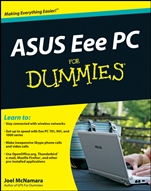
ASUS Eee PC For Dummies
ISBN 9780470411544
Autor: Joel McNamara
Wydawca: Wiley
Dostępność: 3-6 tygodni
Cena: 145,95 zł
Przed złożeniem zamówienia prosimy o kontakt mailowy celem potwierdzenia ceny.
ISBN13: |
9780470411544 |
ISBN10: |
0470411546 |
Autor: |
Joel McNamara |
Oprawa: |
Paperback |
Rok Wydania: |
2008-12-12 |
Ilość stron: |
384 |
Wymiary: |
234x199 |
Tematy: |
UH |
Discover all you can do with this well–equipped, Web–enabled mini–laptop
Ultra–small, ultra–light, ultra–easy — that′s your Eee PC. But it′s no lightweight when it comes to getting things done, and this book helps you make the most of all it has to offer. Learn to use the Linux operating system and applications, navigate the ingeniously tabbed desktop, add hardware and software, back up and restore the Eee PC, and much more.
Stay in touch — learn to use Thunderbird e–mail and explore the flexibility of Web browsing with Firefox
Choose your OS — see which ASUS Eee PC models come with Windows® XP and compare the advantages of Windows versus Linux
Kid stuff — discover the science, language, math, and art functions that kids can enjoy on the Eee PC
Let′s play — enjoy built–in games, watch videos, play music, organize and view photos, and more
Expand — boost storage and memory with SD cards and USB drives, go Bluetooth®, and add a GPS device
Tech it out — get the scoop on backups, explore the Advanced Mode desktop, and customize the user interface
Open the book and find:
A quick course in using Linux
How to set up Windows on an Eee PC
A guide to all the pre–installed software
How to make Skype phone calls and listen to Internet radio
Tips on backing up, restoring, and troubleshooting
Testing and security advice
How to add storage and peripherals
Ways to extend battery life
Spis treści:
Introduction.
Part I: Getting Started with the Eee PC.
Chapter 1: Meet the Eee PC.
Chapter 2: First Steps with the Eee PC.
Chapter 3: Getting Connected with the Eee PC.
Part II: Day to Day with the Eee PC.
Chapter 4: Cru
ising the Internet.
Chapter 5: Getting Down to Work I: OpenOffice.
Chapter 6: Getting Down to Work II: Other Programs.
Chapter 7: Eee PC for Kids.
Chapter 8: Eee PC at Play.
Chapter 9: Confi guring the Eee PC.
Chapter 10: Getting Help.
Chapter 11: Eee PC and Windows XP.
Part III: Adding Software to the Eee PC.
Chapter 12: Installing Linux Software.
Chapter 13: Popular Linux Programs.
Chapter 14: Popular Free Windows Programs.
Part IV: Hardware and Accessories for the Eee PC.
Chapter 15: Expanding Storage and Memory.
Chapter 16: Essential Eee PC Accessories.
Chapter 17: Power to the Eee PC.
Part V: Eee PC Advanced Topics.
Chapter 18: Backing Up and Restoring the Eee PC.
Chapter 19: A Real Desktop: Advanced Mode.
Chapter 20: Command–Line Linux.
Chapter 21: Customizing the User Interface.
Part VI: Part of Tens.
Chapter 22: Ten Eee PC Troubleshooting Tips.
Chapter 23: Top Ten Eee PC Internet Resources.
Bonus Chapter 1: Using Other Linux Distributions.
Bonus Chapter 2: Ten Power Saving Tips.
Index.
Nota biograficzna:
Joel McNamara is a writer, technology consultant, and outdoor adventurer. He has worked in the computer industry for 25 years and advises international humanitarian organizations on safety and security issues. Joel is also the author of Geocaching For Dummies and Secrets of Computer Espionage.
Okładka tylna:
Discover all you can do with this well–equipped, Web–enabled mini–laptop
Ultra–small, ultra–light, ultra–easy — that′s your Eee PC. But it′s no lightweight when it comes to getting things done, and this book helps you make the most of all it has to offer. Learn to use the Linux operating system and applications, navigate the ingeniously tabbed desktop, add hardware and software, back up and restore the Eee PC, and muc
h more.
Stay in touch — learn to use Thunderbird e–mail and explore the flexibility of Web browsing with Firefox
Choose your OS — see which ASUS Eee PC models come with Windows® XP and compare the advantages of Windows versus Linux
Kid stuff — discover the science, language, math, and art functions that kids can enjoy on the Eee PC
Let′s play — enjoy built–in games, watch videos, play music, organize and view photos, and more
Expand — boost storage and memory with SD cards and USB drives, go Bluetooth®, and add a GPS device
Tech it out — get the scoop on backups, explore the Advanced Mode desktop, and customize the user interface
Open the book and find:
A quick course in using Linux
How to set up Windows on an Eee PC
A guide to all the pre–installed software
How to make Skype phone calls and listen to Internet radio
Tips on backing up, restoring, and troubleshooting
Testing and security advice
How to add storage and peripherals
Ways to extend battery life
Koszyk
Książek w koszyku: 0 szt.
Wartość zakupów: 0,00 zł
Informacje


Kontakt
Gambit
Centrum Oprogramowania
i Szkoleń Sp. z o.o.
Al. Pokoju 29b/22-24
31-564 Kraków
Siedziba Księgarni
ul. Kordylewskiego 1
31-542 Kraków
+48 12 410 5991
+48 12 410 5987
+48 12 410 5989
Subskrypcje
Administratorem danych osobowych jest firma Gambit COiS Sp. z o.o. Na podany adres będzie wysyłany wyłącznie biuletyn informacyjny.
Autoryzacja płatności

Informacje na temat autoryzacji płatności poprzez PayU.

© Copyright 2012: GAMBIT COiS Sp. z o.o. Wszelkie prawa zastrzeżone.
Projekt i wykonanie: Alchemia Studio Reklamy