


Wydawcy
Katalog tematyczny
- Archeologia (109)
- Ekonomia, finanse, business (13704)
- Filozofia (1445)
- Historia (3040)
- Języki i językoznawstwo (2356)
- Lifestyle, hobby i rozrywka (475)
- Medycyna (9704)
- Nauki humanistyczne (4)
- Nauki o Ziemi i środowisku (2638)
- Nauki ścisłe (20412)
- Nauki społeczne (8486)
- Nauki techniczne (13450)
- Prawo (1696)
- Publikacje informacyjne i interdyscyplinarne (1288)
- Religia i wierzenia (917)
- Technika komputerowa (4067)
- Bazy danych (75)
- Bezpieczeństwo komputerowe (454)
- Certyfikacja komputerowa (1)
- Grafika i media cyfrowe (32)
- Informatyka (779)
- Komputery, ogólnie (74)
- Programowanie (351)
- Programy komercyjne (49)
- Sieci komputerowe (350)
- Sprzęt komputerowy (4)
- Systemy operacyjne (32)
- Technika cyfrowa na co dzień (7)
- Zdrowie, relacje międzyludzkie i rozwój osobisty (657)





Informacje szczegółowe o książce
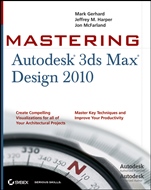
Mastering Autodesk® 3ds Max® Design 2010
ISBN 9780470402344
Autor: Mark Gerhard, Jeffrey Harper, Jon McFarland
Wydawca: Wiley
Dostępność: 3-6 tygodni
Cena: 304,50 zł
Przed złożeniem zamówienia prosimy o kontakt mailowy celem potwierdzenia ceny.
ISBN13: |
9780470402344 |
ISBN10: |
0470402342 |
Autor: |
Mark Gerhard, Jeffrey Harper, Jon McFarland |
Oprawa: |
Paperback |
Rok Wydania: |
2009-09-04 |
Ilość stron: |
912 |
Wymiary: |
234x187 |
Tematy: |
US |
Turn Your Ideas into High–Impact Architectural Visualizations
Transform flat drawings and concepts into impressive 3D models with 3ds Max Design 2010 and the comprehensive instruction in this in–depth guide. The expert authors use their real–world experience to show you how to get the most out of Autodesk′s powerful visualization tool with this in–depth reference and tutorial.
You′ll find pages of professional workflows and examples of projects that pros work on every day, such as retail spaces, small offices, and residential developments, and learn techniques you can apply immediately to your own work for striking results. Whether you′re a visualization veteran or new to 3ds Max Design, this book offers the step–by–step instruction you need to master this indispensable visualization and validation tool.
Coverage includes:Creating complex shapes with surface modeling toolsSimulating lighting effects accuratelyUsing the Exposure feature to analyze sustainable design featuresStaging a virtual walk–through of your room designs for clientsEnhancing models with texture, materials, and displacement mapsUnderstanding camera motion, keyframes, and function–curve editingUsing mental ray to achieve the most realistic renderings with Global Illumination and Final Gathering
Take Advantage of the New 3D Visualization Tools
Explore the New Exposure Lighting Analysis Tool to See How Lighting Factors Affect Your Design
Seamlessly Import Data from the Revit Family of Products into 3ds Max Design
Gain Access to a New Library of Manufacturer–Related Building Materials
Produce Stunning, Photo–Realistic Imagery through More Efficient Workflows
Render Drawings Faster and Better with mental ray 3.7
Spis treści:
Introduction.
Chapter 1: Getting to Know 3ds Max Design 20
10.
Chapter 2: Introducing 3ds Max Objects.
Chapter 3: Creating Shapes with Splines.
Chapter 4: Editing Meshes and Creating Complex Objects.
Chapter 5: Creating AEC Objects.
Chapter 6: Organizing and Editing Objects.
Chapter 7: Light and Shadow.
Chapter 8: Enhancing Models with Materials.
Chapter 9: Using the 3ds Max Camera.
Chapter 10: Working with External Files.
Chapter 11: Using mental ray.
Chapter 12: Understanding Animation.
Chapter 13: Creating Animations.
Chapter 14: Atmospheres, Effects, reactor, and Particles.
Chapter 15: Using Other Autodesk Applications with 3ds Max Design 2010.
Appendix A: The Bottom Line.
Appendix B: Modifiers and Materials.
Index.
Nota biograficzna:
Mark Gerhard is a 3ds Max Design guru and application engineer. He was one of the first artists hired by Autodesk to test the first version of this software in 1990, wrote many of the tutorials that ship with 3ds Max, and continues to train 3ds Max users.
Jeffery M. Harper uses 3ds Max to create architectural and civil engineering visualizations as well as models, stills and animations used in Computer Based Training Programs.
Jon McFarland uses 3ds Max Design to create visualizations of proposed facility construction and expansions and teaches 3ds Max Design courses at the university level. He has written six books, including AutoCAD 2010 and AutoCAD LT 2010: No Experience Required.
Okładka tylna:
Turn Your Ideas into High–Impact Architectural Visualizations
Transform flat drawings and concepts into impressive 3D models with 3ds Max Design 2010 and the comprehensive instruction in this in–depth guide. The expert authors use their real–world experience to show you how to get the most out of Autodesk′s powerful visualization tool with this in–depth reference and tutorial.
You′ll find pages of professional workflows and
examples of projects that pros work on every day, such as retail spaces, small offices, and residential developments, and learn techniques you can apply immediately to your own work for striking results. Whether you′re a visualization veteran or new to 3ds Max Design, this book offers the step–by–step instruction you need to master this indispensable visualization and validation tool.
Coverage includes:Creating complex shapes with surface modeling toolsSimulating lighting effects accuratelyUsing the Exposure feature to analyze sustainable design featuresStaging a virtual walk–through of your room designs for clientsEnhancing models with texture, materials, and displacement mapsUnderstanding camera motion, keyframes, and function–curve editingUsing mental ray to achieve the most realistic renderings with Global Illumination and Final Gathering
Take Advantage of the New 3D Visualization Tools
Explore the New Exposure Lighting Analysis Tool to See How Lighting Factors Affect Your Design
Seamlessly Import Data from the Revit Family of Products into 3ds Max Design
Gain Access to a New Library of Manufacturer–Related Building Materials
Produce Stunning, Photo–Realistic Imagery through More Efficient Workflows
Render Drawings Faster and Better with mental ray 3.7
Koszyk
Książek w koszyku: 0 szt.
Wartość zakupów: 0,00 zł
Informacje


Kontakt
Gambit
Centrum Oprogramowania
i Szkoleń Sp. z o.o.
Al. Pokoju 29b/22-24
31-564 Kraków
Siedziba Księgarni
ul. Kordylewskiego 1
31-542 Kraków
+48 12 410 5991
+48 12 410 5987
+48 12 410 5989
Subskrypcje
Administratorem danych osobowych jest firma Gambit COiS Sp. z o.o. Na podany adres będzie wysyłany wyłącznie biuletyn informacyjny.
Autoryzacja płatności

Informacje na temat autoryzacji płatności poprzez PayU.

© Copyright 2012: GAMBIT COiS Sp. z o.o. Wszelkie prawa zastrzeżone.
Projekt i wykonanie: Alchemia Studio Reklamy