


Wydawcy
Katalog tematyczny
- Archeologia (109)
- Ekonomia, finanse, business (13704)
- Filozofia (1445)
- Historia (3040)
- Języki i językoznawstwo (2356)
- Lifestyle, hobby i rozrywka (475)
- Medycyna (9704)
- Nauki humanistyczne (4)
- Nauki o Ziemi i środowisku (2638)
- Nauki ścisłe (20412)
- Nauki społeczne (8486)
- Nauki techniczne (13450)
- Prawo (1696)
- Publikacje informacyjne i interdyscyplinarne (1288)
- Religia i wierzenia (917)
- Technika komputerowa (4067)
- Bazy danych (75)
- Bezpieczeństwo komputerowe (454)
- Certyfikacja komputerowa (1)
- Grafika i media cyfrowe (32)
- Informatyka (779)
- Komputery, ogólnie (74)
- Programowanie (351)
- Programy komercyjne (49)
- Sieci komputerowe (350)
- Sprzęt komputerowy (4)
- Systemy operacyjne (32)
- Technika cyfrowa na co dzień (7)
- Zdrowie, relacje międzyludzkie i rozwój osobisty (657)





Informacje szczegółowe o książce
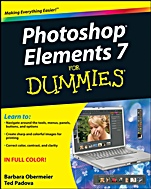
Photoshop Elements 7 For Dummies
ISBN 9780470397008
Autor: Barbara Obermeier, Ted Padova
Wydawca: Wiley
Dostępność: 3-6 tygodni
Cena: 154,35 zł
Przed złożeniem zamówienia prosimy o kontakt mailowy celem potwierdzenia ceny.
ISBN13: |
9780470397008 |
ISBN10: |
0470397004 |
Autor: |
Barbara Obermeier, Ted Padova |
Oprawa: |
Paperback |
Rok Wydania: |
2008-11-14 |
Ilość stron: |
400 |
Wymiary: |
233x187 |
Tematy: |
US |
Whether you′re a hobbyist or a pro, look what you can do with Elements!
Photoshop Elements is a full–featured image editing program, and this full–color guide gives you the scoop on all the coolest features. It′s easy to enhance your images, fix flaws, and share pictures online. Whether you′re concerned about color profile embedding or just want to put your kid′s photo on a calendar, Elements can do it, and here′s how!
Get it together — use the Organizer to easily sort, find, and compare photos and open them for editing
Make it easy — correct small problems with Quick Fix, keep track of images with the Project Bin, and take charge with shortcuts
Be creative — turn your photos into postcards, calendars, greeting cards, and photo albums with a few mouse clicks
Master simple makeovers — to straighten crooked images, crop for better composition, or fix color, sharpness, red–eye, and contrast
Share — present your photos as a slideshow, use Web hosting, animate images, or create movie files
Open the book and find:
How to get images into Elements from all kinds of sources
Steps for working with resolution, color modes, and file formats
Ways to organize and manage your photos
Tips for performing simple image makeovers
Secrets for making and modifying selections
How to combine multiple images into creative collages
Creative applications for filters, effects, and styles
How to upload and save images to Photoshop.com
Spis treści:
Introduction.
Part I: Getting Started.
Chapter 1: Getting to Know the Work Area.
Chapter 2: Getting Ready to Edit.
Chapter 3: Working with Resolutions, Color Modes, and File Formats.
Part II: Getting Organized.
Chapter 4: Getting
Your Images.
Chapter 5: Viewing and Finding Your Images.
Chapter 6: Organizing and Managing Your Photos.
Part III: Selecting and Correcting Photos.
Chapter 7: Making and Modifying Selections.
Chapter 8: Working with Layers.
Chapter 9: Simple Image Makeovers.
Chapter 10: Correcting Contrast, Color, and Clarity.
Part IV: Exploring Your Inner Artist.
Chapter 11: Playing with Filters, Effects, Styles, and More.
Chapter 12: Drawing and Painting.
Chapter 13: Working with Type.
Part V: Printing, Creating, and Sharing.
Chapter 14: Getting It on Paper.
Chapter 15: Showing It Onscreen.
Chapter 16: Making Creations and Sharing.
Part VI: The Part of Tens.
Chapter 17: Ten Tips for Composing Better Photos.
Chapter 18: Ten More Project Ideas.
Index.
Nota biograficzna:
Barbara Obermeier is the principal of Obermeier Design, a graphic design studio in California specializing in print and Web design. She is currently a Graphic Design faculty member at Brooks Institute. Ted Padova is an internationally recognized authority on Adobe® Acrobat®, PDF, and digital imaging.
Okładka tylna:
Whether you′re a hobbyist or a pro, look what you can do with Elements!
Photoshop Elements is a full–featured image editing program, and this full–color guide gives you the scoop on all the coolest features. It′s easy to enhance your images, fix flaws, and share pictures online. Whether you′re concerned about color profile embedding or just want to put your kid′s photo on a calendar, Elements can do it, and here′s how!
Get it together — use the Organizer to easily sort, find, and compare photos and open them for editing
Make it easy — correct small problems with Quick Fix, keep track of images with the Project Bin, and take charge with shortcuts
Be creative —
turn your photos into postcards, calendars, greeting cards, and photo albums with a few mouse clicks
Master simple makeovers — to straighten crooked images, crop for better composition, or fix color, sharpness, red–eye, and contrast
Share — present your photos as a slideshow, use Web hosting, animate images, or create movie files
Open the book and find:
How to get images into Elements from all kinds of sources
Steps for working with resolution, color modes, and file formats
Ways to organize and manage your photos
Tips for performing simple image makeovers
Secrets for making and modifying selections
How to combine multiple images into creative collages
Creative applications for filters, effects, and styles
How to upload and save images to Photoshop.com
Koszyk
Książek w koszyku: 0 szt.
Wartość zakupów: 0,00 zł
Informacje


Kontakt
Gambit
Centrum Oprogramowania
i Szkoleń Sp. z o.o.
Al. Pokoju 29b/22-24
31-564 Kraków
Siedziba Księgarni
ul. Kordylewskiego 1
31-542 Kraków
+48 12 410 5991
+48 12 410 5987
+48 12 410 5989
Subskrypcje
Administratorem danych osobowych jest firma Gambit COiS Sp. z o.o. Na podany adres będzie wysyłany wyłącznie biuletyn informacyjny.
Autoryzacja płatności

Informacje na temat autoryzacji płatności poprzez PayU.

© Copyright 2012: GAMBIT COiS Sp. z o.o. Wszelkie prawa zastrzeżone.
Projekt i wykonanie: Alchemia Studio Reklamy