


Wydawcy
Katalog tematyczny
- Archeologia (109)
- Ekonomia, finanse, business (13704)
- Filozofia (1445)
- Historia (3040)
- Języki i językoznawstwo (2356)
- Lifestyle, hobby i rozrywka (475)
- Medycyna (9704)
- Nauki humanistyczne (4)
- Nauki o Ziemi i środowisku (2638)
- Nauki ścisłe (20412)
- Nauki społeczne (8486)
- Nauki techniczne (13450)
- Prawo (1696)
- Publikacje informacyjne i interdyscyplinarne (1288)
- Religia i wierzenia (917)
- Technika komputerowa (4067)
- Bazy danych (75)
- Bezpieczeństwo komputerowe (454)
- Certyfikacja komputerowa (1)
- Grafika i media cyfrowe (32)
- Informatyka (779)
- Komputery, ogólnie (74)
- Programowanie (351)
- Programy komercyjne (49)
- Sieci komputerowe (350)
- Sprzęt komputerowy (4)
- Systemy operacyjne (32)
- Technika cyfrowa na co dzień (7)
- Zdrowie, relacje międzyludzkie i rozwój osobisty (657)








Informacje szczegółowe o książce
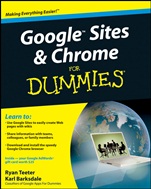
Google Sites and Chrome For Dummies
ISBN 9780470396780
Autor: Ryan Teeter, Karl Barksdale
Wydawca: Wiley
Dostępność: 3-6 tygodni
Cena: 145,95 zł
Przed złożeniem zamówienia prosimy o kontakt mailowy celem potwierdzenia ceny.
ISBN13: |
9780470396780 |
ISBN10: |
0470396784 |
Autor: |
Ryan Teeter, Karl Barksdale |
Oprawa: |
Paperback |
Rok Wydania: |
2009-02-06 |
Ilość stron: |
464 |
Wymiary: |
233x188 |
Tematy: |
US |
Boost your bottom line with your $25 Google AdWords credit — see inside
When you hear "Google", do you think "search"? Most people do. But Google is much more, and you won′t have to search far to get the scoop. This book shows you how to create great collaborative Web sites with Google Sites and surf the Web with the super–fast Google Chrome browser. You can even boost your business with Google AdWords — look inside for more!
Simple and free — take advantage of free hosting, free tools, and a simple, straightforward interface with Google Sites
Wonderful wikis — create wiki sites that let coworkers collaborate on projects and keep family members up to date
A gaggle of gadgets — use Google gadgets to keep track of projects, manage calendars and documents, or display photos
Take a shine to Chrome — create a highly efficient, personalized browser using tabs and shortcuts
Sample a scheme — explore sample schemes for a personal site, business intranet, or college course site
Tinker — install browser plug–ins, enable offline access to Google Docs, and manage misbehaving tabs
Applicable applications — integrate documents, spreadsheets, presentations, and other Google Apps into your site
Open the book and find:
Where Google Sites beats other team site packages
How to create a Google account or Google Apps account
Advice on setting up sites that work
Tips for managing collaborators
Chrome′s better way of fixing unruly tabs
Steps to take when designing a scheme
Why you should consider Gmail
Spis treści:
Introduction.
Part I: Getting Started with Google Sites and Chrome.
Chapter 1: Befriending Google Sites.
Chapter 2: Getting to Know Chrome.
Chapter 3: Signing Up for Google Apps and Getting Your Team Online.
Chapter 4: Expl
oring Google Sites.
Part II: Constructing and Sharing Your Google Site.
Chapter 5: Mastering Page Layouts and Tools.
Chapter 6: Adding Gadgets.
Chapter 7: Customizing Your Site’s Look and Feel.
Chapter 8: Bringing Collaboration to a New Level.
Part III: Getting the Most Out of Chrome.
Chapter 9: Perfecting Chrome Browsing.
Chapter 10: Uncovering Chrome’s Advanced Features.
Part IV: Building Your Own Scheme.
Chapter 11: Proffering a Personal Scheme.
Chapter 12: Building a College Course Scheme.
Chapter 13: Building Business Schemes.
Part V: More Google Apps You Can’t Do Without.
Chapter 14: Using Google Docs and the Docs Home.
Chapter 15: Docs: Google’s Word–Processing App.
Chapter 16: Calculating with Google Spreadsheets.
Chapter 17: Creating Amazing Google Presentations.
Chapter 18: Using Google Calendar.
Chapter 19: Communicating with Gmail.
Chapter 20: Enhancing Communication with Google Contacts, Video Chat, and Talk.
Part VI: The Part of Tens.
Chapter 21: Ten More Ideas for Your Scheme.
Chapter 22: Ten More Google Apps for Your Team.
Index.
Nota biograficzna:
Ryan Teeter was an external trainer for Google, where he developed a comprehensive training program for corporate customers and Google Apps users.
Karl Barksdale has written more than 50 business and technology books, and has consulted for both Microsoft and Google.
Okładka tylna:
Boost your bottom line with your $25 Google AdWords credit — see inside
When you hear "Google", do you think "search"? Most people do. But Google is much more, and you won′t have to search far to get the scoop. This book shows you how to create great collaborative Web sites with Google Sites and surf the Web with the super–fast Google Chrome browser. You can even boost your business with Google AdWords — l
ook inside for more!
Simple and free — take advantage of free hosting, free tools, and a simple, straightforward interface with Google Sites
Wonderful wikis — create wiki sites that let coworkers collaborate on projects and keep family members up to date
A gaggle of gadgets — use Google gadgets to keep track of projects, manage calendars and documents, or display photos
Take a shine to Chrome — create a highly efficient, personalized browser using tabs and shortcuts
Sample a scheme — explore sample schemes for a personal site, business intranet, or college course site
Tinker — install browser plug–ins, enable offline access to Google Docs, and manage misbehaving tabs
Applicable applications — integrate documents, spreadsheets, presentations, and other Google Apps into your site
Open the book and find:
Where Google Sites beats other team site packages
How to create a Google account or Google Apps account
Advice on setting up sites that work
Tips for managing collaborators
Chrome′s better way of fixing unruly tabs
Steps to take when designing a scheme
Why you should consider Gmail
Koszyk
Książek w koszyku: 0 szt.
Wartość zakupów: 0,00 zł
Informacje


Kontakt
Gambit
Centrum Oprogramowania
i Szkoleń Sp. z o.o.
Al. Pokoju 29b/22-24
31-564 Kraków
Siedziba Księgarni
ul. Kordylewskiego 1
31-542 Kraków
+48 12 410 5991
+48 12 410 5987
+48 12 410 5989
Subskrypcje
Administratorem danych osobowych jest firma Gambit COiS Sp. z o.o. Na podany adres będzie wysyłany wyłącznie biuletyn informacyjny.
Autoryzacja płatności

Informacje na temat autoryzacji płatności poprzez PayU.

© Copyright 2012: GAMBIT COiS Sp. z o.o. Wszelkie prawa zastrzeżone.
Projekt i wykonanie: Alchemia Studio Reklamy