


Wydawcy
Katalog tematyczny
- Archeologia (109)
- Ekonomia, finanse, business (13704)
- Filozofia (1445)
- Historia (3040)
- Języki i językoznawstwo (2356)
- Lifestyle, hobby i rozrywka (475)
- Medycyna (9704)
- Nauki humanistyczne (4)
- Nauki o Ziemi i środowisku (2638)
- Nauki ścisłe (20412)
- Nauki społeczne (8486)
- Nauki techniczne (13450)
- Prawo (1696)
- Publikacje informacyjne i interdyscyplinarne (1288)
- Religia i wierzenia (917)
- Technika komputerowa (4067)
- Bazy danych (75)
- Bezpieczeństwo komputerowe (454)
- Certyfikacja komputerowa (1)
- Grafika i media cyfrowe (32)
- Informatyka (779)
- Komputery, ogólnie (74)
- Programowanie (351)
- Programy komercyjne (49)
- Sieci komputerowe (350)
- Sprzęt komputerowy (4)
- Systemy operacyjne (32)
- Technika cyfrowa na co dzień (7)
- Zdrowie, relacje międzyludzkie i rozwój osobisty (657)





Informacje szczegółowe o książce
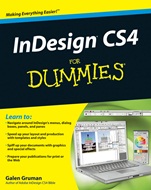
InDesign CS4 For Dummies
ISBN 9780470388488
Autor: Galen Gruman
Wydawca: Wiley
Dostępność: 3-6 tygodni
Cena: 132,30 zł
Przed złożeniem zamówienia prosimy o kontakt mailowy celem potwierdzenia ceny.
ISBN13: |
9780470388488 |
ISBN10: |
047038848X |
Autor: |
Galen Gruman |
Oprawa: |
Paperback |
Rok Wydania: |
2008-10-24 |
Ilość stron: |
432 |
Wymiary: |
233x187 |
Tematy: |
US |
Have designs on better–looking publications? Here′s how to make them happen!
Whether you′re an experienced designer or just want tocreate a cool newsletter for the school soccer team, InDesignis the gold standard for desktop publishing programs. This easy–to–follow guide is packed with tips and techniques for making the most of InDesign′s features, along with some wise advice on designing pages that do their job perfectly.
Make it work for you — explore the new tools, take advantage of personal workspaces, and set preferences for the way you work
Master the details — take advantage of precise typography, layout, and graphics tools to get exactly the document you want
Add color — use color libraries, multi–ink colors, and gradients to make your document sparkle
Play well with others — learn how InDesign works seamlessly with other applications in the Adobe® Creative Suite®
Get in style — take text and object formatting up a notch by using styles and InDesign′s many special effects
Be Web savvy — use hyperlinks, multimedia elements, and more for Web, PDF, and Flash® files
Pack it up — prepare for printing or other output with enhanced preflighting and service–bureau tools
Open the book and find:
Steps for designing and producing professional page layouts
How to open and save documents and export document content
The ins and outs of working with text
Steps for managing chapters and books
Secrets for setting up great master pages
The dangers of unnamed colors
How to manipulate, organize, and align design objects
Tips for cropping and positioning graphics
Nota biograficzna:
Galen Gruman is the principal at The Zango Group, an editorial
and book production firm. He has designed and produced numerous publications and is a regular contributor to Macworld and CIO. Galen is author or coauthor of 22 books on desktop publishing, and he is currently the executive editor for InfoWorld.
Okładka tylna:
Have designs on better–looking publications? Here′s how to make them happen!
Whether you′re an experienced designer or just want tocreate a cool newsletter for the school soccer team, InDesignis the gold standard for desktop publishing programs. This easy–to–follow guide is packed with tips and techniques for making the most of InDesign′s features, along with some wise advice on designing pages that do their job perfectly.
Make it work for you — explore the new tools, take advantage of personal workspaces, and set preferences for the way you work
Master the details — take advantage of precise typography, layout, and graphics tools to get exactly the document you want
Add color — use color libraries, multi–ink colors, and gradients to make your document sparkle
Play well with others — learn how InDesign works seamlessly with other applications in the Adobe® Creative Suite®
Get in style — take text and object formatting up a notch by using styles and InDesign′s many special effects
Be Web savvy — use hyperlinks, multimedia elements, and more for Web, PDF, and Flash® files
Pack it up — prepare for printing or other output with enhanced preflighting and service–bureau tools
Open the book and find:
Steps for designing and producing professional page layouts
How to open and save documents and export document content
The ins and outs of working with text
Steps for managing chapters and books
Secrets for setting up great master
pages
The dangers of unnamed colors
How to manipulate, organize, and align design objects
Tips for cropping and positioning graphics
Koszyk
Książek w koszyku: 0 szt.
Wartość zakupów: 0,00 zł
Informacje


Kontakt
Gambit
Centrum Oprogramowania
i Szkoleń Sp. z o.o.
Al. Pokoju 29b/22-24
31-564 Kraków
Siedziba Księgarni
ul. Kordylewskiego 1
31-542 Kraków
+48 12 410 5991
+48 12 410 5987
+48 12 410 5989
Subskrypcje
Administratorem danych osobowych jest firma Gambit COiS Sp. z o.o. Na podany adres będzie wysyłany wyłącznie biuletyn informacyjny.
Autoryzacja płatności

Informacje na temat autoryzacji płatności poprzez PayU.

© Copyright 2012: GAMBIT COiS Sp. z o.o. Wszelkie prawa zastrzeżone.
Projekt i wykonanie: Alchemia Studio Reklamy