


Wydawcy
Katalog tematyczny
- Archeologia (109)
- Ekonomia, finanse, business (13704)
- Filozofia (1445)
- Historia (3040)
- Języki i językoznawstwo (2356)
- Lifestyle, hobby i rozrywka (475)
- Medycyna (9704)
- Nauki humanistyczne (4)
- Nauki o Ziemi i środowisku (2638)
- Nauki ścisłe (20412)
- Nauki społeczne (8486)
- Nauki techniczne (13450)
- Prawo (1696)
- Publikacje informacyjne i interdyscyplinarne (1288)
- Religia i wierzenia (917)
- Technika komputerowa (4067)
- Bazy danych (75)
- Bezpieczeństwo komputerowe (454)
- Certyfikacja komputerowa (1)
- Grafika i media cyfrowe (32)
- Informatyka (779)
- Komputery, ogólnie (74)
- Programowanie (351)
- Programy komercyjne (49)
- Sieci komputerowe (350)
- Sprzęt komputerowy (4)
- Systemy operacyjne (32)
- Technika cyfrowa na co dzień (7)
- Zdrowie, relacje międzyludzkie i rozwój osobisty (657)





Informacje szczegółowe o książce
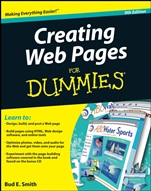
Creating Web Pages For Dummies
ISBN 9780470385357
Autor: Bud E. Smith
Wydawca: Wiley
Dostępność: 3-6 tygodni
Cena: 132,30 zł
Przed złożeniem zamówienia prosimy o kontakt mailowy celem potwierdzenia ceny.
ISBN13: |
9780470385357 |
ISBN10: |
0470385359 |
Autor: |
Bud E. Smith |
Oprawa: |
Paperback |
Rok Wydania: |
2008-10-31 |
Numer Wydania: |
9th Edition |
Ilość stron: |
336 |
Wymiary: |
234x187 |
Tematy: |
US |
Spin a great Web page quickly and easily with this friendly guide!
You don′t need to be a pro designer to create your own Web page. This book guides you past the pitfalls of page design and construction so you can get online with as little hassle as possible. Whether you want to go "old school" and use HTML, experiment with online design options, or try one of the easy editing tools included on the CD, you will find the secrets to great pages right here!
Get started — decide what kind of page you want to build and get a finished product online quickly with Google Page Creator
Be designing — learn elements of design, common errors to avoid, and how to create pages that get noticed
Expand the possibilities — create photo, audio, and video content that works for your page and find online resources for storing your files
Get down to basics — maintain control by creating and editing pages in HTML with a text editor
Take a ride on easy street — develop your pages with the bonus CD′s simple tools designed for beginning Web builders
Bonus CD Includes
Extended, fully functional trial versions of CoffeeCup Software′s HTML Editor, Visual Site Designer, and Website Color Schemer, all covered in the book.
Available for Windows only; see the What′s On the CD Appendix for complete system requirements.
Open the book and find:
Tips for picking the type of page you want to build
Insight on designing an attractive and easy–to–use page
Secrets of writing for the Web
Ways to get your photos, video, and audio files ready for your page
Step–by–step instructions on building a page with HTML, design software, and online tools
Trial versions of the design software covered in the book
The best places to post your page after you′re finished<
/ul>
Spis treści:
Introduction.
Part I: Create a Web Page Today.
Chapter 1: Web Publishing Basics.
Chapter 2: Designing Your Online Look.
Chapter 3: A Fast and Easy Page with Google Page Creator.
Part II: Get ting the Content Right.
Chapter 4: Words and Blogs.
Chapter 5: Using Images and Uploading Photos to Flickr.
Chapter 6: Playing Sounds on Your Site.
Chapter 7: Screening Videos on Your Site.
Part III: Your Site in WYSIWYG.
Chapter 8: Using a WYSIWYG Editor.
Chapter 9: Creating a WYSIWYG Page.
Chapter 10: Graphics and Media, WYSIWYG Style.
Chapter 11: Laying Out Your Site in WYSIWYG.
Part IV: Your Site in HTML.
Chapter 12: Using a Text Editor.
Chapter 13: Creating a WYSIWYG Page.
Chapter 14: Graphics and Media in HTML.
Chapter 15: Laying Out Your Site in HTML.
Part V: The Part of Tens.
Chapter 16: Ten Web–Publishing Dos and Don′ts.
Chapter 17: Ten Places to Host Your Page.
Chapter 18: Ten Ways to Make Your Page a Site.
Part VI: Appendixes.
Appendix A: Web Words Worth Knowing.
Appendix B: A Quick Guide to HTML Tags.
Appendix C: About the CD–ROM.
Index.
Nota biograficzna:
Bud E. Smith has been writing For Dummies books since 1995 and is the author of all previous editions of Creating Web Pages For Dummies. His other books have covered AutoCAD, Web usability, Web marketing, and Web graphics.
Okładka tylna:
Spin a great Web page quickly and easily with this friendly guide!
You don′t need to be a pro designer to create your own Web page. This book guides you past the pitfalls of page design and construction so you can get online with as little hassle as possible. Whether you want to go "old school" and use HTML, experiment with online design options, or try one of the easy editing tools included on the CD, you will find the secrets to
great pages right here!
Get started — decide what kind of page you want to build and get a finished product online quickly with Google Page Creator
Be designing — learn elements of design, common errors to avoid, and how to create pages that get noticed
Expand the possibilities — create photo, audio, and video content that works for your page and find online resources for storing your files
Get down to basics — maintain control by creating and editing pages in HTML with a text editor
Take a ride on easy street — develop your pages with the bonus CD′s simple tools designed for beginning Web builders
Bonus CD Includes
Extended, fully functional trial versions of CoffeeCup Software′s HTML Editor, Visual Site Designer, and Website Color Schemer, all covered in the book.
Available for Windows only; see the What′s On the CD Appendix for complete system requirements.
Open the book and find:
Tips for picking the type of page you want to build
Insight on designing an attractive and easy–to–use page
Secrets of writing for the Web
Ways to get your photos, video, and audio files ready for your page
Step–by–step instructions on building a page with HTML, design software, and online tools
Trial versions of the design software covered in the book
The best places to post your page after you′re finished
Koszyk
Książek w koszyku: 0 szt.
Wartość zakupów: 0,00 zł
Informacje


Kontakt
Gambit
Centrum Oprogramowania
i Szkoleń Sp. z o.o.
Al. Pokoju 29b/22-24
31-564 Kraków
Siedziba Księgarni
ul. Kordylewskiego 1
31-542 Kraków
+48 12 410 5991
+48 12 410 5987
+48 12 410 5989
Subskrypcje
Administratorem danych osobowych jest firma Gambit COiS Sp. z o.o. Na podany adres będzie wysyłany wyłącznie biuletyn informacyjny.
Autoryzacja płatności

Informacje na temat autoryzacji płatności poprzez PayU.

© Copyright 2012: GAMBIT COiS Sp. z o.o. Wszelkie prawa zastrzeżone.
Projekt i wykonanie: Alchemia Studio Reklamy