


Wydawcy
Katalog tematyczny
- Archeologia (109)
- Ekonomia, finanse, business (13704)
- Filozofia (1445)
- Historia (3040)
- Języki i językoznawstwo (2356)
- Lifestyle, hobby i rozrywka (475)
- Medycyna (9704)
- Nauki humanistyczne (4)
- Nauki o Ziemi i środowisku (2638)
- Nauki ścisłe (20412)
- Nauki społeczne (8486)
- Nauki techniczne (13450)
- Prawo (1696)
- Publikacje informacyjne i interdyscyplinarne (1288)
- Religia i wierzenia (917)
- Technika komputerowa (4067)
- Bazy danych (75)
- Bezpieczeństwo komputerowe (454)
- Certyfikacja komputerowa (1)
- Grafika i media cyfrowe (32)
- Informatyka (779)
- Komputery, ogólnie (74)
- Programowanie (351)
- Programy komercyjne (49)
- Sieci komputerowe (350)
- Sprzęt komputerowy (4)
- Systemy operacyjne (32)
- Technika cyfrowa na co dzień (7)
- Zdrowie, relacje międzyludzkie i rozwój osobisty (657)





Informacje szczegółowe o książce
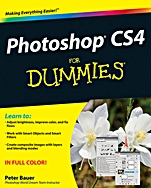
Photoshop CS4 For Dummies
ISBN 9780470327258
Autor: Peter Bauer
Wydawca: Wiley
Dostępność: 3-6 tygodni
Cena: 154,35 zł
Przed złożeniem zamówienia prosimy o kontakt mailowy celem potwierdzenia ceny.
ISBN13: |
9780470327258 |
ISBN10: |
0470327251 |
Autor: |
Peter Bauer |
Oprawa: |
Paperback |
Rok Wydania: |
2008-11-07 |
Ilość stron: |
416 |
Wymiary: |
232x189 |
Tematy: |
US |
Get to know Photoshop and start using the newest, coolest techniques!
Whether you′re just learning Photoshop or want to take your skills up a notch, you′ve come to the right place. Photoshop CS4 has a few new tricks up its sleeve, and Photoshop expert Peter Bauer will show you how to use them. From the basics like getting your images into and out of Photoshop to enhancing, cropping, and color correction, it′s all here!
Basic training — if you′re a beginner, check this section for details on how to get started, get around, and get familiar with all the parts
Enhancements made easy — learn about tonality, how to tweak color to natural perfection, how to isolate areas of an image for correction, and more
Fixing those common problems — red–eye, wrinkles, people and objects that don′t belong in the photo, and others
But is it art? — explore the painting functions, master the daunting Brushes panel, and add layer styles
Feel the power — create on–screen presentations, contact sheets, and more
Open the book and find:
Explanations of the menus, panels, tools, options, and shortcuts you need most
Tips for taking advantage of the Camera Raw file format
How to fine–tune your fixes with selection tools
What you can do with filters
Steps for creating composite images
Options for adding text to an image
How to streamline your workflow
Spis treści:
Introduction.
Part I: Breezing through Basic Training.
Chapter 1: Welcome to Photoshop!
Chapter 2: Knowing Just Enough about Digital Images.
Chapter 3: Taking the Chef’s Tour of Your Photoshop Kitchen.
Chapter 4: Getting Images into and out of Photoshop.
Part II: Easy Enhancements for Digital Images.
Chapter 5: Adding Dark Sha
dows and Sparkling Highlights.
Chapter 6: Making Color Look Natural.
Chapter 7: The Adobe Camera Raw Plug–In.
Chapter 8: Fine–Tuning Your Fixes.
Chapter 9: Common Problems and Their Cures.
Part III: Creating “Art” in Photoshop.
Chapter 10: Combining Images.
Chapter 11: Precision Edges with Vector Paths.
Chapter 12: Dressing Up Images with Layer Styles.
Chapter 13: Giving Your Images a Text Message.
Chapter 14: Painting in Photoshop.
Chapter 15: Filters: The Fun Side of Photoshop.
Part IV: Power Photoshop.
Chapter 16: Streamlining Your Work in Photoshop.
Chapter 17: Introducing Photoshop CS4 Extended.
Part V: The Part of Tens.
Chapter 18: Pete’s Top Ten Favorite Photoshop Tips and Tricks.
Chapter 19: Ten Reasons to Love Your Wacom Tablet.
Chapter 20: Ten Reasons to Own a Digital Camera.
Index.
Nota biograficzna:
Peter Bauer is an award–winning photographer and contributing writer for Photoshop User and Layers magazines. He is best known as the Help Desk Director for the National Association of Photoshop Professionals (NAPP), but he has also authored or coauthored a dozen books on Adobe Photoshop, Illustrator, computer graphics, and photography.
Okładka tylna:
Get to know Photoshop and start using the newest, coolest techniques!
Whether you′re just learning Photoshop or want to take your skills up a notch, you′ve come to the right place. Photoshop CS4 has a few new tricks up its sleeve, and Photoshop expert Peter Bauer will show you how to use them. From the basics like getting your images into and out of Photoshop to enhancing, cropping, and color correction, it′s all here!
Basic training — if you′re a beginner, check this section for details on how to get started, get around, and get familiar with all the parts
Enhancements made easy — learn about
tonality, how to tweak color to natural perfection, how to isolate areas of an image for correction, and more
Fixing those common problems — red–eye, wrinkles, people and objects that don′t belong in the photo, and others
But is it art? — explore the painting functions, master the daunting Brushes panel, and add layer styles
Feel the power — create on–screen presentations, contact sheets, and more
Open the book and find:
Explanations of the menus, panels, tools, options, and shortcuts you need most
Tips for taking advantage of the Camera Raw file format
How to fine–tune your fixes with selection tools
What you can do with filters
Steps for creating composite images
Options for adding text to an image
How to streamline your workflow
Koszyk
Książek w koszyku: 0 szt.
Wartość zakupów: 0,00 zł
Informacje


Kontakt
Gambit
Centrum Oprogramowania
i Szkoleń Sp. z o.o.
Al. Pokoju 29b/22-24
31-564 Kraków
Siedziba Księgarni
ul. Kordylewskiego 1
31-542 Kraków
+48 12 410 5991
+48 12 410 5987
+48 12 410 5989
Subskrypcje
Administratorem danych osobowych jest firma Gambit COiS Sp. z o.o. Na podany adres będzie wysyłany wyłącznie biuletyn informacyjny.
Autoryzacja płatności

Informacje na temat autoryzacji płatności poprzez PayU.

© Copyright 2012: GAMBIT COiS Sp. z o.o. Wszelkie prawa zastrzeżone.
Projekt i wykonanie: Alchemia Studio Reklamy